The most common operational problem in Indian small businesses is stock that doesn't match billing records. A product is invoiced but not deducted from stock. Stock is counted manually at month-end and never matches what was billed. The root cause is always the same: billing and stock are managed in separate tools — or worse, one is managed in a tool and the other in a notebook.
The solution is simple: use one software that does both. Khata Billing integrates real-time stock management with GST invoicing in a single platform — free for Indian businesses.
✅ Key Takeaways
- Add opening stock once — Khata Billing tracks everything after
- Stock reduces automatically with every sales invoice
- Stock increases automatically with every purchase entry
- Low-stock alerts — reorder before customers are disappointed
- Current stock report — real-time inventory value always available
- Stock movement report — see which products move fastest
- No separate spreadsheet or stock register needed
- Works for retail, wholesale, and manufacturing
The High Cost of Separate Stock and Billing Tools
When stock and billing are in separate systems, problems multiply:
- Invoicing out-of-stock items: Without real-time stock checks, staff bill items that aren't available — creating delivery failures and customer complaints
- Wrong stock counts: If billing doesn't automatically update stock, staff must manually record every sale in the stock register too — and it almost never happens perfectly
- Recon nightmares: Monthly stock count vs billing records rarely match — and finding the discrepancy takes hours of manual checking
- GSTR inconsistencies: If your billing and stock records differ, your actual stock doesn't match what should be there based on purchases minus sales — a red flag in tax audits
How Khata Billing Keeps Stock and Billing in Sync
The integration is automatic and instant:
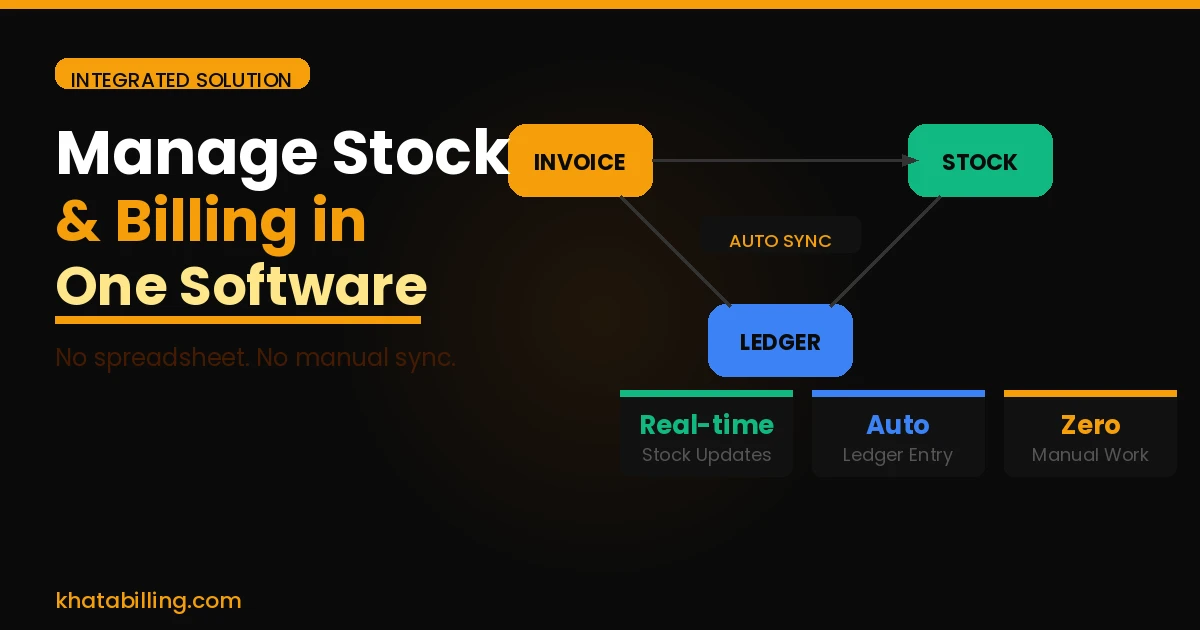
- Sales invoice saved: Stock of each billed item reduces immediately
- Purchase entry saved: Stock of each purchased item increases immediately
- Return/credit note: Stock increases when goods are returned
- No manual update ever required — every transaction automatically reflects in inventory
Setting Up Stock in Khata Billing — Step by Step
- Add each product with name, HSN code, unit, GST rate, and opening stock quantity (current physical count)
- Set minimum stock alert for each product — the quantity below which you want to be notified to reorder
- Create sales invoices as normal — stock reduces automatically
- Record purchases when new stock arrives — stock increases immediately
- Check stock reports anytime — current levels, movement, and valuation
Stock Reports Available in Khata Billing
- Current Stock Report: Every product with current quantity and value
- Low Stock Alert: Products below minimum quantity — your reorder list
- Stock Movement Report: Sales and purchases per product in any date range
- Stock Valuation: Total inventory value at cost — important for balance sheet and tax
Managing stock and billing in one software is not a luxury — it is the baseline that prevents the most common and costly errors in product businesses. Khata Billing delivers this integration starting completely free.
Start at khatabilling.com — add your opening stock today and have a fully integrated billing + inventory system running by tomorrow.