- Before You Start — One-Time Setup (5 Minutes)
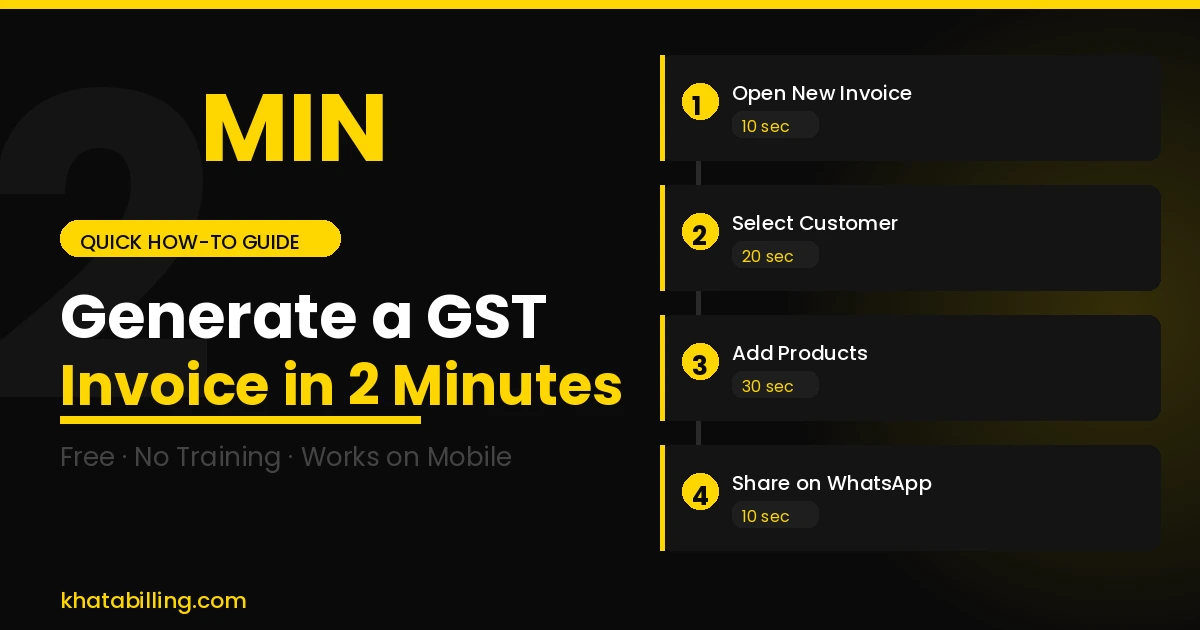
- Step 1 — Open New Invoice (10 seconds)
- Step 2 — Select or Add Customer (20 seconds)
- Step 3 — Add Products (30 seconds)
- Step 4 — Review and Generate (20 seconds)
- Step 5 — Share with Customer (10 seconds)
- Common Mistakes That Slow You Down (And How to Avoid Them)
- Why Speed Matters for Your GST Compliance
- Frequently Asked Questions
Most small business owners dread invoice creation. Between looking up HSN codes, calculating CGST and SGST splits, numbering invoices correctly, and formatting everything — what should take 2 minutes ends up taking 20.
Khata Billing changes that completely. This guide walks you through generating a fully GST-compliant invoice in under 2 minutes — even if you've never used billing software before.
✅ Key Takeaways
- One-time setup: enter your GSTIN and business details once
- Add products with HSN codes once — reuse forever
- Auto CGST/SGST vs IGST detection by customer state
- Sequential invoice numbering — automatic, no gaps
- PDF download ready in one click
- WhatsApp sharing built-in — no copy-pasting
Before You Start — One-Time Setup (5 Minutes)
The first time you use Khata Billing, spend 5 minutes on setup. Every invoice after this will take under 2 minutes.
- Create your free account at khatabilling.com — no credit card needed
- Add your business profile: Legal name, address, GSTIN, logo, and bank details for payment instructions on the invoice
- Add your products/services: Name, HSN/SAC code, default unit price, and GST rate for each item you sell. Once saved, you just select them — no re-entering
That's it. Now every invoice takes under 2 minutes.
Step 1 — Open New Invoice (10 seconds)
Log in to Khata Billing and click New Invoice. The invoice form opens instantly with your business details and logo pre-filled. Invoice number is automatically assigned as the next number in sequence — no manual numbering ever.
Step 2 — Select or Add Customer (20 seconds)
Start typing the customer's name. If you've billed them before, their details appear — just tap to select. For a new customer, enter their name, address, and GSTIN (for B2B transactions).
Important: The moment you enter the customer's state, Khata Billing automatically decides whether to apply CGST+SGST (same state) or IGST (different state). You don't need to know the rule — the software handles it.
Step 3 — Add Products (30 seconds)
Type the product name or code. Your saved product list appears — tap to add. Enter the quantity. Khata Billing auto-fills:
- Unit price (from your saved product)
- HSN code
- GST rate and tax amount
- Line item total
Add as many products as needed. The invoice total updates in real time. If you give a discount, enter it here — GST is automatically recalculated on the post-discount value.
Step 4 — Review and Generate (20 seconds)
Scroll down to see the complete invoice summary:
- Taxable value
- CGST and SGST (or IGST) breakdown
- Total invoice value in figures and words
- Payment due date (if you set credit terms)
Everything looks correct? Click Save & Generate. Your GST invoice is created instantly.
Step 5 — Share with Customer (10 seconds)
Right after generating, two buttons appear:
- Download PDF — saves a professional PDF to your device
- Share on WhatsApp — opens WhatsApp with the PDF attached and your customer's number pre-filled (if saved)
Your customer receives a clean, professional invoice in seconds. Total time from opening the form to the customer receiving the invoice: under 2 minutes.
Common Mistakes That Slow You Down (And How to Avoid Them)
If invoice creation is taking longer than 2 minutes, it's usually one of these:
- Not saving products in advance: Re-entering product details each time wastes 3–5 minutes. Build your product list once — even 30 minutes spent now saves hours every month.
- Manually looking up HSN codes: Khata Billing has a built-in HSN search. Type the product name and the correct code is suggested.
- Wrong customer GSTIN: Always verify GSTIN using Khata Billing's built-in GSTIN verification before the first invoice. This prevents ITC rejection disputes later.
Why Speed Matters for Your GST Compliance
Slow invoice generation isn't just a time problem — it's a compliance risk. Delayed invoices mean:
- Customers claim ITC in the wrong period, causing GSTR-2B mismatches
- You miss the invoice-before-dispatch rule for goods supply
- End-of-month invoice pileups increase error rates
With Khata Billing, invoices are created at the point of sale — correctly and instantly. Your GSTR-1 data stays clean with zero reconciliation headaches.
The 2-minute GST invoice isn't a promise — it's the everyday reality for thousands of businesses using Khata Billing. One-time setup, reusable product lists, automatic tax calculation, and instant WhatsApp sharing make it the fastest GST invoicing tool built for Indian businesses.
Start for free at khatabilling.com — no credit card, no installation, works in your browser right now.