In India, more than 60% of small business owners access the internet primarily through their Android phone. It makes sense then that billing software must work perfectly on Android — fast to open, easy to use on a small screen, and able to share invoices via WhatsApp instantly.
This guide covers the best GST billing software for Android mobile in India for 2026, with a focus on what actually works well on a phone — not just what claims to be mobile-friendly.
✅ Key Takeaways
- Full GST invoicing optimised for Android screen
- WhatsApp invoice sharing — 1 tap from the app
- Auto CGST/SGST/IGST — no manual tax selection
- Inventory management — check stock from phone
- Customer ledger — outstanding balances on the go
- Works on any Android browser — no heavy app download
- Cloud sync — invoice on phone, report on laptop
- Free plan — 10 invoices a day, no credit card
What Makes Billing Software Truly Mobile-Friendly?
Many billing tools claim to be mobile-friendly but deliver a shrunken desktop experience on your phone — tiny buttons, horizontal scrolling, and forms that require a stylus to fill. Truly mobile-friendly billing software must:
- Load fast on a 4G connection
- Have large, tap-friendly buttons and fields
- Auto-fill recurring information (customer, products)
- Support WhatsApp sharing natively
- Work in portrait mode without horizontal scrolling
Khata Billing is designed mobile-first. Every screen is built for a finger on a 5-inch display, not a mouse on a monitor.
Khata Billing on Android — Key Features
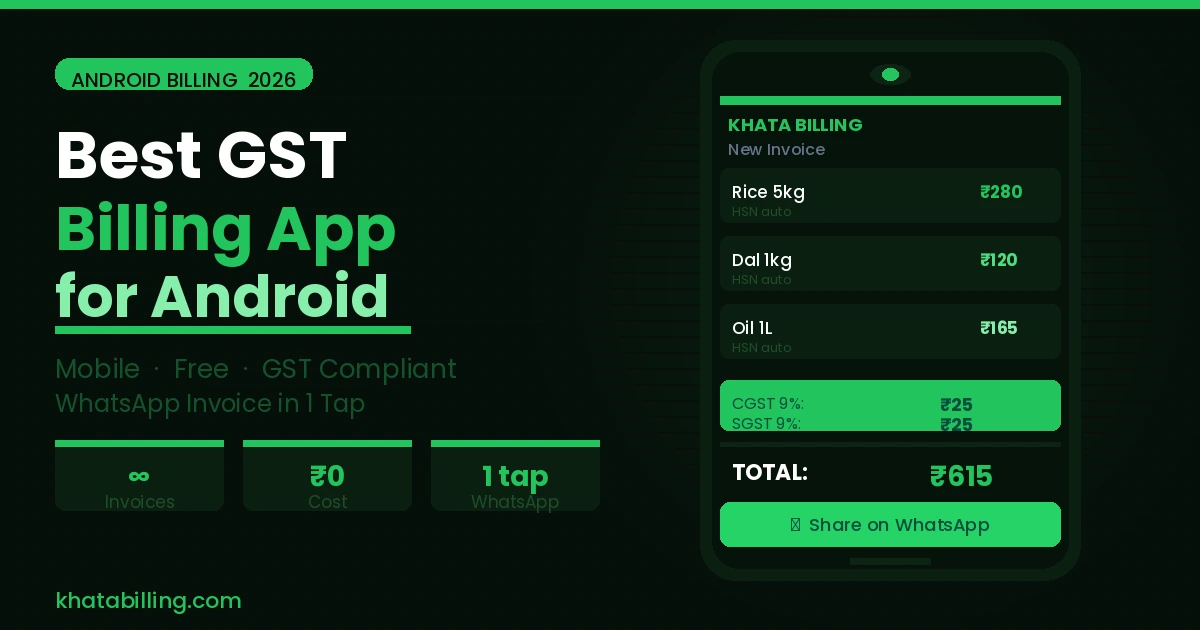
Invoice creation on mobile: Open Khata Billing in Chrome on your Android phone. Tap New Invoice. Select customer from saved list. Add products — search by name, tap to add. GST auto-calculates. Tap Save. Tap WhatsApp. Done. Total time: under 90 seconds.
Stock check on the go: At a supplier meeting or a customer's location and need to check if a product is in stock? Open Khata Billing on your phone — current stock levels are always live.
Collections dashboard on mobile: Check which customers have outstanding payments while you're travelling. Call them directly from the app or send a WhatsApp reminder with their statement.
Top GST Billing Apps for Android in India — Compared
1. Khata Billing (Best Overall Android Experience): Browser-based, loads in seconds on Android Chrome, full GST compliance, WhatsApp native sharing, and a free plan with 10 invoices a day. Best choice for most Indian businesses.
2. Vyapar (Best Offline Android App): Native Android app with excellent offline support. Strong for businesses in areas with unreliable connectivity. Free basic plan; paid from ₹1,499/year.
3. Zoho Invoice (Best for Service Businesses on Android): Clean Android app, good for consultants and freelancers. No inventory management on mobile app.
4. Tally on Mobile: Tally's mobile companion allows viewing reports but full billing on Android is limited. Not recommended as a primary mobile billing tool.
How to Set Up Khata Billing on Your Android Phone
- Open Chrome on your Android phone
- Go to khatabilling.com
- Sign up free — takes 2 minutes
- Tap the menu (⋮) in Chrome → "Add to Home Screen" — creates a home screen icon for one-tap access
- Add your GSTIN, products, and regular customers
- Start billing from your phone immediately
Adding to home screen makes Khata Billing feel like a native Android app — full screen, no browser UI, fast access.
Android Billing Software for Specific Business Types
Retail counter billing on Android tablet: Mount an Android tablet at your counter. Khata Billing's mobile interface is perfect for counter billing on a 7-10 inch tablet — fast product search, tap-to-add, instant WhatsApp bill to customer.
Field sales and delivery billing: Sales representatives visiting customers can create invoices directly on their Android phone at the customer's location — stock is checked live, invoice is created and shared on the spot.
Home-based business billing: For home businesses without a dedicated billing counter, Android phone billing via Khata Billing is the most convenient solution — always in your pocket, always ready.
The best GST billing software for Android in India is the one that works as naturally as WhatsApp on your phone — fast, intuitive, and built for how you actually work. Khata Billing delivers exactly this experience, free, for every Indian business owner with an Android phone.
Open khatabilling.com in your Android browser right now and create your first invoice in under 2 minutes.