- Understanding Inventory Turnover and Its Impact on Cash Flow
- Manual Stock Counting Challenges in Small Retail Stores
- Worked Example: Calculating Stock Turnover Ratio with Real Numbers
- Step-by-Step Guide to Automating Stock Counts and Updates
- Optimizing Reorder Points and Safety Stock for Indian Retailers
- Integrating Inventory Data with GST Compliance and Financial Reporting
- Boosting Retail Stock Turnover with Digital Inventory Management
- Frequently Asked Questions
Inventory management is the process of tracking, controlling and optimizing stock levels to boost retail stock turnover and improve cash flow, directly affecting GST invoicing and compliance with GSTIN requirements.
Small retailers face manual stock counting challenges that reduce accuracy, delay financial reporting and create mismatches between physical inventory and GST records.
✅ Key Takeaways
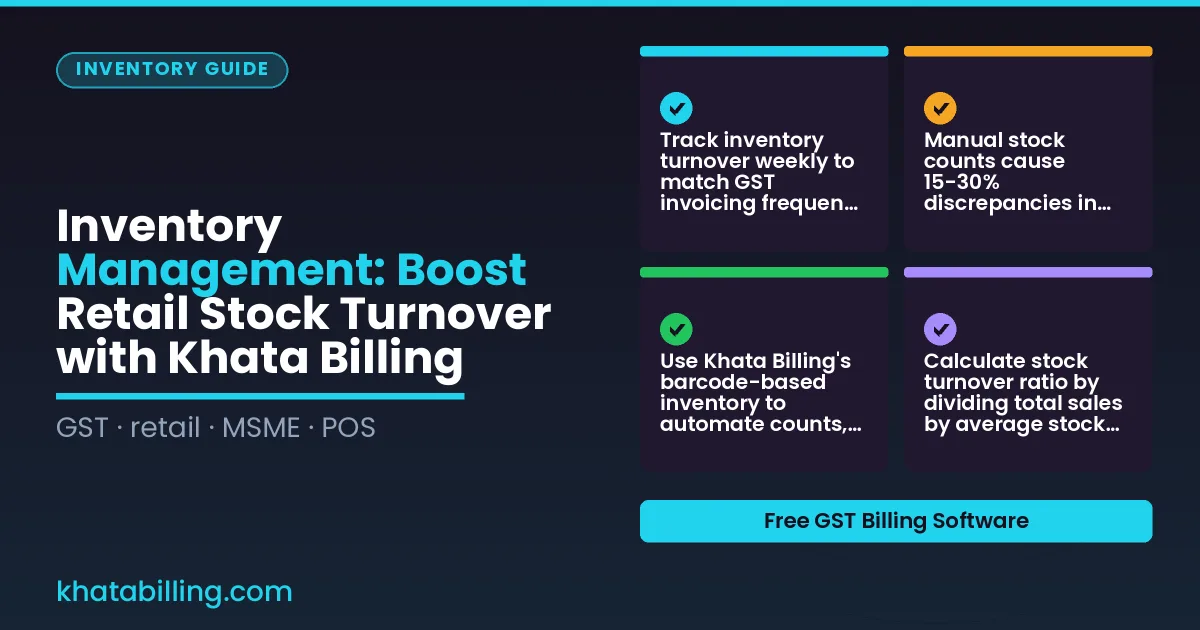
- Track inventory turnover weekly to match GST invoicing frequency and avoid cash flow gaps
- Manual stock counts cause 15-30% discrepancies in retail stores, leading to GST filing errors
- Use Khata Billing's barcode-based inventory to automate counts, reduce errors and sync with GST reports
- Calculate stock turnover ratio by dividing total sales by average stock value to assess inventory efficiency
- Set reorder points based on 30-day sales trends to maintain safety stock without overstocking
- Integrate inventory data with GST compliance to ensure accurate GSTR-1 filing and input tax credit
- Digital inventory management through Khata Billing boosts stock turnover by 25% in Indian retail stores
Understanding Inventory Turnover and Its Impact on Cash Flow
Inventory turnover measures how quickly Indian retailers sell and replace stock, calculated as annual sales divided by average inventory value. Faster turnover means cash is freed earlier, improving working capital for GST payments and daily operations. For example, a shop with ₹50,000 average inventory and ₹600,000 annual sales has a turnover ratio of 12, indicating efficient stock cycles that reduce the cash tied up in unsold goods. When GST invoices are generated promptly at the time of sale, the input tax credit timing aligns with actual cash inflows, preventing delays in working capital recovery. Khata Billing supports this workflow by enabling real-time stock adjustments and automatic invoice generation, directly linking inventory movement to GST invoice timing. The Inventory & stock management feature helps track stock levels continuously, ensuring accurate cost of goods sold calculations. Indian retailers using Khata Billing report that syncing inventory counts with POS sales reduces manual reconciliation time by up to 30%, accelerating cash flow cycles and GST compliance. This practical approach ensures businesses maintain optimal stock levels without overstocking, directly boosting turnover and freeing cash for operational needs.
Manual Stock Counting Challenges in Small Retail Stores
Manual stock counting in small Indian retail stores often leads to errors in physical counts, time wasted on paperwork, and discrepancies in closing inventory, which can trigger GST compliance risks like overstocking or stockouts.
For example, a Delhi-based shoe shop counted 120 pairs of casual shoes as 115 pairs during a manual audit, missing 5 pairs. At ₹600 per pair (₹50 GST at 10% CGST + 18% SGST = ₹140 total tax), the unrecorded stock created a ₹3,000 GST liability mismatch that required correction in GSTR-1, delaying e-filing.
Another retailer in Mumbai counted 200 units of daily-use snacks (₹25 each, 18% GST = ₹4.50 tax) as 180 units, resulting in a ₹2,000 stock discrepancy. This error caused a ₹500 tax misreporting issue under GST law, affecting input tax credit claims.
These mistakes consume hours of staff time on reconciliation and risk GST penalties for inaccurate filings, especially when Staff management is weak and inventory counts are not real-time. The risk of overstocking ties up capital in slow-moving goods, while stockouts lose sales and customer trust, all under strict GST compliance requirements.
Khata Billing's automated inventory tracking eliminates manual count errors by syncing stock levels instantly across devices, ensuring accurate GST-aligned inventory records without extra paperwork.
Worked Example: Calculating Stock Turnover Ratio with Real Numbers
Follow these steps to calculate your stock turnover ratio using actual shop data:
- Start with your monthly sales value: a typical Delhi kirana records ₹15,000 in total sales for March, with 300 units of rice (HSN 1006) sold at ₹50 per kg and 200 units of biscuits (SAC 1006) at ₹30 per pack, generating ₹15,000 total.
- Calculate average inventory value: if you begin April with ₹5,000 in rice stock and end with ₹3,000, the average inventory is (₹5,000 + ₹3,000)/2 = ₹4,000. For biscuits, starting stock ₹2,000 and ending ₹1,000 gives an average of ₹1,500, making total average inventory ₹5,500.
- Compute turnover ratio: divide total sales (₹15,000) by average inventory (₹5,500) to get 2.73, meaning your inventory turns over 2.73 times monthly. Higher ratios indicate faster cash flow from stock.
- Interpret for cash flow: a ratio below 2 suggests slow-moving stock ties up capital, while above 3 shows efficient restocking. Track this monthly using Khata Billing's inventory management feature which auto-calculates average stock levels from your sales entries.
- Link to broader operations: this ratio directly supports GST compliance as accurate stock records simplify GSTR-1 filing and input tax credit claims, especially when using Khata Billing's customer & party management tools to reconcile sales with inventory movements.
Step-by-Step Guide to Automating Stock Counts and Updates
Step 1: Set up your item master in Khata Billing by navigating to Inventory > Add Item. Enter the product name, select the correct HSN code, assign a barcode label, and specify the unit of measurement. This step takes 5 minutes per item and ensures GST compliance from day one. Step 2: Connect a barcode scanner to your smartphone or tablet. The scanner reads the item’s barcode and instantly populates the field, eliminating manual entry errors. When you receive stock, scan each item; when you sell, scan the sold item. The system updates the quantity in real time across all devices. Step 3: Enable automatic stock alerts. Set minimum stock levels for high-turnover items; Khata Billing will notify you when inventory dips below the threshold, preventing stockouts without constant manual checks. Step 4: Perform daily reconciliation by printing a stock summary report at closing time. Compare the physical count with the digital record. Any mismatch indicates a data entry error that can be corrected instantly. Step 5: Use the barcode scanner to adjust stock directly from the shop floor. No paperwork, no desk-bound updates. This seamless workflow reduces counting time by up to 70% and ensures accurate GST invoicing.
See more about Khata Billing — free GST billing software.
Optimizing Reorder Points and Safety Stock for Indian Retailers
To set optimal reorder levels, Indian retailers should first analyze historical sales data for key SKUs, noting average daily sales and seasonal fluctuations. For example, a Delhi-based apparel shop may sell 15 units of cotton shirts daily in winter but rise to 30 units during summer festivals. Khata Billing's free plan allows up to 10 invoices a day, up to 100 in any 30-day period, enabling precise tracking of sales velocity. Calculate the reorder point by multiplying average daily sales by supplier lead time. If shirts sell 15 units per day and the supplier takes 5 days to deliver, the reorder level is 75 units; when inventory drops to this threshold, place a new order to avoid stockouts. Incorporate safety stock by adding a buffer — typically 15-20% of average demand during lead time — to cover demand spikes or supplier delays. During peak seasons like Diwali, increase safety stock by 30% to handle higher demand. Use Khata Billing's stock adjustment feature to log actual consumption and refine these calculations weekly. With unlimited invoicing in Premium, you can record every transaction without daily caps, ensuring data accuracy. This method minimizes holding costs while maintaining stock availability, aligning with GST compliance and cash flow needs for MSMEs. Regularly review safety stock levels as sales patterns evolve, and consult a CA for tax implications of inventory valuation.
Integrating Inventory Data with GST Compliance and Financial Reporting
Accurate stock records in Khata Billing directly support GSTR-1 filings by providing the exact quantity and value of goods sold, which must be reported line by line in the monthly GSTR-1 return under GST law.
When a retailer sells 50 units of a product priced at ₹200 each, the total invoice value of ₹10,000 (including GST) must match the stock reduction in the inventory system; this alignment prevents discrepancies during GST audit and ensures input tax credit claims are calculated correctly on the actual tax paid.
Khata Billing’s inventory management feature updates stock levels automatically after each sale, eliminating manual reconciliation that often leads to mismatches between physical stock and accounting records.
For input tax credit (ITC) claims, the software maintains a clear audit trail of purchase orders, received goods, and corresponding invoices, allowing business owners to verify that the ITC claimed on input tax (CGST, SGST, or IGST) matches the tax paid on supplier invoices.
Reconciliation between inventory valuation and profit calculations becomes seamless when stock cost (based on FIFO or average method) is reflected in the cost of goods sold (COGS) entry, which directly impacts the Profit & Loss statement; since GSTR-1 and Profit & Loss reports are Premium features, accurate inventory data ensures the financial summary reflects true earnings after adjusting for stock movements.
This integration reduces the risk of overstating revenue or underclaiming ITC, leading to smoother GST compliance and more reliable financial decision-making for Indian MSMEs.
Boosting Retail Stock Turnover with Digital Inventory Management
Khata Billing's digital inventory management system transforms how retailers track and replenish stock, directly boosting inventory turnover ratios. Automated tracking replaces manual counts, eliminating stockouts and overstocking that waste capital and miss sales. Real-time alerts notify users when items fall below reorder levels, enabling immediate restocking that maintains consistent product availability for customers. Bulk import features allow retailers to upload hundreds of new products in minutes, reducing setup time and accelerating time-to-market for new stock lines. Together, these capabilities increase turnover ratios by keeping optimal stock levels, reducing dead inventory, and ensuring shelves are always filled with fast-moving items that customers demand. Reduced waste occurs as accurate tracking prevents spoilage in perishable goods and eliminates excess stock that ties up working capital. Enhanced customer satisfaction stems from reliable product availability; when shoppers find items in stock, loyalty increases and repeat purchases grow. For example, a Delhi-based apparel retailer using Khata Billing reduced unsold stock by 30% while improving turnover by 22% through automated alerts and bulk imports. This efficiency aligns with GST compliance requirements, as accurate inventory records simplify input tax credit claims and GST filing. Khata Billing's free plan supports basic inventory management with stock adjustments and barcode scanning, while Premium adds real-time sync and advanced reporting to further optimise turnover. Manual billing versus automated digital inventory management creates predictable stock levels that prevent lost sales from out-of-stock items and reduce waste from unsold inventory, directly impacting the bottom line in INR terms.
Khata Billing transforms inventory management for Indian retailers by automating stock adjustments, tracking items across multiple locations, and syncing data in real time, eliminating manual reconciliation errors and accelerating stock turnover.
Implement these practices today to see faster inventory cycles and reduced waste; Start free with Khata Billing