- Understanding the Festive Stock Surge Challenge
- Manual Stock Management vs. Automated Inventory Control
- Step-by-Step Guide to Setting Up Festive Stock in Khata Billing
- How Automated Stock Updates Prevent Overstocking and Stockouts
- Integrating POS and Inventory for Seamless Sales
- Leveraging Advanced Reports to Optimize Festive Inventory
- Maintaining Stock Accuracy Through Festival Returns and Exchanges
- Frequently Asked Questions
Khata Billing manages festive stock surge through automated inventory management that updates stock levels in real-time during high sales periods, preventing overstocking and stockouts for Indian retailers, wholesalers, and service providers.
The platform handles inventory management challenges like manual stock tracking and POS integration specifically for seasonal demand spikes across India's GST-regulated retail environment.
✅ Key Takeaways
- Automated stock updates in Khata Billing prevent overstocking during festival demand by syncing inventory with POS sales in real time
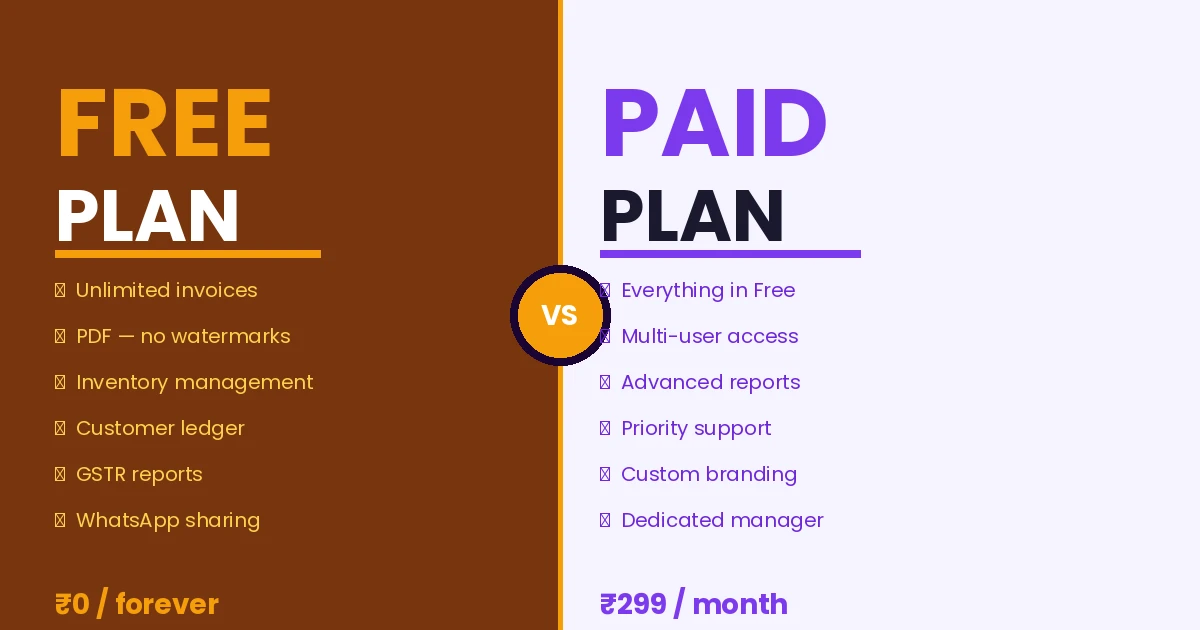
- Free plan supports 100 invoices per 30 days and 10 per day for basic inventory tracking
- Premium plan removes all invoice limits and adds unlimited stock item imports up to 2000 at once
- Barcode scanning in Khata Billing enables faster stock counting and accurate festive inventory recording
- Advanced GSTR-1 reports in Premium plan show real-time taxable stock movements during sales surges
- Staff role permissions in Premium plan control who can modify festive stock quantities
- Return and exchange tracking in Khata Billing maintains accurate stock counts after festival sales
Understanding the Festive Stock Surge Challenge
Seasonal festivals like Diwali, Holi, and Navratri create intense inventory pressure for Indian shopkeepers, retailers, and traders as demand for specific items spikes dramatically.
For example, sweet shop owners see a 300% increase in sales of laddus and barfi, requiring larger stock holdings of perishable goods that risk spoilage if not sold quickly.
Garment traders face surges in demand for kurtas and sarees, where inventory turnover must match short festival windows to avoid unsold stock after the event ends.
Electronics retailers experience high-volume sales of mobiles and LED lights, creating pressure to maintain accurate stock counts and fast billing at the counter.
These demands strain manual inventory systems, where tracking stock levels, managing purchases, and ensuring accurate GST invoicing become challenging during peak periods.
Using
Manual Stock Management vs. Automated Inventory Control
Manual stock management relies on paper-based registers that become chaotic during festive seasons, wasting valuable time and causing costly errors. Shopkeepers spend hours counting items, leading to discrepancies like a 15% overstatement of stock, and miss sales opportunities when items run out mid-event. For example, a sweet shop tracking 500 kg of ladoo stock manually might record 480 kg, missing 20 kg that should have been sold at ₹100 per kg, resulting in ₹2,000 in lost revenue with 18% GST liability. Inaccurate records also create mismatches between GST invoices and actual stock, risking compliance issues. Automated Inventory & stock management solves these problems by continuously updating quantities across devices. A shop using Khata Billing can scan barcodes at checkout, instantly reducing stock levels and preventing overselling. The Inventory & stock management feature syncs sales with stock in real-time, eliminating manual counts. With accurate data, the shop avoids ₹2,000 in lost sales and maintains correct GST filings for 18% tax on ladoo sales. This precision ensures festive stock surge is managed efficiently without compromising sales or compliance.
Step-by-Step Guide to Setting Up Festive Stock in Khata Billing
Step 1: Log in to Khata Billing and navigate to the inventory module, where you can add new items by clicking the “+ New Item” button and entering the product name, description, and relevant HSN code as per GST law.
- Click “+ New Item” in the inventory module, enter the festive product name (e.g., “Diwali Sweet Box”), select the appropriate HSN code, set the unit of measure, and specify the opening stock quantity for the upcoming festive period.
- For each item, go to the “Location” tab and assign it to your shop or warehouse, enabling location-specific stock tracking so you can monitor inventory separately for each festive sales channel.
- Enter the purchase price and selling price in INR, then click “Save” to create the item with stock; the system will auto-calculate tax based on the HSN code and GST rate.
- Use the “Bulk Import” feature to upload a CSV file of up to 2000 items, which speeds up setting up large festive ranges while maintaining accurate HSN and stock data.
- After adding items, run a stock adjustment for any pre‑festive inventory counts, and verify the updated quantities on the dashboard widget.
- Monitor sales and stock levels daily; when stock runs low, generate a purchase request directly from the inventory screen to replenish stock before the peak sales days.
Refer to the Khata Billing blog for detailed tutorials on each step and best practices for managing festive stock efficiently.
How Automated Stock Updates Prevent Overstocking and Stockouts
Khata Billing’s digital billing automatically reduces stock quantities the instant an item is sold, eliminating the lag between physical sales and inventory records. In a festive market, a sweet shopkeeper might see 200 units of a popular item disappear within an hour; with real-time updates, the system instantly reflects this drop, preventing overselling and ensuring accurate reorder points. A About Khata Billing specialist notes that this precision protects profit margins by avoiding both excess inventory tied up in unsold stock and the lost sales from running out of high-demand items during peak festival days. The platform also generates automatic low-stock alerts when quantities dip below a user-defined threshold, sending SMS or in-app notifications so the shopkeeper can reorder before stockouts occur. Unlike manual register methods where stock counts are updated only at day-end, Khata Billing syncs across devices instantly, giving real-time visibility to owners checking sales on their phone while managing the counter. This immediate feedback loop means fewer emergency purchases at higher costs and smoother cash flow during festivals when margins are thin. For example, if a retailer sells 50 units of a product priced at ₹200 each with 12% GST, the digital record updates stock by 50 units the moment the sale completes, while the manual method would require a separate end-of-day count, risking discrepancies that could lead to overstocking or stockouts.
Integrating POS and Inventory for Seamless Sales
At a festive market stall in Delhi, the cashier scans a customer's mobile UPI payment on the POS screen, and the inventory count for the printed saree instantly drops from 50 to 49 units. This real-time update happens because Khata Billing’s Point of Sale connects directly to its inventory engine, eliminating the need for manual stock counting that causes errors when ten customers queue simultaneously. The system automatically deducts the sold item from the stock ledger and adjusts the available quantity, ensuring the shopkeeper never oversells a limited-edition kurta during peak hours. With barcode scanning, the billing screen reads the item’s HSN code and immediately reflects the reduction across all devices, whether the merchant uses a tablet at the counter or a mobile phone near the checkout. This seamless integration means the stock room team sees accurate availability in the dashboard widget, preventing over-ordering and reducing waste of perishable items like sweets or flowers. Merchants report that the elimination of manual adjustments saves at least 15 minutes per hour during crowded festival days, allowing more focus on customer service. The automatic synchronization also supports GST compliance, as the recorded sales instantly feed into the GSTR-1 summary when Premium features are enabled, ensuring accurate input tax credit claims without delayed bookkeeping.
Leveraging Advanced Reports to Optimize Festive Inventory
Before the festive season, generate a Profit & Loss statement to identify top-selling items and projected margin changes; in Khata Billing, this report pulls real-time sales data from your inventory dashboard, showing which products are moving fastest and where stock levels may dip, allowing you to place purchase orders for high-demand items like sweets or decorations at least two weeks early.
During the peak, use GST reports — including GSTR-1 and GST summary — to track actual tax collected and reconcile it with sales volumes, confirming whether your stock is turning over as expected; the Party Ledger shows which customers are buying in bulk, helping you allocate inventory to key accounts and avoid stockouts for repeat buyers, while the real-time stock overview lets you adjust reorder points instantly from your mobile device.
After the season, analyze the Profit & Loss report again to compare festive sales against regular periods, calculate the cost of unsold items, and determine which products need discounting or clearance; the GST reports verify that all tax liabilities are correctly filed, and the Party Ledger provides a clear record of payments received, enabling accurate cash flow planning for the next quarter.
These data-driven insights turn inventory management from guesswork into a measurable process, ensuring you stock the right products at the right time, reduce waste, and maximize profitability during festive demand spikes.
Maintaining Stock Accuracy Through Festival Returns and Exchanges
When a customer returns or exchanges a festival item, accurate inventory management ensures stock records stay correct for GST filings and future sales. First, open the original sale in Khata Billing’s sales history, locate the transaction by date or invoice number, and select the return option. The system automatically creates a credit note with the correct GST tax amount, preserving the original CGST, SGST or IGST breakdown based on the item’s HSN code. Next, process the return by scanning the barcode on the exchanged product or entering its details manually. If the item is swapped for a different size or color, update the item’s attributes in the stock list; Khata Billing then adjusts the quantity accordingly, reducing the original item count and increasing the new variant’s stock. For exchanges where the customer receives a different product, the software deducts the original item from inventory and adds the new item in a single step, keeping the total count accurate. Finally, review the updated stock summary in the dashboard widget, which reflects the net quantity after returns and exchanges. This real-time adjustment prevents overstocking or stockouts, ensures that GST input tax credit claims match actual purchases, and supports smooth re‑ordering for the next festival. By following these steps, shop owners maintain precise inventory records without extra paperwork, and they can confidently manage post‑festival sales while staying compliant with GST regulations. The free plan covers up to 10 invoices a day and 100 in any 30‑day period, while unlimited invoicing is part of Premium.
Khata Billing simplifies inventory management during festive demand spikes with automatic stock adjustments, real-time updates across devices, and barcode-based item tracking that prevents overselling and stockouts. The system handles increased transaction volumes effortlessly while maintaining accurate party balances and party payment requests through its integrated POS features, ensuring smooth operations from the billing counter to the stock room without manual intervention.
Experience seamless handling of seasonal inventory with Khata Billing's built-in tools and Start free with Khata Billing to begin managing your stock today.