- Understanding GST Invoice Requirements for Accurate Stock Tracking
- Real-World Example: Calculating Stock Adjustments from GST Sales Data
- Step-by-Step Guide to Automating Inventory Updates via GST Invoicing
- Comparing Manual Stock Counting with Digital GST Invoice Integration
- Using GST Reports to Optimize Stock Valuation and Reorder Points
- Integrating POS Transactions with GST Invoice Generation for Seamless Inventory Control
- Maintaining Accurate Stock Records During Return Filing and GST Audits
- Frequently Asked Questions
Khata Billing enables GST-compliant inventory management by automatically linking sales invoices to stock levels, eliminating manual adjustments for Indian small businesses.
With GST invoice rules requiring accurate item details and unique identifiers, Khata Billing ensures every transaction updates stock records in real time, directly supporting stock valuation and audit readiness.
✅ Key Takeaways
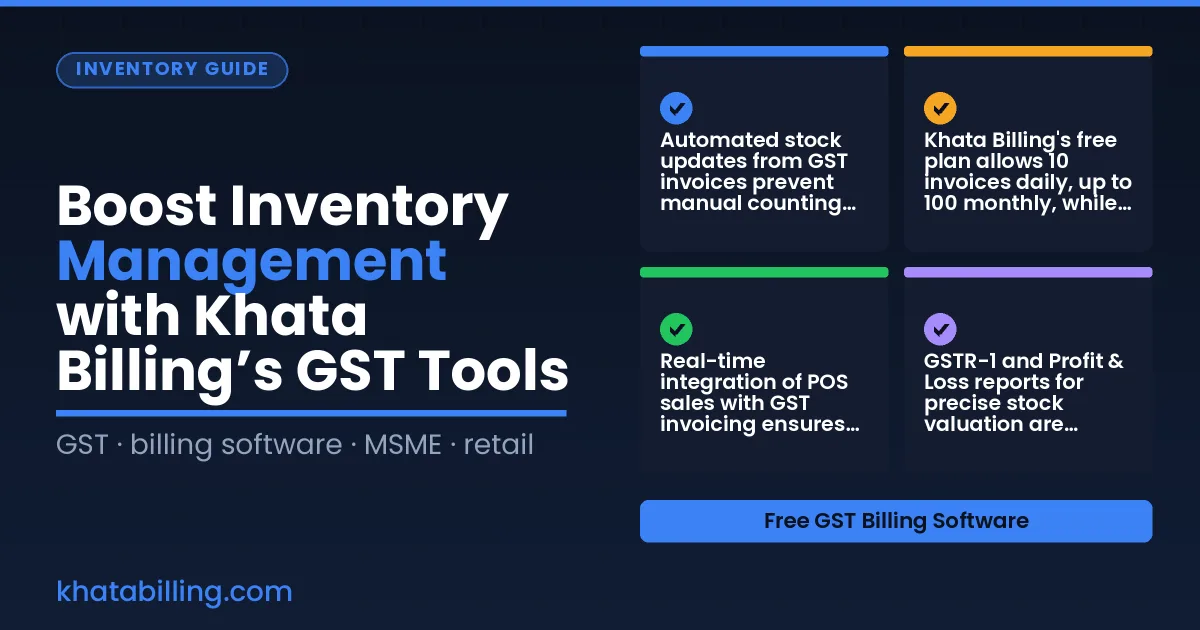
- Automated stock updates from GST invoices prevent manual counting errors and save time
- Khata Billing's free plan allows 10 invoices daily, up to 100 monthly, while Premium offers unlimited invoicing
- Real-time integration of POS sales with GST invoicing ensures accurate inventory levels across channels
- GSTR-1 and Profit & Loss reports for precise stock valuation are Premium features
- Accurate stock records during return filing and GST audits reduce compliance risk
- Digital GST invoice integration streamlines inventory control versus manual methods
Understanding GST Invoice Requirements for Accurate Stock Tracking
GST invoices in India require unique sequential numbers, correct HSN codes, and clear CGST/SGST or IGST breakdowns to ensure accurate stock recording at the billing counter. When you issue an invoice, Khata Billing automatically assigns a unique invoice number and captures the HSN code you select, eliminating manual entry errors that cause stock mismatches. The platform also records the exact tax amounts under CGST, SGST or IGST, so your inventory valuation reflects the true purchase or sale value including tax. This precision means when you reconcile daily sales with stock ledger entries, the numbers align without manual adjustments. For example, selling a ₹500 item with 18% GST generates a ₹90 tax amount; Khata Billing logs the ₹590 total while tracking the ₹500 inventory cost separately, enabling accurate profit calculations. The Inventory & stock management feature syncs these invoice details directly with stock movements, so each sale reduces stock quantity instantly and updates the ledger in real time. Manual billing often results in duplicate numbers, missing HSN codes, or incomplete tax splits, leading to GST filing discrepancies and inventory shortages. By using Khata Billing, you follow GST invoice requirements automatically and maintain reliable stock records without extra effort.
Real-World Example: Calculating Stock Adjustments from GST Sales Data
At a typical Mumbai general store, a shopkeeper records daily sales of ₹5,000 across 5 items. Each item on a GST invoice includes tax-inclusive pricing, so the taxable base and GST amount are automatically calculated. For example, Item A (Saree) sells 10 units at ₹800 each (tax-inclusive), 12% GST applied, generating a taxable value of ₹7,200 and GST of ₹864. Item B (T-shirt) sells 5 units at ₹600 (18% GST), creating a taxable value of ₹5,000 and GST of ₹900. Item C (Jeans) moves 8 units at ₹900 (5% GST), yielding ₹7,200 taxable and ₹360 GST. Item D (Shawl) sells 15 units at ₹400 (12% GST), giving ₹5,400 taxable and ₹648 GST. Item E (Scarf) moves 20 units at ₹250 (5% GST), resulting in ₹5,000 taxable and ₹250 GST. When the shopkeeper uploads these invoices to Khata Billing, the system automatically reduces stock quantities based on the item quantity from each invoice. The total stock adjustment reflects the actual units sold, not the invoice value. This seamless flow from GST invoice data to inventory updates is managed through Khata Billing’s GST tools, as explained in the GST reports section. The automatic stock reduction eliminates manual counting errors and ensures accurate inventory records.
Step-by-Step Guide to Automating Inventory Updates via GST Invoicing
Boost inventory accuracy by linking every GST invoice with barcode item codes in Khata Billing. First, log in and go to the item master where you can generate or import item details, including the HSN code and a unique barcode for each product. Custom invoice formats let you choose how the barcode appears on the printed or digital invoice. When you create a new invoice, select the customer, add the items using the barcode scanner or manually enter the barcode number, and the system will auto-populate the GST rate, tax amounts, and total in INR. After you save and send the invoice, Khata Billing instantly deducts the sold quantity from the stock level in real time, updating the inventory dashboard without any manual entry. This real-time sync ensures that your stock room reflects the latest available quantity, reducing overstock or stockouts. Next, review the stock overview report to see current levels, and use the bulk import feature (up to 2000 items) if you need to adjust inventory for new products or returns. Finally, train your staff at the billing counter to scan barcodes at the point of sale, so every transaction triggers an automatic stock adjustment, keeping your inventory management seamless and GST compliant.
Comparing Manual Stock Counting with Digital GST Invoice Integration
Manual stock counting in Indian small shops involves writing numbers on paper registers, noting item names, and manually adjusting quantities after physical verification. This method creates delays when GST invoices are generated separately, because inventory levels do not sync with billed quantities, leading to mismatches during audits or return filings.
With Khata Billing, barcode scanning from GST invoice data automatically reduces stock when an item is billed. The system updates inventory in real time, so a shopkeeper selling five units of a product instantly sees the count drop, eliminating the need for separate stock reconciliation and preventing overstock or stockout situations during peak sales periods.
Business reports show accurate stock movement when digital billing integrates with inventory, enabling quick decisions on reorder points and reducing waste from expired goods.
| Manual register | Digital billing |
|---|---|
| Handwritten quantity counts | Barcode scan from GST invoice |
| Separate stock verification needed | Automatic inventory update |
| Delayed reconciliation with sales | Real-time sync with POS |
| Error-prone manual entry | Minimal human input required |
For example, a Delhi-based retailer selling ₹250 items with 18% GST can see exact stock levels drop after each sale, avoiding the ₹50 tax liability confusion that arises when paper records do not match billed quantities. This precision supports better GST compliance and smoother return filing, especially for businesses filing GSTR-1 monthly.
Using GST Reports to Optimize Stock Valuation and Reorder Points
Khata Billing’s daily sales summary and stock overview reports work together to create accurate inventory valuation figures that reflect GST-compliant transactions. When a shopkeeper records a sale of ten units of a product priced at ₹200 each with a 18% GST, the software automatically adds CGST and SGST, generating a total invoice of ₹236.00. The daily summary captures this transaction, updating the stock balance to 90 units and adjusting the valuation based on the latest cost price. The stock overview report then displays the current on-hand quantity, average cost per unit, and total inventory value in INR, allowing the owner to see exactly how much capital is tied up in stock. By reviewing this report each evening, the owner can spot slow-moving items and decide whether to reorder fast-selling products before stock runs low. The system triggers a reorder alert when the quantity falls below a predefined threshold, such as 20 units, and the alert includes the suggested reorder quantity based on average daily sales. This process ensures that stock levels are maintained without manual calculations, and all figures remain aligned with GST filings. Because the data is GST-ready, the valuation reflects the correct tax amounts, preventing discrepancies during audits. Owners can also export the report to Excel for deeper analysis, supporting better cash flow management and reducing the risk of stockouts. The integration of real-time sales data with inventory tracking means that every transaction updates the valuation instantly, providing a reliable foundation for reorder decisions and overall business planning.
Integrating POS Transactions with GST Invoice Generation for Seamless Inventory Control
Linking your POS billing screens directly to Khata Billing's GST engine means every sale generates an invoice instantly, eliminating the need for manual entry of product details, customer information, and tax rates.
When a shopkeeper scans a barcode at the point of sale, the system automatically creates a GST-compliant invoice with the correct CGST, SGST or IGST breakdown, and updates the stock levels in real time without any duplicate data entry.
This integration works across the free plan's 10 invoices a day limit and the Premium plan's unlimited invoicing, so whether you process 10 sales or 100 in a month, each transaction triggers an automatic inventory adjustment.
For example, if a retailer sells a ₹500 item with 18% GST, the POS sends the item code, quantity and customer GSTIN to Khata Billing, which then generates the invoice showing ₹500, ₹90 CGST and ₹90 SGST, and reduces the stock count by one automatically.
Because the invoice is created at the moment of sale, the stock room reflects the updated quantity immediately, preventing overselling and ensuring accurate stock valuation for GST filings.
Staff can manage multiple billing screens, and each transaction updates the central inventory database, so the warehouse manager sees real-time stock movements without running separate reports.
Khata Billing's barcode scanning feature captures the item details at the POS, and the automatic GST invoice generation ensures compliance while saving time for the shopkeeper.
Maintaining Accurate Stock Records During Return Filing and GST Audits
During return filing, Khata Billing enables shopkeepers to issue GST-compliant credit notes directly from the billing interface, automatically updating inventory levels without manual entry. When a customer returns goods, the system generates a credit note that reflects the original invoice’s GST details, including CGST, SGST or IGST components, and reduces the respective stock quantity in real time. This eliminates the need for separate spreadsheets or paper-based adjustments that often lead to reconciliation errors during GST audits.
For example, if a retailer sells a ₹2,000 item with 18% GST (₹360 CGST, ₹360 SGST) and later receives a return of the full item, Khata Billing creates a credit note showing the same tax breakdown. The stock count for that item drops from 10 to 11 (accounting for the return), and the tax liability adjusts accordingly. Because the credit note links to the original invoice number and includes the HSN code, auditors can verify both the tax calculation and inventory movement without cross-referencing external records. The platform also maintains a complete audit trail of all credit notes issued, timestamped and user-identified, which satisfies GST department requirements for traceability. By integrating credit note generation with stock ledger updates, Khata Billing ensures that inventory accuracy remains intact throughout the return process, reducing the risk of discrepancies flagged during surprise GST audits. This seamless workflow supports compliance while saving time for busy shop owners managing daily operations and GST filings.
Khata Billing streamlines GST-compliant inventory management for Indian small businesses by automating stock adjustments and linking them directly to accurate invoice generation, ensuring every sale reflects real-time stock levels and avoids manual reconciliation errors.
Implement these GST tools today to maintain precise inventory records and simplify compliance — Start free with Khata Billing