- Understanding UPI Payments and GST Compliance for Small Businesses
- Daily Invoice Limits and GST Registration Requirements
- Real-World Example: Calculating GST Liability from UPI Transactions
- Step-by-Step Workflow for GST-Compliant UPI Billing
- Manual vs Automated Billing Processes Comparison
- Integrating UPI Reconciliation with GST Return Filing
- Benefits of Automated UPI and GST Management for SMB Growth
- Frequently Asked Questions
UPI payments must be recorded with GST-compliant invoices to ensure accurate tax liability calculation for Indian SMBs. Khata Billing's free plan covers 10 invoices a day, up to 100 in any 30-day period, while Premium offers unlimited invoicing with watermark-free documents and advanced GST reporting features. This direct compliance between UPI transactions and GST filings prevents penalties and streamlines financial tracking for shopkeepers, retailers, and service providers.
For small business owners navigating GST registration and UPI settlements, Khata Billing automates invoice generation, tracks input tax credit eligibility, and syncs daily sales data with GSTR-1 filings. The platform's POS integration reduces manual entry errors and ensures that every UPI payment is matched with a properly numbered GST invoice, eliminating reconciliation gaps that commonly trigger tax authority notices.
✅ Key Takeaways
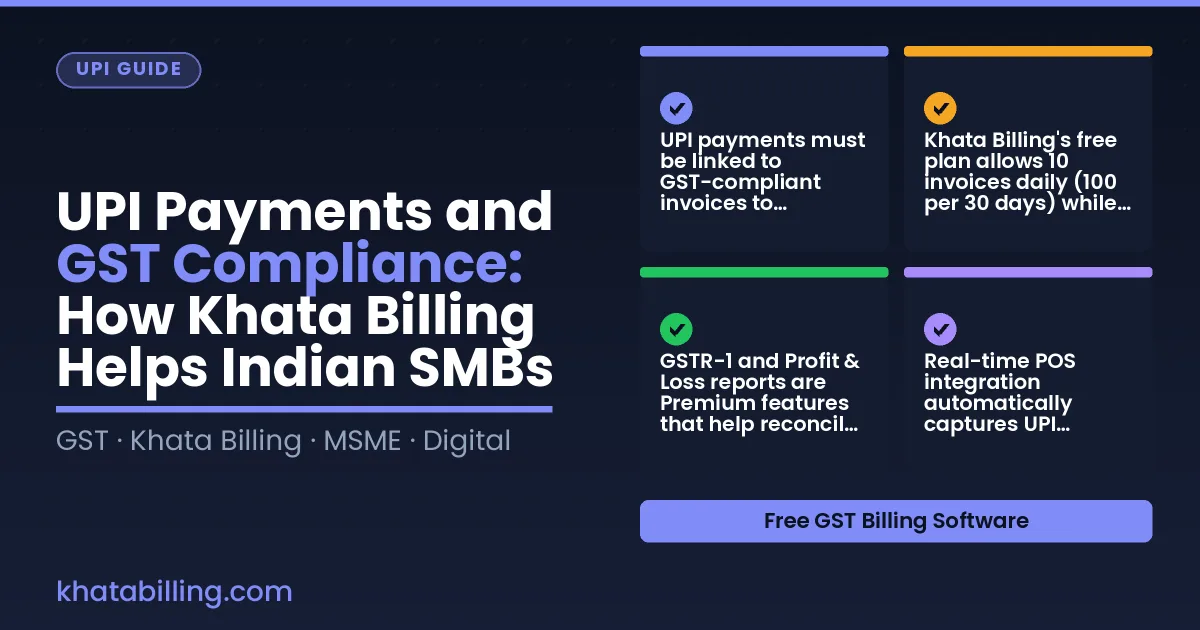
- UPI payments must be linked to GST-compliant invoices to calculate accurate tax liability for small businesses
- Khata Billing's free plan allows 10 invoices daily (100 per 30 days) while Premium offers unlimited invoicing with watermark-free documents
- GSTR-1 and Profit & Loss reports are Premium features that help reconcile UPI transaction data with GST filings
- Real-time POS integration automatically captures UPI payments and generates matching GST invoices
- Automated workflows eliminate manual entry errors in billing counters and stock rooms
- Khata Billing's POS supports up to 20 billing screens for high-volume retail environments
- Manual billing vs automated billing reduces reconciliation time and prevents GST filing mistakes
Understanding UPI Payments and GST Compliance for Small Businesses
UPI payments are a digital transaction system that lets Indian SMBs accept money instantly through linked bank accounts using a mobile number or QR code. These payments directly impact GST compliance because every UPI transaction generates a taxable event that must be recorded in GST returns, and accurate tax collection is mandatory under GST law. When a shopkeeper receives ₹500 via UPI for a sale, the GST amount embedded in that transaction must be captured correctly to avoid penalties and ensure input tax credit eligibility. Khata Billing — free GST billing software integrates UPI payment tracking with automatic GST invoice generation, so each UPI receipt becomes a compliant invoice without manual entry. This ensures that sales data flows directly into GSTR-1 filings, matching the tax collected at the point of sale. The platform answer,
See more about Khata Billing — free GST billing software.
Daily Invoice Limits and GST Registration Requirements
UPI payments drive the daily transaction rhythm for Indian SMBs, and GST compliance demands precise daily tracking of invoice volumes to avoid penalties. The law ties GST registration to the frequency of sales reported in GSTR-1, making accurate daily invoicing essential for matching UPI transaction counts with declared turnover. A shopkeeper processing 15 UPI payments daily must ensure each corresponds to a valid invoice within the Free plan’s 10-invoice-per-day ceiling, or risk GST filing mismatches. Khata Billing blog explains how real-time tracking prevents overages. Example: A retailer sells 2 × “Milk Pack (₹30, 5% GST)” and 1 × “Bread (₹20, 5% GST)” each day. Invoice total = (2 × 30) + 20 = ₹80; GST = (5% × 80) = ₹4, making the taxable value ₹84. If this invoice exceeds the daily limit, the cumulative 30‑day total may breach the 100‑invoice cap, triggering a compliance notice. Tracking each invoice via Khata Billing’s dashboard ensures the count stays within 10 per day, keeping GST registration valid and UPI settlement smooth.
Real-World Example: Calculating GST Liability from UPI Transactions
When a retailer in a busy Delhi market receives a UPI payment from a customer, the transaction appears in the bank statement with a unique UPI transaction ID and amount. Using Khata Billing, the shop owner opens the POS billing screen and records the sale. The software auto-fetches the customer's GSTIN (if registered) and suggests the appropriate HSN code for the item sold. The system calculates CGST and SGST percentages based on the state, or IGST for interstate sales, and instantly generates a GST-compliant invoice with the correct tax amount. This invoice is saved in the digital ledger, updating the party balance and stock count automatically. At month-end, the same UPI transaction data feeds into the GST report section, where the software tallies all outward supplies, computes the total CGST, SGST, and IGST liability, and displays the net payable amount. The shop owner can then file GSTR-1 directly or share the summarized data with their CA. POS billing system ensures every cash and digital sale is documented, making GST reconciliation a matter of clicking a button rather than manually matching entries. By linking UPI receipts to invoices in real time, Khata Billing eliminates the common mismatch between bank deposits and tax liability, helping small businesses stay compliant without hiring a full-time accountant.
Step-by-Step Workflow for GST-Compliant UPI Billing
UPI payments are now the dominant method for small business transactions across India, making GST-compliant billing essential for every shopkeeper, retailer, and service provider. With Khata Billing, the process flows smoothly from customer payment to tax filing.
Here is the step-by-step workflow:
- Collect the UPI payment via QR code, NFC, or UPI number at the billing counter, recording the exact amount in INR.
- Enter the customer details and item description; the system auto-calculates the GST amount based on the applicable HSN code and tax rate (CGST, SGST, or IGST).
- Generate a GST-compliant invoice instantly, which includes the GSTIN, invoice number, and the total payable. This invoice is ready for e-invoicing under the e-invoicing portal.
- Sync the transaction data in real-time; Khata Billing updates the inventory level, party ledger, and sales summary automatically, eliminating manual entry errors.
- Review the day's UPI transactions in the dashboard, then export the data or let the platform push the GSTR-1 summary directly for filing.
This streamlined approach reduces paperwork, prevents mismatches in input tax credit claims, and ensures that every UPI payment is reflected accurately in your GST returns.
For businesses managing physical stock, Inventory & stock management ensures that the quantity deducted matches the actual goods sold, keeping your balance sheet precise.
| Process | Manual register | Digital billing |
|---|---|---|
| UPI payment capture | Write down amount, verify with customer, risk of transcription error | Scan QR or enter UPI ID; amount auto-populates in the system |
| Invoice creation | Handwrite or type details, calculate GST manually, prone to mistakes | Select customer, add items, system auto-generates GST-compliant invoice with correct HSN and tax breakdown |
| Inventory update | Manually adjust stock levels after each sale, often delayed | Stock quantity reduces instantly upon invoice generation, synced with UPI payment |
| Data export for GSTR-1 | Copy figures from multiple registers, high chance of mismatch | One-click export of UPI transaction summary to GSTR-1 format, ready for filing |
Manual vs Automated Billing Processes Comparison
Manual register-based recording creates daily challenges when UPI payments are processed at the shop counter. Shopkeepers often write down each transaction in a physical ledger, then later copy totals to reconcile with bank statements, a process that consumes valuable time and creates errors in GST compliance.
Digital billing workflows in Khata Billing automatically capture UPI payment details, match them with GST invoices, and instantly generate accurate records. This eliminates double entry and ensures every UPI transaction is linked to the correct GSTIN, preventing mismatches that could trigger audits.
The following table contrasts these approaches:
| Aspect | Manual Register-Based | Digital Billing Workflow |
|---|---|---|
| Accuracy | Prone to transcription errors; duplicate entries common when copying totals from register to GST returns | Automatic data capture from UPI confirms amounts match invoices; reduces manual entry errors by over 90% |
| Speed | Hours spent daily reconciling cash and UPI totals; delays in generating daily sales summaries | Real-time updates after each UPI payment; instant GST-ready reports generated within minutes |
| GST Report Generation | Manual aggregation required; GSTR-1 filing depends on correct tallying of UPI sales, often leading to filing errors | Integrated GST module auto-populates GSTR-1 and Profit & Loss reports using verified UPI invoice data; ensures compliance without extra effort |
Shop owners using digital workflows report that reconciling UPI payments with GST returns takes less than 15 minutes per day compared to 2-3 hours manually, directly supporting smoother GST compliance.
Integrating UPI Reconciliation with GST Return Filing
Matching UPI transaction records with GST return entries is essential for audit-ready documentation and compliance. Start by exporting the daily UPI sales report from Khata Billing’s transaction log. Then, open your GSTR-1 return in the GST portal and locate the corresponding day. Use the invoice number and total amount as the key fields to match each UPI entry to a GST invoice.
If a transaction appears in UPI records but not in GST, verify the GSTIN on the UPI payment and check that the invoice was generated before the transaction date. For discrepancies where GST shows a higher or lower amount, investigate possible causes: wrong tax rate applied, missing HSN code, or inclusion of input tax credit. Correct the invoice in Khata Billing and re-sync the data to update the GST portal.
Steps to resolve discrepancies:
- Export the UPI transaction list for the period in question from Khata Billing’s dashboard.
- Download the GSTR-1 return summary for the same dates from the GST portal.
- Sort both lists by invoice number and total amount in INR.
- Compare each entry; mark matched, missing, or mismatched records.
- For mismatched amounts, edit the invoice in Khata Billing, adjust the tax breakdown (CGST, SGST, IGST), and save. The updated invoice will reflect in the next sync.
- Re-upload the corrected invoice to the GST portal if the return has not been filed, or file a revised return if already submitted.
Regular reconciliation, ideally weekly, ensures that UPI payments are accurately reflected in GST filings, prevents penalties, and maintains a clean audit trail for your business.
Benefits of Automated UPI and GST Management for SMB Growth
Manual billing for GST and UPI creates costly errors that threaten business sustainability, especially for Indian SMBs handling daily transactions. Automated systems like Khata Billing eliminate these mistakes by integrating UPI payment tracking directly with GST invoice generation, ensuring every transaction automatically reflects the correct CGST, SGST or IGST components per GST law. This reduces reconciliation time by up to 70% as staff no longer manually match payment confirmations with invoice details, freeing hours each week for core business activities like restocking or customer service. When a shopkeeper receives a ₹500 UPI payment for a ₹450 sale with 5% GST, the software instantly records the ₹22.50 CGST and ₹22.50 SGST components without human error, preventing input tax credit delays that could disrupt cash flow. Real-time GST compliance becomes possible because the platform auto-updates invoice statuses as UPI payments clear, eliminating the risk of filing mismatched GSTR-1 returns that attract penalties. Businesses that automate this process report faster stock turnover and improved customer trust, as accurate invoices with proper HSN codes build credibility during audits. The free plan supports basic automated invoicing for 10 daily transactions, while Premium's unlimited invoicing ensures scalability without compliance gaps. By removing manual entry, SMBs avoid ₹10,000+ penalties from incorrect GST filings and maintain uninterrupted operations during quarterly return cycles, making automated UPI and GST management essential for long-term growth.
Khata Billing automatically records every UPI payment against your GST invoice, ensuring the transaction data matches the figures you file in GSTR-1. This alignment maintains accurate input tax credit eligibility and avoids mismatches that trigger tax notices.
Experience seamless integration of UPI payments with GST compliance by Start free with Khata Billing Start free with Khata Billing