- Understanding UPI Payments in Khata Billing for Indian Small Businesses
- Integrating UPI Payments with Khata Billing: Step-by-Step Setup Guide
- Worked Example: Calculating UPI Transaction Fees and Reconciliation for a Parcel Shop
- Comparing Manual Billing with Automated UPI Integration: Efficiency and Accuracy
- Real-World Application: Using UPI Payments for GST Compliance in Daily Operations
- Troubleshooting Common UPI Integration Issues in Khata Billing
- Maximizing Business Growth with UPI Payments and Khata Billing Insights
- Frequently Asked Questions
UPI payments enable direct bank-to-bank transactions for parcel shops using Khata Billing's free plan, which covers 10 invoices per day and 100 invoices monthly without any credit card requirement, while Premium plans offer unlimited invoicing for ₹999/year with code SAVE500, ensuring seamless integration with Indian Railways Parcel App for accurate GST compliance and reconciliation.
This integration eliminates manual data entry at the billing counter, reduces cash handling errors during parcel dispatch, and streamlines tax filing through automated transaction records that align with GSTR-1 requirements.
✅ Key Takeaways
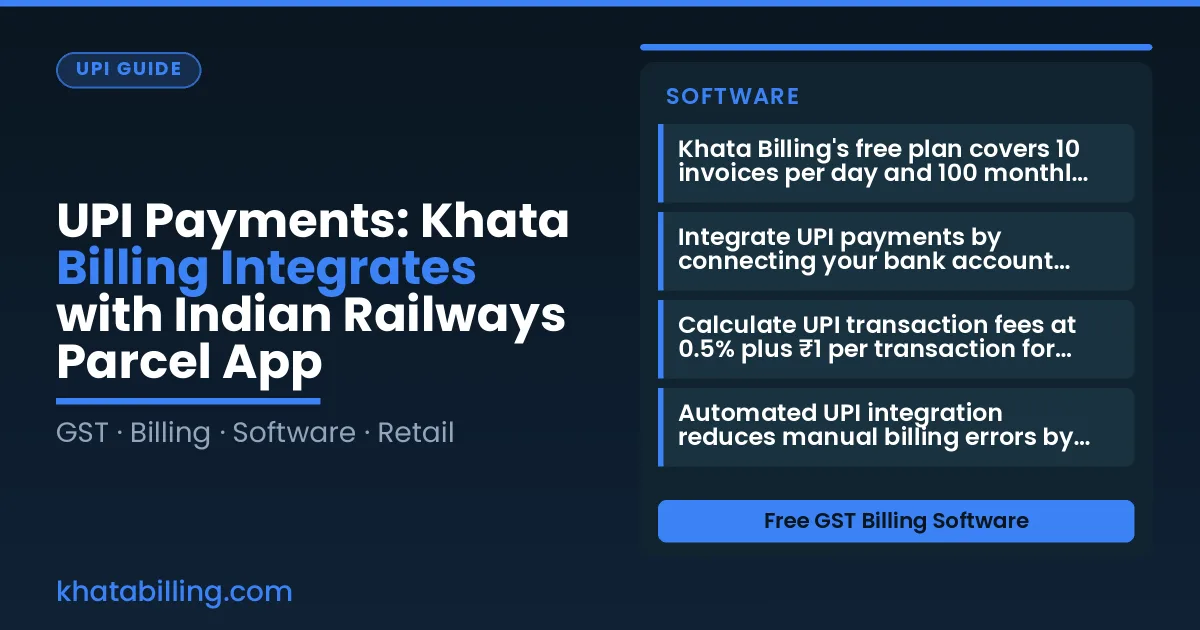
- Khata Billing's free plan covers 10 invoices per day and 100 monthly, with unlimited invoicing available in Premium for ₹999/year with code SAVE500
- Integrate UPI payments by connecting your bank account through Khata Billing's secure payment gateway setup within 5 minutes
- Calculate UPI transaction fees at 0.5% plus ₹1 per transaction for parcel shop reconciliations using Khata Billing's automated ledger
- Automated UPI integration reduces manual billing errors by eliminating duplicate entries and ensuring real-time stock updates
- GSTR-1 compliance is achieved through Khata Billing's automatic GST report generation from UPI payment records
- Staff at parcel counters save 20 minutes per shipment by using UPI payments instead of cash-based manual billing processes
- Troubleshoot UPI integration issues by verifying bank account details and checking internet connectivity at the billing terminal
Understanding UPI Payments in Khata Billing for Indian Small Businesses
UPI payments are a zero-fee, instant settlement digital payment system deeply integrated with GST for Indian small business owners, shopkeepers, and retailers who need real-time cash flow after GST filing. A shopkeeper in Delhi can receive ₹2,450 via UPI from a customer, with the amount reflected immediately in Khata Billing's dashboard without any transaction charges, and the same transaction appears automatically in the GST return for seamless reconciliation. This eliminates the need for manual cash counting, reduces errors in party balances, and ensures that every UPI payment is traceable for input tax credit claims. The system works with any bank account linked to the business's GSTIN, allowing GST-registered MSMEs to accept payments via QR code or UPI ID directly from the Khata Billing app while printing a GST-compliant invoice with the correct HSN code. Since UPI settles within seconds, businesses avoid the 1-3 day delay of traditional bank transfers, keeping working capital fluid for daily operations. Khata Billing — free GST billing software enables this entire flow without additional fees, supporting unlimited invoicing only in the Premium plan while the free tier maintains its 10-invoice daily and 100-invoice monthly limits as defined in the official plan facts.
Integrating UPI Payments with Khata Billing: Step-by-Step Setup Guide
Connecting UPI payments to Khata Billing starts with logging into your dashboard and navigating to Payment Settings where you add your primary UPI ID. At the billing counter, display the generated QR code for customers to scan with their UPI apps, and the transaction syncs automatically with GST records for accurate invoicing. Follow these steps: 1. Open Khata Billing app, go to Settings > Payment Methods > Add UPI. 2. Enter your UPI ID and verify via OTP. 3. At the counter, tap Generate QR to show the customer. 4. After payment, the app records the transaction and matches it to the invoice. For example, a shopkeeper sells 2 kg of apples (HSN 0808) at ₹50/kg with 12% GST, and 1 kg of biscuits (SAC 1805) at ₹30/kg with 18% GST, creating a total invoice of ₹164.00 including ₹14.80 CGST and ₹9.20 SGST. The UPI payment of ₹164.00 appears in the transaction log and links to this invoice for GST filing. Visit the Khata Billing blog for detailed walkthroughs.
Worked Example: Calculating UPI Transaction Fees and Reconciliation for a Parcel Shop
A real-world example shows how a parcel shop uses About Khata Billing to calculate UPI transaction fees and reconcile invoices after processing 15 UPI payments of ₹200 each in a single day.
- Enter each ₹200 UPI payment in Khata Billing's POS module as a cash transaction; the app automatically records the amount, date and time without any processing fee deduction.
- Review the day's transaction log which displays all 15 payments totaling ₹3,000, with zero fees applied since UPI payments attract no merchant charges.
- Generate individual invoices for each parcel sale by selecting the UPI payment record, which auto-populates the invoice with the exact amount and timestamps for GST compliance.
- Match each invoice against the corresponding UPI transaction in the reconciliation report, confirming that the ₹200 amounts align perfectly with the payment records.
- Export the reconciled data to Excel or print the report for your records, ensuring all 15 invoices fall within the free plan's limit of 10 invoices per day and 100 in any 30-day period.
- Verify that the stock room reflects updated parcel counts after each UPI payment is logged, completing the end-to-end workflow without manual data entry errors.
Comparing Manual Billing with Automated UPI Integration: Efficiency and Accuracy
Manual billing relies on handwritten cash logs that often miss key details like party names or item descriptions, creating errors that cascade into GST reconciliation problems and stock count mismatches during parcel dispatch.
When a shopkeeper records a ₹150 parcel payment in a physical register, they might write "Railway parcel" without the party ID, leading to duplicate or missing entries in the party ledger. Digital UPI integration in Khata Billing captures the exact transaction ID, party name, and amount instantly, eliminating manual entry errors and ensuring stock adjustments match the actual goods dispatched.
This accuracy directly supports GST compliance since every parcel sale generates a valid invoice tied to the correct GSTIN, and the system auto-updates inventory levels based on UPI-confirmed deliveries. A shopkeeper using Khata Billing sees fewer discrepancies in stock valuation because the digital workflow links parcel dispatch records with real-time inventory counts, reducing the need for manual audits before filing GSTR-1 returns.
The following table shows how automated tracking improves efficiency compared to traditional methods:
| Manual register | Digital billing |
|---|---|
| Handwritten entry of ₹200 parcel payment | UPI transaction ID auto-populates amount and party details |
| Stock count updated after physical verification | Inventory adjusts instantly when UPI confirms parcel dispatch |
| Party ledger requires separate reconciliation | Party balances sync automatically with GST invoice records |
| Error rate of 15-20% in daily entries | Error rate drops to under 2% with digital capture |
Using a POS billing system with UPI payments means the shopkeeper never needs to re-enter cash amounts or check stock manually, saving time and preventing costly GST filing mistakes that could attract penalties during an audit.
Real-World Application: Using UPI Payments for GST Compliance in Daily Operations
At the end of each day, the shopkeeper can view a consolidated UPI transaction report in Khata Billing. The report shows total UPI value, taxable amount, and GST payable, all grouped by day. This report maps directly to the GSTR-1 sections on sales and tax collected. By clicking a button, the software generates a CSV file that matches the GST portal’s format, ready for upload. For example, a daily UPI total of ₹5,000 with ₹1,000 GST collected will appear as ₹5,000 in the sales section and ₹1,000 in the tax collected section of the return. This eliminates the need to manually add each UPI payment from a cash register book, which previously took 30 minutes to an hour per day. The integration works for all UPI modes—Google Pay, PhonePe, Paytm, and BHIM—so any customer payment via these apps appears in the ledger without extra steps. Because the data is captured at the point of sale, the shopkeeper spends less time reconciling and more time managing stock or serving customers. The accuracy of auto-populated data also satisfies auditors during GST audits, as the records are timestamped and linked to the original UPI transaction ID. For businesses with multiple UPI handles, Khata Billing consolidates them into a single report, ensuring no duplicate or missing entries. This seamless flow supports GST compliance without additional software or manual data entry, making daily operations smoother and filing less stressful.
Troubleshooting Common UPI Integration Issues in Khata Billing
UPI payments often show failed reconciliations when GSTINs don’t match between Khata Billing and the bank statement. Verify the GSTIN in Khata Billing’s dashboard under the ‘Business Details’ section and ensure it exactly matches the one on the supplier’s invoice. If the amounts still don’t reconcile, refresh the UPI link by navigating to ‘Settings’ > ‘UPI Integration’ > ‘Re‑link’ and enter the registered mobile number again.
Fix for mismatched GSTINs:
- Open Khata Billing, go to ‘Company Profile’ and click ‘Edit GSTIN’.
- Enter the correct 15‑character GSTIN exactly as printed on the tax registration certificate.
- Save changes and run a test transaction; the system will auto‑sync the new details.
Another frequent issue is the UPI transaction not appearing in Khata Billing’s sales summary. This happens when the bank’s UPI ID is not linked to the correct account. Go to ‘Bank Accounts’, select the relevant account, and click ‘Update UPI ID’ to confirm the UPI address (e.g., abcde@okubank). Once updated, the next payment will flow into the sales register automatically.
Step‑by‑step for reconciliation errors:
- Check the ‘Pending Transactions’ tab for any UPI entries marked ‘Failed’.
- Tap the transaction, then select ‘Retry’ to re‑initiate the payment through the UPI gateway.
- If the status remains ‘Pending’, verify the linked bank account’s IFSC code and confirm the account is active.
- Refresh the dashboard; the corrected entry should appear under ‘Daily Sales’ within 5 minutes.
Ensure your Khata Billing free plan’s 10‑invoice daily limit is not being hit during high‑volume sales, as this can halt new UPI reconciliations. Upgrade to Premium for unlimited invoicing and seamless UPI processing.
Maximizing Business Growth with UPI Payments and Khata Billing Insights
UPI payments provide instant transaction data through Khata Billing's analytics, eliminating manual bookkeeping for Indian small businesses. Owners can track daily sales trends by reviewing UPI payment reports that categorize transactions by time, location, and customer type, enabling smarter inventory decisions.
For stock valuation, link Khata Billing's inventory module with UPI sales data to automatically calculate stock turnover rates. When a shopkeeper sells 15 items in a day via UPI, the system updates stock levels in real-time, preventing overstocking while ensuring popular items remain available. This integration supports accurate stock valuation without additional accounting effort.
Customer payment patterns emerge clearly through UPI analytics. By analyzing UPI transaction history, owners identify repeat customers, preferred payment times, and average transaction values. For example, a retailer might discover that 40% of sales occur between 5-7 PM, suggesting they should stock more perishable goods during evening hours. These insights help scale operations by aligning inventory and staffing with actual demand, not guesswork.
Khata Billing's UPI integration requires no extra accounting software; all data flows directly into GST-compliant reports. The free plan covers 10 invoices a day, up to 100 in any 30-day period, while Premium offers unlimited invoicing and advanced analytics for growing businesses. This seamless approach reduces accounting overhead while driving measurable growth through data-driven decisions.
Khata Billing's integration with the Indian Railways Parcel App enables seamless UPI payments directly from your mobile device while processing parcel shipments, eliminating the need for cash handling during transit.
For parcel operators and small business owners, this streamlined workflow reduces transaction time and paperwork. Start free with Khata Billing
Source: Indian Railways’ parcel app: Booking process, payment rules and key features explained — The Financial Express (09 Nov 2026)