Sales Order Management
Bill Orders in Parts —
Never Lose Track
Take an order today, deliver and bill it over the next few days. Khata Billing links every invoice to its sales order, shows how much of each item has been invoiced and how much is left, and stops you from billing more than was ordered.
What You Can Do
- Create GST sales orders with the same items, taxes and themes as invoices
- Invoice part of an order now and the rest later
- Raise several invoices against one sales order
- Combine several sales orders into one invoice
- See invoiced and pending quantity on every order line
- Keep an order-fulfilment history of every quantity change
- Copy an order into a quotation, challan, proforma or purchase order
- Print, share on WhatsApp or download the order as PDF
Sales Orders
GST-ready orders with your theme
Partial Billing
Invoice part of an order
Combine Orders
Many orders, one invoice
Fulfilment
Invoiced vs pending quantity
See It in the App
Real screens from Khata Billing — sample data shown.
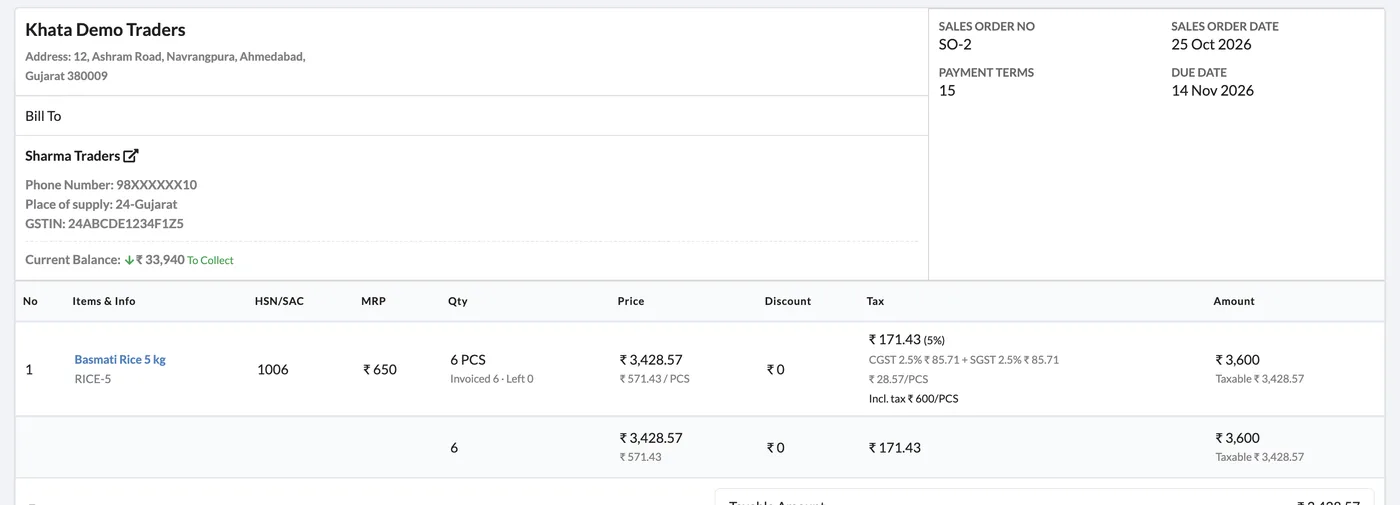
Every Order Line Shows What’s Left
Order lines show the ordered quantity along with how much has been invoiced and how much is left, so you always know what is still to be delivered.
- Quantity checks against ordered and already-invoiced quantity
- Party’s current balance shown on the order
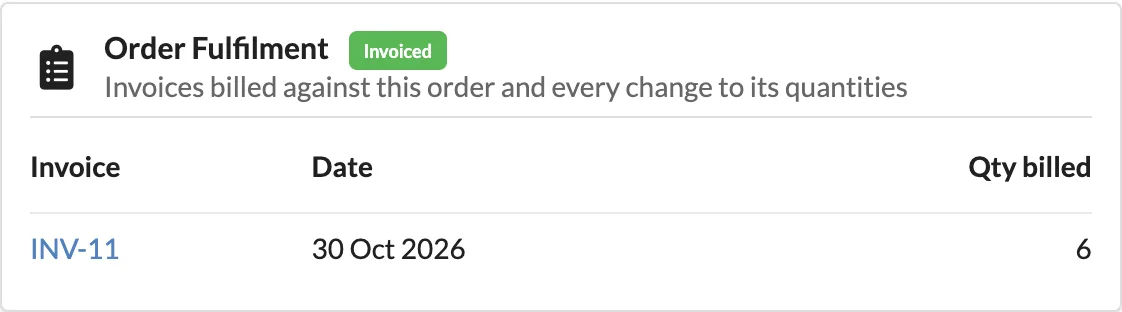
Order Fulfilment History
The Order Fulfilment card lists each invoice billed against the order, its date and the quantity billed — and the order is marked Invoiced when everything is billed.
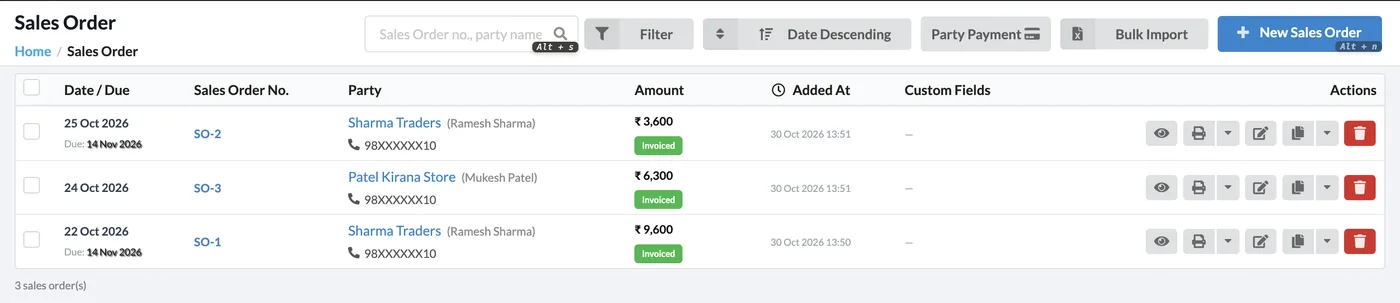
All Orders in One List
The sales order list shows party, amount and status — including Invoiced — with filters, bulk import and party payment shortcuts.
How It Works
Create the sales order
Go to Sales → Sales Order → New Sales Order, choose the party and add the ordered items.
Invoice what you deliver
Create a sale invoice and link the order. Enter only the quantity delivered now.
Bill the rest later
Create another invoice against the same order for the remaining quantity, or link several orders to one invoice.
Track fulfilment
Open the order to see invoiced and pending quantity and the list of linked invoices.
Who It Is For
Good to Know
- You cannot invoice more than the quantity left on the order — the check covers all invoices already linked.
- A sales order is not a tax invoice; GST is charged on the sale invoice you create from it.
Frequently Asked Questions
Can I make more than one invoice for one sales order?
Yes. Invoice part of the order now and the rest later. Each invoice reduces the pending quantity, and the order shows every invoice billed against it.
Can one invoice include items from several sales orders?
Yes. Link multiple sales orders of the same party to one invoice, and each order’s quantities are updated.
What stops me from billing more than was ordered?
Khata Billing checks the quantity you enter against the ordered quantity minus what is already invoiced, so an order cannot be over-billed.
Can I convert a quotation into a sales order?
Yes. Any document can be copied into another type — quotation to sales order, sales order to invoice, challan or proforma.
Related Features
Start Billing Orders in Parts — Free
No credit card needed. Create your account and start in minutes.



Start Using Khata Billing — 100% Free
GST Billing · Inventory · POS · Payroll · Banking · GST Reports — all in one free app