Barcode Label Printing
Print Barcode Stickers
in Minutes
Give every product a barcode and bill faster. Pick the items, choose how many stickers you need and a label size, tick what to show on each label, and print. The same barcodes scan straight into POS and invoices — including batch and variant barcodes.
What You Can Do
- Print barcode labels for one or many items at once
- Choose the number of stickers per item
- A4 and label-sheet sizes from 10 to 40 per sheet
- Portrait or landscape layout
- Show company name, item name, price, MRP, unit, quantity and category
- Scan the labels in POS and while adding invoice items
10–40 per Sheet
Common label sizes
Price & MRP
On every sticker
Scan to Bill
Works in POS & invoices
Batch & Variant
Barcodes scan correctly
See It in the App
Real screens from Khata Billing — sample data shown.
Pick Items, Pick a Size, Print
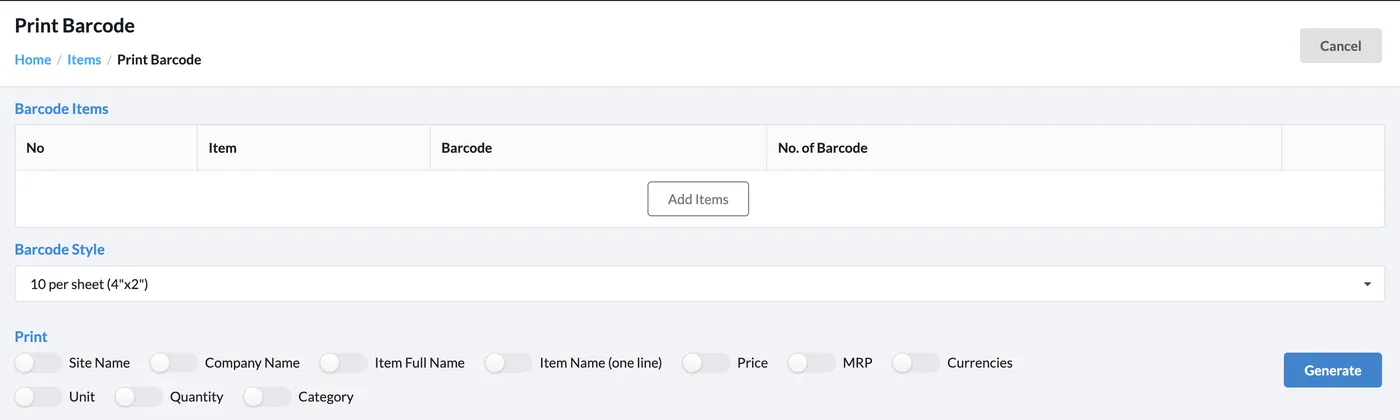
Add items and the number of labels for each, choose the barcode style and switch on the details you want on each label.
- 10, 12, 14, 18, 20, 24, 30 and 40 labels per sheet
- Site name, company name, item full name or one-line name
- Price, MRP, currency, unit, quantity and category
Barcodes Everywhere You Bill
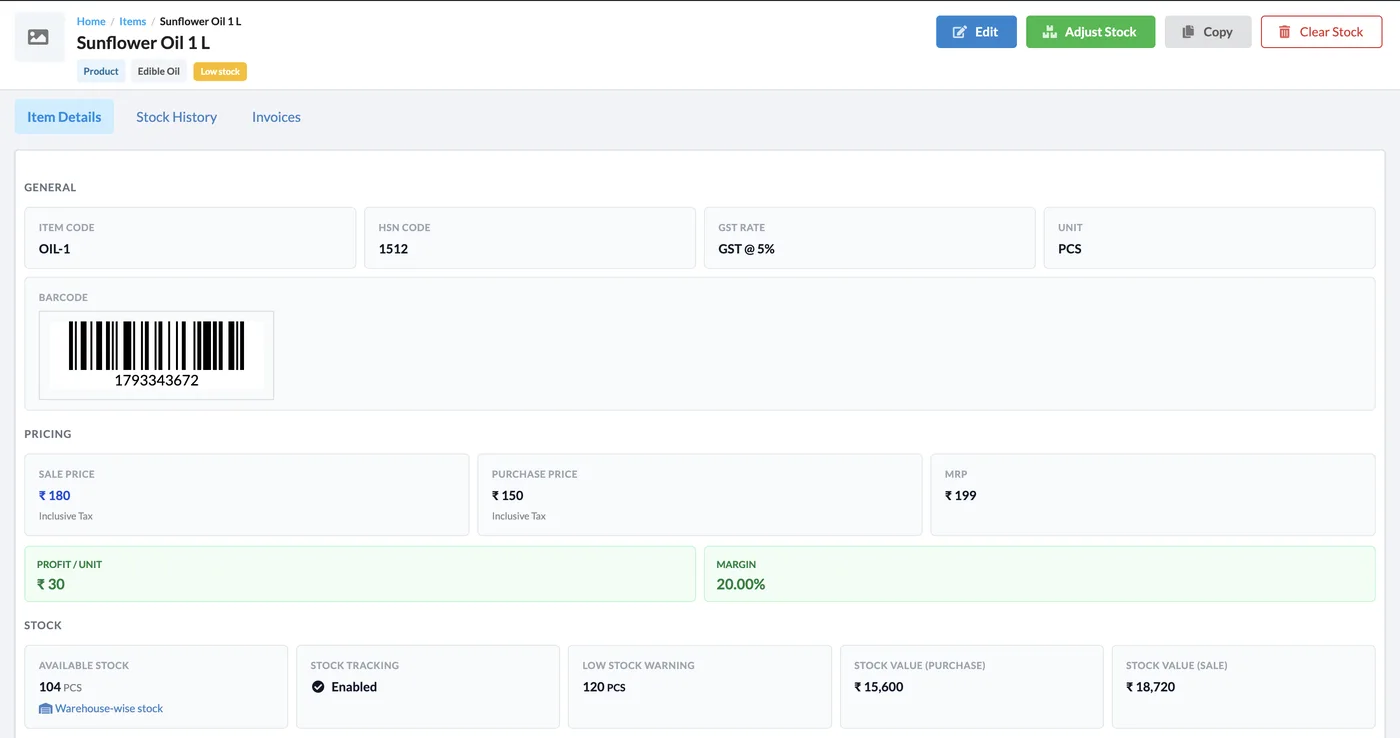
Each item keeps its barcode on the item page and in the item list, and scanning it adds the item to a POS cart or invoice.
How It Works
Open Print Barcode
Go to Catalog → Print Barcode, or use the Print Barcode button on the item list.
Add items
Click Add Items, choose the products and enter how many labels you need of each.
Choose style & details
Pick a label size and orientation, and tick what each label should show.
Generate and print
Click Generate and print on your label sheet.
Who It Is For
Good to Know
- Use the same label size in Khata Billing as the sticker sheet loaded in your printer.
- Turn off the printer’s page scaling (print at 100%) so labels line up.
- Continuous-feed roll printing is available on Premium.
- The number of labels per print run is limited to keep printing reliable.
Frequently Asked Questions
What label sizes can I print?
Sheets with 10, 12, 14, 18, 20, 24, 30 or 40 labels, including A4 sheets, in portrait or landscape. Continuous roll feed is available on Premium.
What can I show on each label?
Site name, company name, the full or one-line item name, price, MRP, currency, unit, quantity and category — switch each one on or off.
Will the labels scan in POS?
Yes. Scanning a label adds the item to the POS cart or to an invoice. Batch and variant barcodes pick the right batch or variant.
Do I need a special printer?
No. Any printer that prints on label sheets works. For rolls, use a label printer with continuous feed.
Related Features
Start Printing Barcodes — Free
No credit card needed. Create your account and start in minutes.



Start Using Khata Billing — 100% Free
GST Billing · Inventory · POS · Payroll · Banking · GST Reports — all in one free app