Business Dashboard & Analytics
Your Whole Business
on One Screen
The Khata Billing dashboard opens with the four numbers every owner checks first — money to collect, money to pay, cash and bank balance and overdue bills. Below them, pick the widgets you want: sales trends, income vs expense, top expense categories, this year vs last year, purchases and top suppliers, stock alerts and more. Every card links to the page behind it.
What You Can Do
- See To Collect, To Pay, Cash & Bank and Overdue amounts at the top
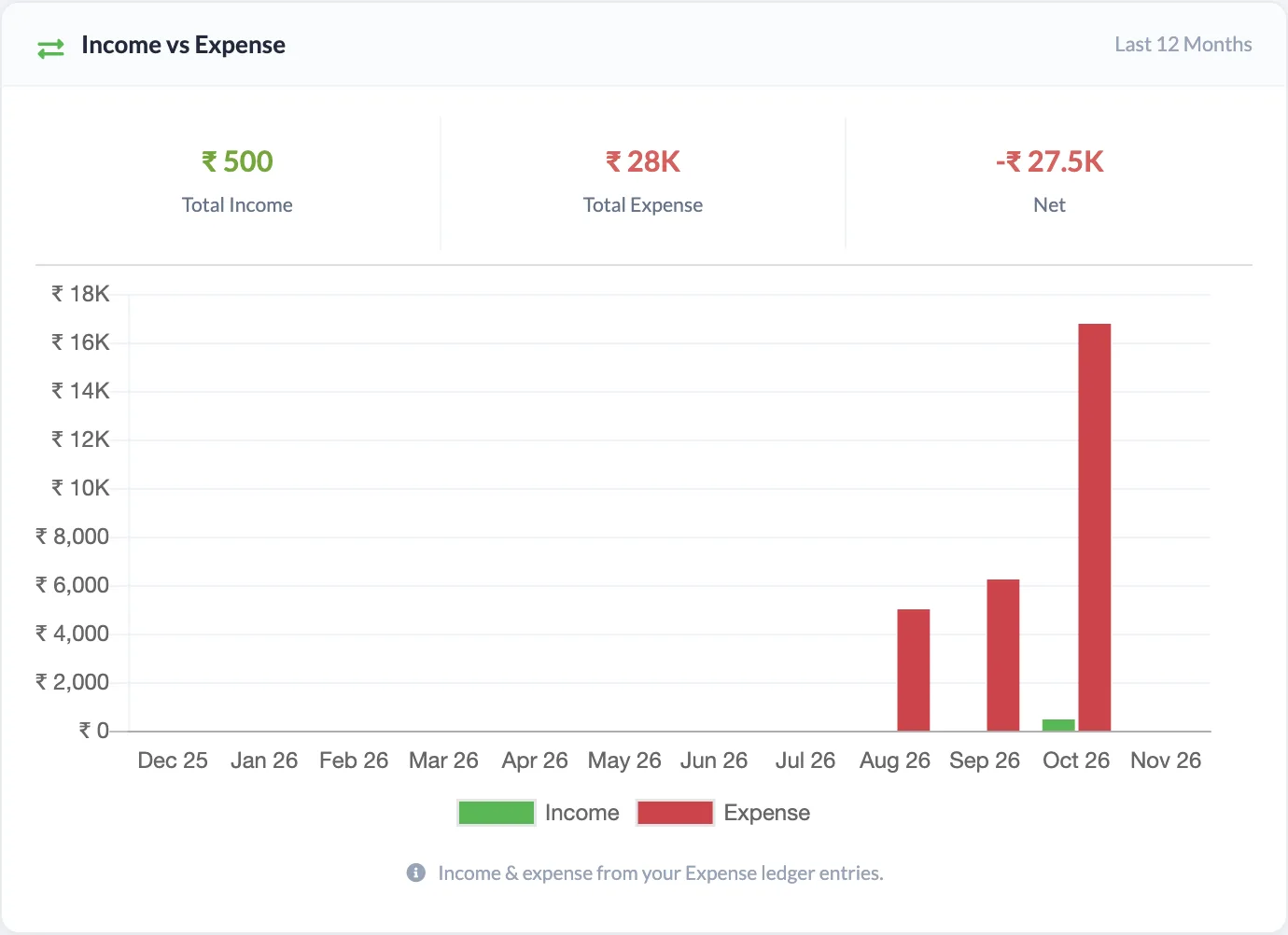
- Compare income and expenses month by month for the last 12 months
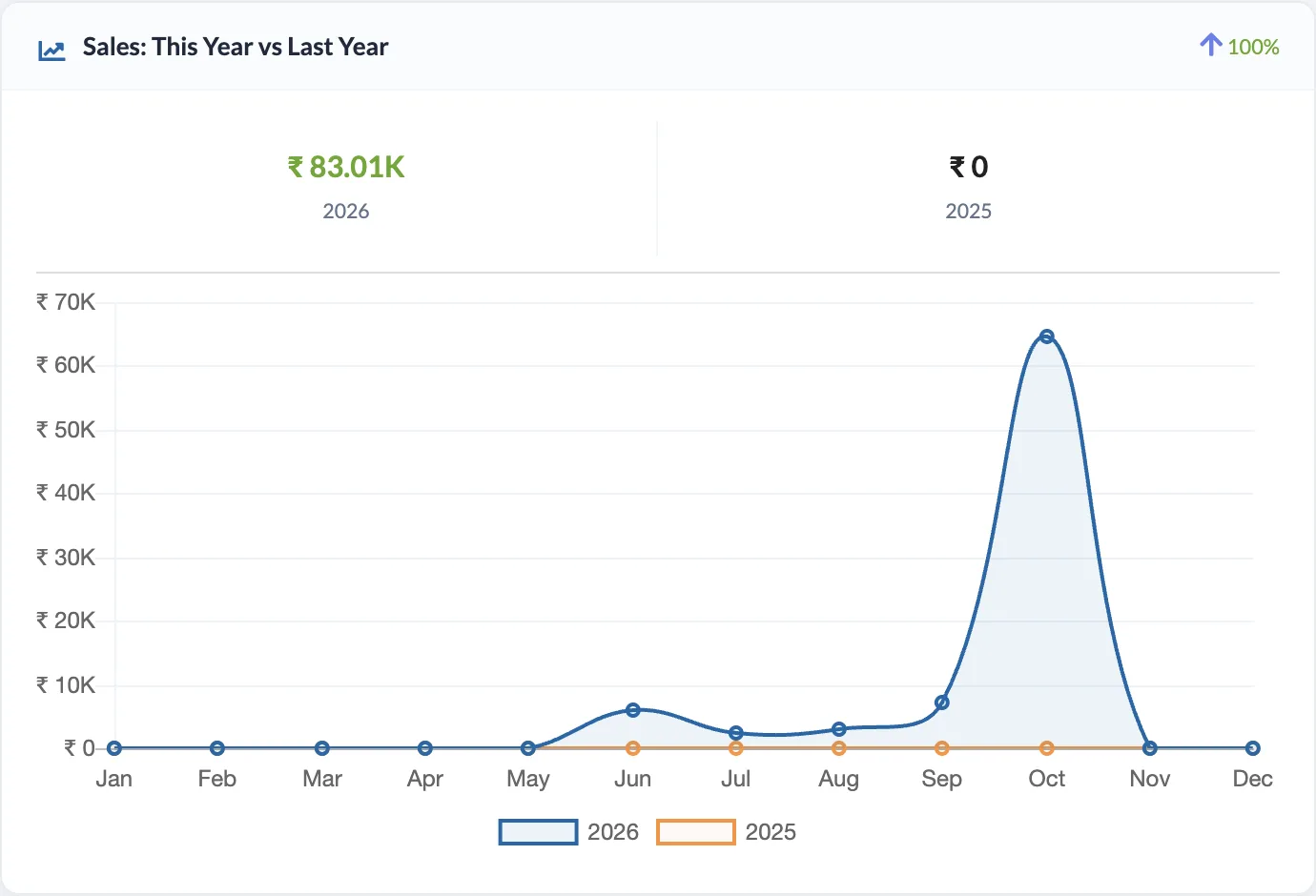
- Compare this year’s sales with last year, month by month
- Find your biggest expense categories and their share
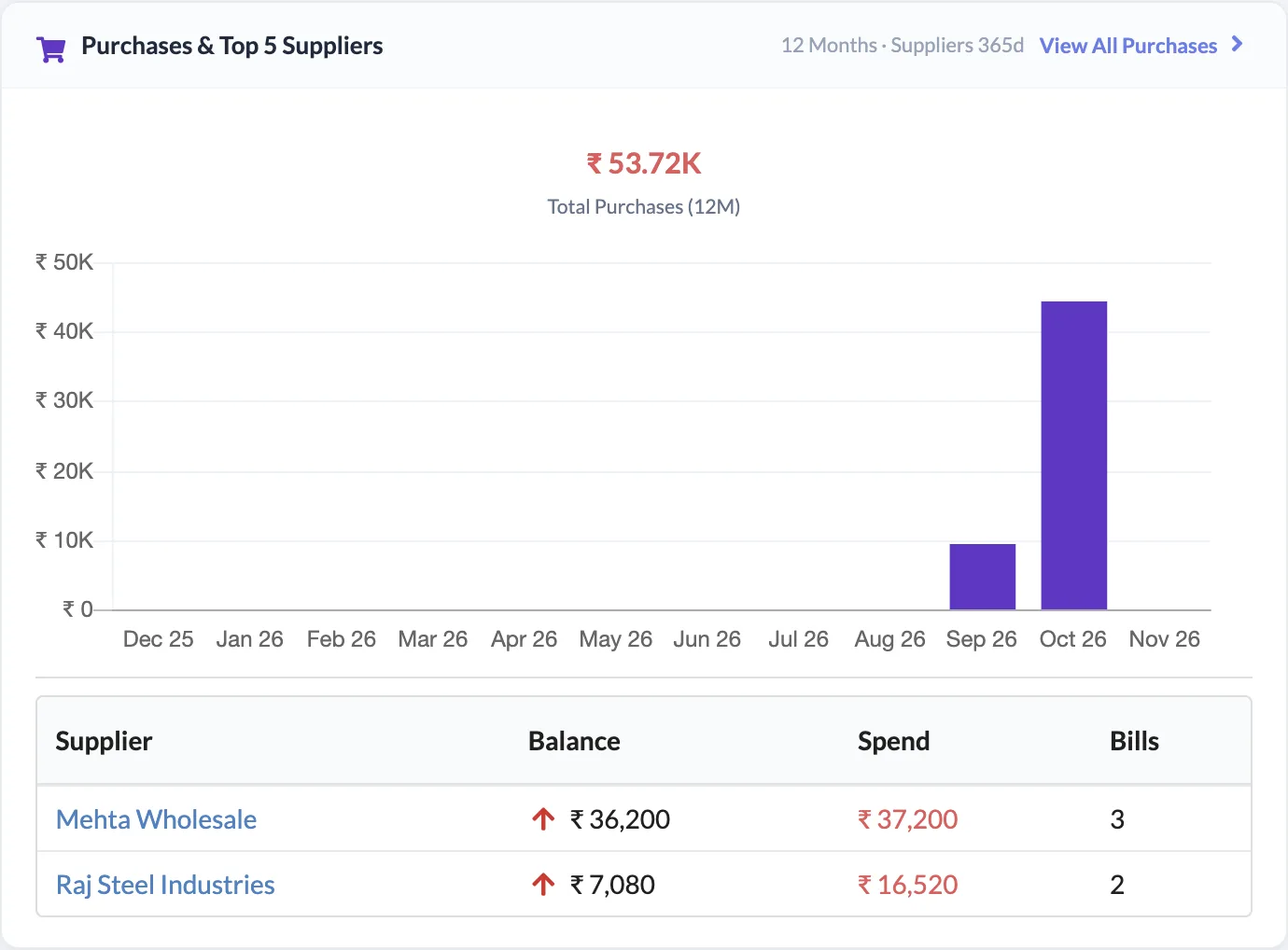
- Track monthly purchases and your top suppliers by spend
- Turn widgets on or off from Account Settings → Dashboard & Emails
- Jump from any widget straight to the related list or report
- Get a Daily Business Summary email (Premium)
To Collect & To Pay
Receivables and payables at a glance
Cash & Bank
Cash in hand and bank balance together
Trends
12-month and year-on-year charts
Daily Email
Your business summary every morning
See It in the App
Real screens from Khata Billing — sample data shown.
Four Numbers That Matter Most
Money you will get, money you will give, cash and bank balance (split into cash and bank) and overdue sale bills — always on top, each linking to its page.
- Choose the period for summary stats: today, last 30 days and more
- Quick buttons to add a party, sale, quotation, item, expense or purchase

Income vs Expense Trend
A 12-month bar chart of income against expenses from your Expense & Income ledger, with total income, total expense and net for the year.
Sales: This Year vs Last Year
Month-by-month sales for this year and last year on one chart, with overall growth %.
Purchases & Top Suppliers
Monthly purchase trend for the last 12 months plus your top 5 suppliers by spend, with their balance and number of bills.
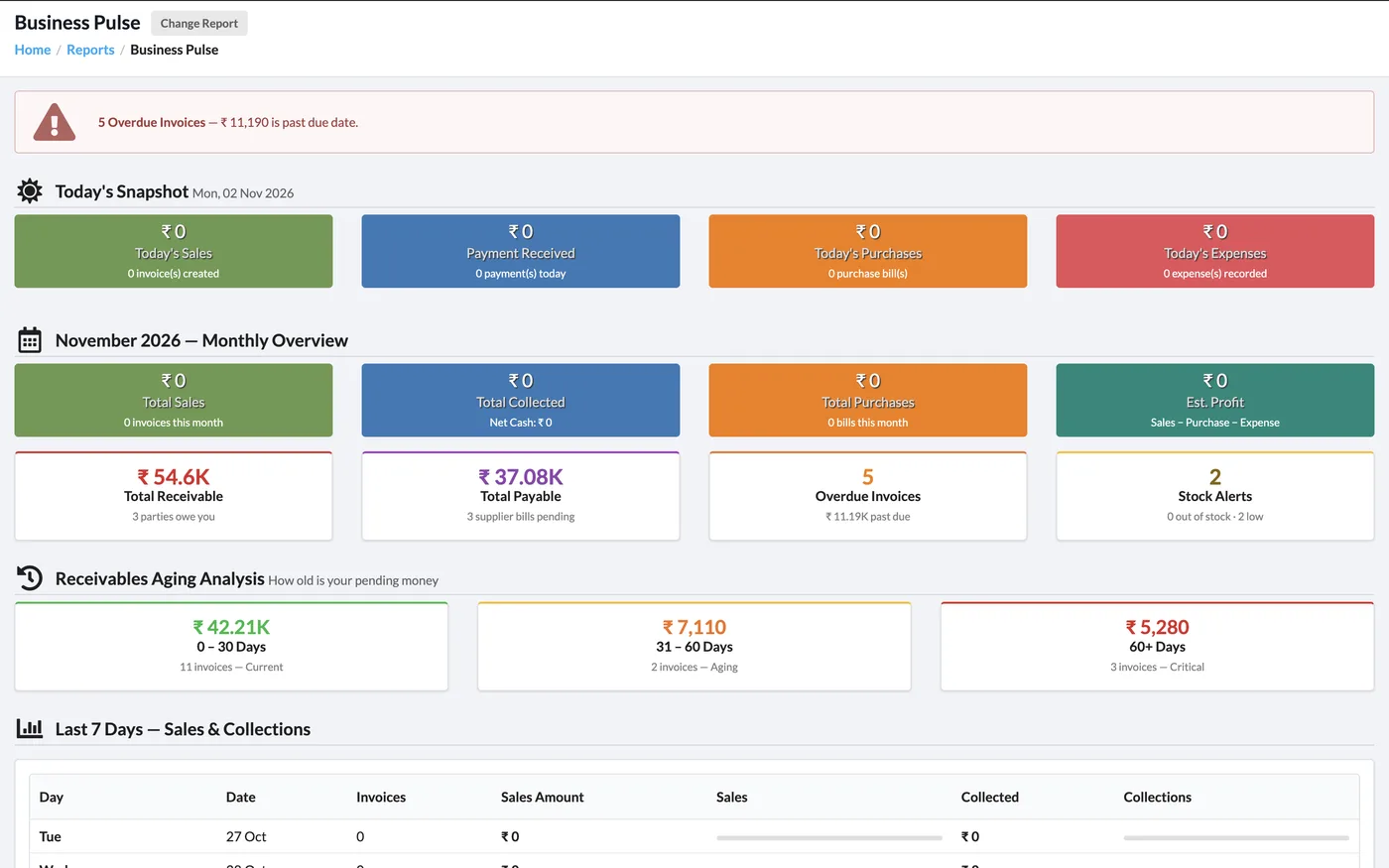
Business Pulse Report
Need more? Business Pulse shows today’s snapshot, this month’s overview, receivables aging and the last 7 days of sales and collections on one screen.
How It Works
Log in
The four summary cards and your default widgets appear on the dashboard straight away.
Pick your widgets
Open Account Settings → Dashboard & Emails and switch on the widgets you want, such as Income vs Expense or Top Suppliers.
Set the period
Use the Period selector on the dashboard to change the range of the summary stats.
Turn on the daily email
On Premium, verify your email and switch on the Daily Business Summary email in the same tab.
Who It Is For
Good to Know
- Widget changes can take 2–3 hours to show because dashboard figures are cached for speed.
- Income vs Expense uses entries from Expense & Income; sales invoices are shown in the sales widgets.
- The Daily Business Summary email is a Premium feature and needs a verified email address. It stops automatically if the plan expires or the email is not verified.
Frequently Asked Questions
Can I choose which widgets appear on my dashboard?
Yes. Go to Account Settings → Dashboard & Emails and switch each widget on or off — for example 30-Day Sales Trend, Low Stock Alerts, Overdue Invoices, Top Customers, GST Summary, Cash Flow, Income vs Expense, Top Expense Categories, Sales This Year vs Last Year and Purchases & Top Suppliers.
What do the four cards at the top mean?
To Collect is the total your customers owe you, To Pay is what you owe suppliers, Cash & Bank is your cash in hand plus bank balances, and Overdue Sale Bills is the unpaid amount on invoices past their due date.
Can I get a summary on email every day?
Yes, on the Premium plan. Verify your account email and switch on the Daily Business Summary email in Account Settings → Dashboard & Emails. It covers sales, payments, dues and low stock.
Why don’t I see my change on the dashboard right away?
Dashboard figures are cached to keep the page fast, so a widget change can take 2–3 hours to appear.
Related Features
See Your Business at a Glance — Free
No credit card needed. Create your account and start in minutes.



Start Using Khata Billing — 100% Free
GST Billing · Inventory · POS · Payroll · Banking · GST Reports — all in one free app