- Khata Billing POS and Billing Updates After New GST Rules
- Step-by-Step Guide to GST-Compliant Invoice Creation
- Manual Register vs Digital Billing Workflow
- Paper Invoices vs GST-Ready Digital Invoices
- Before and After Automating Stock Counts
- How Khata Billing Handles New GST Invoice Numbering Standards
- Final Checklist for GST-Compliant Billing Setup
- Frequently Asked Questions
Khata Billing updates its POS and billing system to comply with the latest GST rules, enabling shopkeepers and retailers to create GST-compliant invoices with automatic numbering and barcode support directly from their billing counter.
The recent GST rule changes require precise invoice numbering and GST-compliant formats, and Khata Billing delivers automatic invoice generation, updated numbering standards, and POS integration that eliminates manual errors and ensures daily invoicing limits of 10 invoices for free users.
✅ Key Takeaways
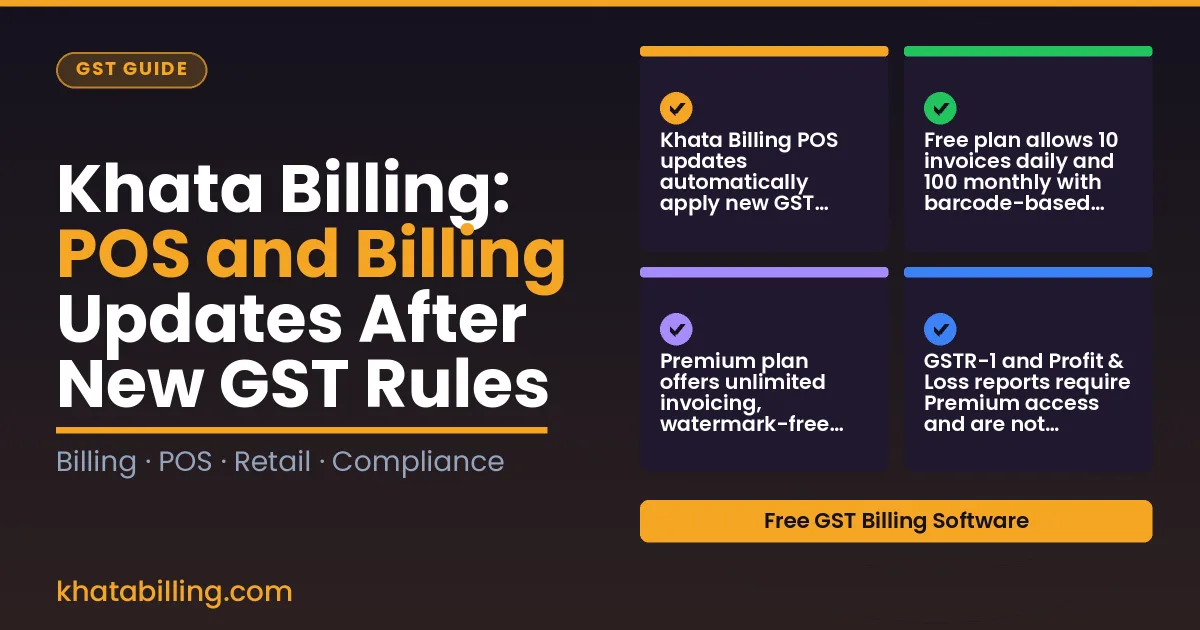
- Khata Billing POS updates automatically apply new GST invoice numbering standards without manual setup.
- Free plan allows 10 invoices daily and 100 monthly with barcode-based creation and basic dashboard widgets.
- Premium plan offers unlimited invoicing, watermark-free printing, and 20 POS billing screens for larger operations.
- GSTR-1 and Profit & Loss reports require Premium access and are not available in the free plan.
- Automated stock count workflows update in real-time with POS transactions to maintain accurate inventory records.
- Manual register workflows require separate entry of GST details while digital billing integrates GSTIN and HSN codes automatically.
- Paper invoices lack GST compliance features while digital GST-ready invoices include auto-numbering and e-invoicing readiness.
Khata Billing POS and Billing Updates After New GST Rules
Recent GST rule changes directly affect how Indian small businesses manage daily billing and point of sale operations, and Khata Billing — free GST billing software provides immediate support through updated features. The new GST regulations emphasize accurate invoice generation, real-time tracking, and enhanced data security, all of which impact shopkeepers, retailers, and service providers who rely on point of sale systems. With Khata Billing, the free plan maintains its existing limits: 10 invoices per day and 100 invoices per 30-day period, requiring careful daily planning for high-volume sellers. However, Premium users benefit from unlimited invoicing without daily or monthly caps, ensuring compliance with updated GST filing timelines. The software’s POS module now supports up to 20 billing screens, a crucial upgrade for busy stores managing multiple checkout counters. Additionally, automatic GST invoice numbering aligns with the new rule requiring sequential, error-free invoice series, while barcode scanning reduces manual entry errors. Real-time data sync ensures that sales data from the counter updates instantly to the dashboard, helping business owners monitor stock and generate accurate GSTR-1 reports, which remain Premium features. By adopting these updates, small businesses can streamline billing counters, avoid penalties for mismatched invoices, and maintain smooth operations under the revised GST framework, all within the trusted Khata Billing platform.
Step-by-Step Guide to GST-Compliant Invoice Creation
To create a GST-compliant invoice in Khata Billing, start by opening the Invoices module and selecting New Invoice. Enter the customer's GSTIN, then add items using the barcode scanner or manual entry. Each item requires a valid HSN code, quantity, rate in INR, and the applicable CGST, SGST or IGST percentage. Khata Billing automatically calculates the tax amounts and updates the invoice total. For example, if you sell 5 units of 'Milk Pack (500ml)' at ₹25 each with a 12% GST rate, the subtotal is ₹125, tax is ₹15, and the total is ₹140. Verify the auto-populated GST details match your return filings. The system also generates a unique invoice number following GST norms. Review the preview, ensure all mandatory fields like date, invoice number, and your GSTIN are present, then save or print. Khata Billing blog demonstrates this workflow with screenshots. Use the thermal printer support to produce barcode-enabled invoices directly from the app. Remember, the free plan allows up to 10 invoices per day and 100 per month, while Premium removes these limits and adds watermark-free options.
Manual Register vs Digital Billing Workflow
Manual billing versus automated billing creates stark differences in daily operations for Indian shopkeepers and traders. Step 1: Paper-based billing requires manual entry of GSTIN, customer details, and item rates, consuming 15-20 minutes per invoice as shopkeepers write entries in a register and calculate CGST, SGST, or IGST. Step 2: With Khata Billing's POS feature, scanning a barcode auto-fills HSN codes, applies correct IGST rates, and generates an e-invoice instantly, reducing entry time to under 3 minutes per transaction. Step 3: Paper systems limit daily invoices to what the shopkeeper can physically write, often maxing at 10 invoices before GST rules cap at 100 per 30-day period, while Khata Billing's free plan covers 10 invoices a day, up to 100 in any 30-day period. Step 4: Reconciling stock in paper registers involves manual adjustments that cause 5-10% discrepancies, but Khata Billing's real-time stock tracking updates inventory instantly after each sale, eliminating mismatches. Step 5: Return filing from paper records takes hours to compile, yet Khata Billing auto-populates GSTR-1 data with GST-ready invoice details, saving 2-3 hours weekly for small businesses. Step 6: Customers receive physical copies with potential errors, while digital invoices via Khata Billing provide instant delivery with QR codes for verification, enhancing trust. About Khata Billing shows how these workflows transform efficiency for MSMEs.
Paper Invoices vs GST-Ready Digital Invoices
Khata Billing transforms traditional paper invoices into fully compliant GST documents through automated barcode integration and sequential numbering, eliminating manual entry errors while meeting all e-invoicing requirements under the new GST rules.
When a shopkeeper manually creates a paper invoice, they first write the GSTIN, calculate CGST, SGST or IGST amounts, and print the total in INR. This process is time-consuming and prone to mistakes that can trigger GSTN penalties during audits. In contrast, Khata Billing’s digital billing system auto-generates the correct GSTIN field, computes tax components based on selected HSN codes, and assigns sequential invoice numbers that satisfy GST portal validation rules.
Consider a typical retail sale: a customer purchases goods worth ₹500 with 18% GST. Manually, the shopkeeper must calculate ₹90 CGST and ₹90 SGST, verify the total reaches ₹680, and ensure the invoice reflects proper tax breakdown. With Khata Billing, entering the item details triggers automatic tax calculation, updates the total to ₹680, and embeds a scannable barcode that links to the transaction record. The invoice prints with a unique number sequence compliant with GSTN standards, removing the risk of duplicate or missing invoice numbers during GST filing.
This automation is built into the POS billing system, where each transaction instantly creates a GST-ready invoice with embedded barcode and correct tax classification. Manual register operations require separate steps for tax computation, barcode generation, and numbering, whereas Khata Billing consolidates these tasks into a single digital workflow that saves time and ensures compliance.
| Manual Billing Process | Khata Billing Digital Workflow |
|---|---|
| Handwritten GSTIN entry | Auto-populated GSTIN field from business profile |
| Manual tax calculation for 18% GST on ₹500 | Instant CGST/SGST calculation for ₹500 at 18% (₹90 each) |
| No barcode, sequential numbering done manually | Embedded barcode and auto-incremented invoice number compliant with GSTN |
| Paper invoice requires separate tax verification | GST-compliant invoice with verified tax amounts and digital signature |
For small businesses, this shift means faster checkout at the billing counter, reduced stock room errors when matching invoices to sales, and smoother GST filing during return periods, as the system maintains a complete digital audit trail with real-time data sync across devices.
Before and After Automating Stock Counts
Manual inventory management in Indian shops often leads to overstocking or stockouts due to delayed updates. Shopkeepers tracking items on paper face errors during GST filing when stock adjustments must align with GSTR-1 reports, causing reconciliation delays and potential penalties. Traditional methods like handwritten ledgers or separate Excel sheets create data silos, where real-time stock levels don't reflect actual sales or purchase receipts, leading to mismatches in GST input tax credit claims and incorrect CGST, SGST, or IGST calculations.
Khata Billing's automated stock adjustments eliminate these manual bottlenecks. When a retailer scans a barcode at the billing counter, stock levels instantly decrease, updating inventory in real-time across devices. This ensures stock valuation reflects actual usage, improving accuracy in Profit & Loss statements and GST filings without extra effort. For example, a kirana store selling 500 units of wheat flour daily sees immediate stock reduction, preventing overstatement of inventory value in tax returns and simplifying day-to-day stock management during GST return preparation.
How Khata Billing Handles New GST Invoice Numbering Standards
Khata Billing automatically meets the updated GST invoice numbering standards by generating sequential numbers that start from a fixed point and increase by one for each transaction, eliminating manual errors. The system checks GST compliance at the time of invoice creation, verifying that the format follows GST rules such as the mandatory GSTIN, date, and sequential order, and prevents non-compliant entries before they are saved.
When a business uses the free plan, it can issue up to 10 invoices per day and 100 invoices in any 30-day period, with each invoice receiving a unique sequential number automatically; this limit ensures that numbering remains accurate without overrunning the daily cap. For businesses on the Premium plan at ₹1,499/year (or ₹999/year with code SAVE500), there is no such limit, allowing truly unlimited sequential numbering while still maintaining the required GST compliance checks.
Khata Billing also integrates with the e-invoicing portal by aligning its internal numbering with the portal's sequence when the business opts for automatic submission, so the invoice number displayed on the printed or digital copy matches exactly what the portal records. This automatic alignment removes the need for manual reconciliation and ensures that the invoice number sequence is continuous across all channels, meeting the GST requirement that invoice numbers be unique and sequential without gaps.
Final Checklist for GST-Compliant Billing Setup
Khata Billing requires these essential GST-ready configuration steps for small business owners. First, verify GSTIN registration and enable tax calculation in the software settings. Next, create GST-compliant invoice templates with correct HSN codes, CGST, SGST, and IGST components. Set up barcode integration by linking the product catalog; Khata Billing auto-generates barcodes for items with HSN or SAC codes, enabling instant scanning at the POS counter during sales transactions. Configure the POS module to handle up to 20 billing screens for multi-channel operations, and ensure bank account synchronization for accurate tax liability tracking. Use custom fields to capture buyer details required under GST law, and enable real-time stock updates to avoid manual adjustments. For thermal printer support, confirm barcode dimensions match A4 sheet layouts for easy printing. Review daily invoice limits in the free plan (10 per day, 100 per 30 days) and confirm premium features unlock unlimited invoicing. Finally, test the complete workflow: create an invoice, apply correct tax rates, print barcode, and record sales in the dashboard. This systematic setup ensures GST compliance, reduces filing errors, and streamlines daily operations for retail shops, wholesalers, and service providers.
Khata Billing empowers Indian small businesses to adapt instantly to new GST rules with real-time POS and billing updates that keep invoices compliant and stock accurate without extra paperwork.
Implement these features today to maintain GST compliance and streamline operations; Start free with Khata Billing Start free with Khata Billing
Source: Major GST Reforms Effective from November 1, 2026: Government Notifies Simplified Post-Sale Discount Rules, Credit Note Provisions, 90% Provisional Refunds for Inverted Duty Structure and Relief for Small Exporters — A2Z Taxcorp LLP (27 Oct 2026)