- Why GST-Ready Inventory Management Matters for Indian Small Business
- Setting Up Your Inventory System with Khata Billing
- Managing Stock Counts: Manual Register vs Digital Counting
- Step-by-Step Guide to Daily Stock Adjustments
- Using Barcode Scanning to Reduce Invoice Errors
- Generating Accurate GST Reports for Filings
- Integrating POS and Inventory for Seamless Operations
- Frequently Asked Questions
Khata Billing helps Indian small business owners manage inventory with GST tools today by enabling accurate stock tracking and GST-compliant invoicing. The platform supports up to 10 invoices daily and 100 monthly on its free plan, while Premium removes all limits for ₹999/year with code SAVE500.
For shopkeepers, retailers, and service providers, GST-ready inventory management means automatic tax calculation, correct HSN code assignment, and seamless GSTR-1 filing without manual adjustments that risk penalties under GST law.
✅ Key Takeaways
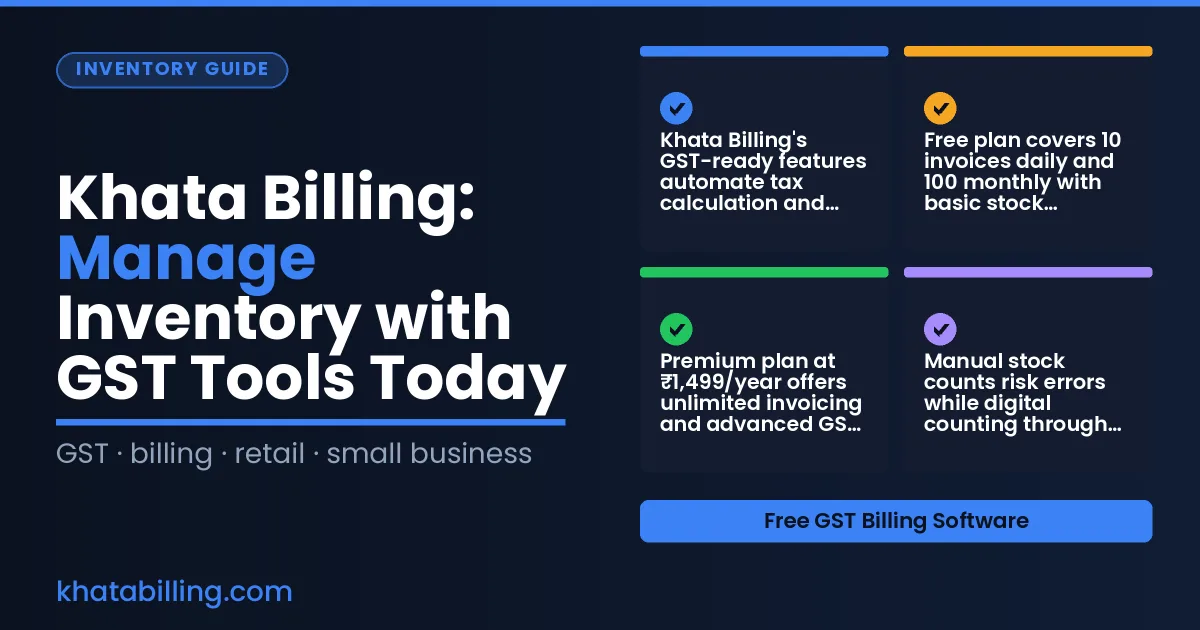
- Khata Billing's GST-ready features automate tax calculation and invoice generation for Indian SMEs
- Free plan covers 10 invoices daily and 100 monthly with basic stock tracking capabilities
- Premium plan at ₹1,499/year offers unlimited invoicing and advanced GST reports like GSTR-1 and P&L
- Manual stock counts risk errors while digital counting through Khata Billing improves accuracy
- Step-by-step daily stock adjustments prevent overstocking and stockouts in retail operations
- Barcode scanning reduces invoice errors by eliminating manual item entry mistakes
- Integrating POS with inventory in Khata Billing streamlines sales and stock synchronization
Why GST-Ready Inventory Management Matters for Indian Small Business
For Indian shopkeepers, retailers, and small traders, GST compliance is not optional — it's a legal requirement that demands precise invoice generation, accurate tax calculation, and seamless reporting. When inventory records don't match GST filings, businesses face penalties and delayed input tax credit. Real-time stock data ensures that every sale is reflected in the correct inventory level, preventing overselling or lost revenue. Accurate GST-ready inventory management through Khata Billing means automatic HSN and SAC code assignment, instant CGST and SGST calculation, and synchronized invoice generation that matches stock movements. For example, a Delhi-based retailer selling 200 units of a product with 18% GST can generate compliant invoices instantly, with stock reducing from 200 to 180 units in real time, and the system auto-populating the GSTR-1 summary. This eliminates manual reconciliation and reduces errors in e-waybill generation. Khata Billing — free GST billing software supports these workflows with barcode scanning, auto-invoice numbering, and daily limits that keep operations compliant within the free plan's 10-invoice-a-day, 100-in-30-days structure. Manual processes risk mismatched tax amounts, delayed filings, and stock discrepancies that directly impact cash flow and GST claims.
Setting Up Your Inventory System with Khata Billing
Setting up inventory in Khata Billing begins with creating each product as an item, assigning the correct HSN code, and grouping stock into logical categories for daily operations.
Start by navigating to the Inventory & stock management section. Click "Add New Item" and enter details such as "Milk - 1 Litre" with HSN 0406, a 5% GST rate, and an opening stock of 200 units at ₹30 each. The system records the GST amount (₹10 per unit) and updates the stock value automatically.
Next, define stock categories like "Perishables" for milk and curd, or "Dry Goods" for rice and pulses, using the custom fields feature. For example, set Milk under "Perishables" with a shelf life of 5 days, and assign a reorder level of 50 units. When stock falls below this threshold, Khata Billing triggers a low-stock alert, enabling timely replenishment.
Consider a retail grocer stocking 500 units of "Rice - 5kg" (HSN 1006, 0% GST) at ₹280 per packet. With an opening stock of 500, the total inventory value is ₹1,40,000. As sales occur, the real-time dashboard reflects updated quantities and values. This setup ensures accurate GST invoicing and seamless stock tracking within Khata Billing's free plan limits of 10 daily invoices and 100 monthly invoices.
Managing Stock Counts: Manual Register vs Digital Counting
Manual stock counts in Indian shops often lead to costly mistakes. Follow these steps to see how Khata Billing transforms the process with real-time digital tracking.
- Start by noting the physical stock on your register sheet. Paper entries are prone to misreading numbers like 1 and 7, which creates errors that affect GST filings and inventory reports.
- Use a smartphone to scan each item’s barcode. The software automatically logs the quantity, reducing manual entry mistakes and ensuring accurate GST invoicing.
- Compare the scanned count with your register. Any mismatch highlights discrepancies in stock valuation, preventing overstocking or understocking that impacts working capital.
- Update the digital count instantly. Khata Billing’s real-time sync means your inventory reflects the true number across desktop and mobile devices, supporting accurate GST and UPI transactions.
- Review the detailed stock overview report. This shows current levels, adjustments, and party balances, helping you make informed decisions for MSME compliance.
- Continue counting regularly. With accurate data, you avoid penalties from incorrect GST returns and maintain reliable records for tax audits. Khata Billing blog offers examples of digital counting in action.
Step-by-Step Guide to Daily Stock Adjustments
Every day, a shop owner in India follows a simple sequence to keep inventory accurate under GST rules. First, the owner checks the physical stock in the shop or stock room and notes the current count. Then, the owner opens Khata Billing on a desktop or mobile device and either scans the item's barcode with a connected scanner or enters the item code manually. After scanning or typing, the owner selects the correct adjustment reason—such as a sale, a return, or a stock spoilage—and confirms the new quantity. The system automatically updates the central inventory ledger and reflects the change across all connected devices. If the barcode scanner is unavailable, the owner can still enter the item name and quantity in the manual register mode within Khata Billing. This daily routine ensures compliance with GST invoice requirements and prevents mismatches during GSTR filing. With the integrated POS billing system, sales transactions instantly trigger stock deductions, streamlining the process for busy retailers. POS billing system users report smoother stock tracking during peak hours. The step-by-step method works for any small business, whether using manual register or digital billing.
Using Barcode Scanning to Reduce Invoice Errors
At the point of sale, scanning a product's barcode with Khata Billing instantly adds the correct item description, quantity, and rate to the invoice, removing the need for manual typing that commonly leads to errors like mismatched rates or wrong product codes. This automatic population ensures GST-compliant invoices with accurate HSN and SAC codes, directly supporting input tax credit eligibility. For a small retailer in Delhi, entering items manually might take 30 seconds per invoice, but scanning reduces this to under 5 seconds, saving significant time during peak hours. The system also enforces invoice numbering rules, preventing duplicate or skipped numbers that could trigger GST audits. With barcode scanning, staff can focus on customer service instead of correcting typos, and the real-time stock adjustment updates inventory levels immediately after each sale. Khata Billing's free plan allows up to 10 invoices a day, while Premium removes all limits for high-volume businesses. Manual billing versus automated barcode scanning eliminates the risk of mismatched tax amounts, such as charging 5% CGST instead of 2.5% SGST, which would otherwise require tedious corrections before filing GSTR-1. The result is cleaner data, faster GST return submission, and reduced chances of penalties from incorrect invoice details. Using barcode scanning at checkout is a practical step that directly improves accuracy and efficiency in daily GST-compliant operations.
Generating Accurate GST Reports for Filings
Khata Billing automatically compiles daily sales and inventory data into GST-compliant GSTR-1 reports, eliminating manual spreadsheet work for Indian shopkeepers and retailers. The system maps each invoice's GSTIN, HSN code, and tax rate (CGST, SGST, or IGST) to generate accurate input tax credit calculations, ensuring submissions align with GST law requirements. For example, when a kirana store records 15 daily sales via barcode scanning, Khata Billing aggregates these entries to produce a GSTR-1 summary by the 11th of the following month, with totals matching the exact transaction values entered at the billing counter. This reduces filing errors and saves time during return submission periods. Premium users access GSTR-1, GSTR-2, GSTR-3B, and Profit & Loss reports directly from the dashboard, while free plan users can view basic sales summaries before upgrading. The software also synchronizes stock adjustments with sales data, so inventory levels update in real-time as items are sold, preventing discrepancies in cost of goods sold calculations. With real-time data sync across devices, business owners can verify report accuracy at any time using their mobile phone or desktop. Khata Billing’s automated invoice numbering ensures sequential GST-compliant numbering, avoiding manual numbering mistakes that trigger penalties. This end-to-end process transforms daily billing activities into ready-to-file GST returns, making tax compliance manageable for MSMEs without accounting expertise. The platform’s structured approach ensures every transaction contributes to accurate GST filings, supporting business continuity during audit seasons.
Integrating POS and Inventory for Seamless Operations
Linking the point of sale directly with stock management in Khata Billing stops overselling by updating inventory in real time as each transaction occurs. When a cashier scans a barcode at the POS, the system instantly reduces the stock count for that item. This live sync means the same inventory number appears on the mobile app, desktop dashboard, and in any physical stock room, so a shopkeeper in Delhi can see exactly what a customer in Mumbai is buying.
For example, if a retailer sells 5 units of a product priced at ₹200 each with 18% GST, the invoice total of ₹236 is generated immediately, and the stock drops from 100 to 95 units. Because the POS and inventory share a single database, there is no delay between sales and stock adjustment, eliminating the risk of selling more items than are physically available. This also supports accurate GST reporting, as the correct cost of goods sold feeds into the Profit & Loss report, which is a Premium feature.
Practical steps to set this up include: 1) Enable POS mode on the mobile device; 2) Select the linked inventory category; 3) Confirm barcode scanning is active; 4) Review the live stock widget on the dashboard after each sale. With this workflow, a grocery store owner can manage multiple counters without manual reconciliation, ensuring GST-compliant invoicing and reliable stock valuation.
Khata Billing equips Indian shopkeepers and retailers with GST-compliant invoicing and real-time stock tracking that eliminates manual errors. The platform's barcode-driven inventory system and automatic tax calculations directly support GST filing requirements while maintaining accurate stock valuation across multiple accounts.
Experience seamless billing and inventory management that grows with your business needs. Start free with Khata Billing Start free with Khata Billing
Source: Stock Market Today: This Small-Cap Retail Stock Is Making Big Growth Bet. Should You Buy? — NDTV (16 Nov 2026)