- Khata Billing POS Software and the Changing Face of Indian Retail in 2026
- GST Compliance Basics Every Indian Retailer Must Know
- Worked Example: Calculating GST and Generating a GST-Ready Invoice
- Step-by-Step: Setting Up and Using Khata Billing POS for Daily Sales
- Comparing Manual Retail Operations vs Digital GST-Ready Billing
- Advanced POS Features for Growing Indian Retailers
- Making the Switch: Migration Checklist for Your Store in 2026
- Frequently Asked Questions
Khata Billing POS Software enables Indian retailers to generate GST-compliant invoices with barcode scanning, inventory tracking, and POS functionality starting at ₹1,499/year. The free plan covers 10 invoices per day and 100 in any 30-day period without watermarks or GSTR-1 reports. Digital billing eliminates manual entry errors during GST filing and streamlines stock management for shop owners.
Retailers using Khata Billing POS Software meet 2026 compliance requirements through real-time GST calculation at point of sale, automatic invoice numbering, and seamless integration with UPI payments while maintaining accurate stock valuation and party ledgers required by GST law.
✅ Key Takeaways
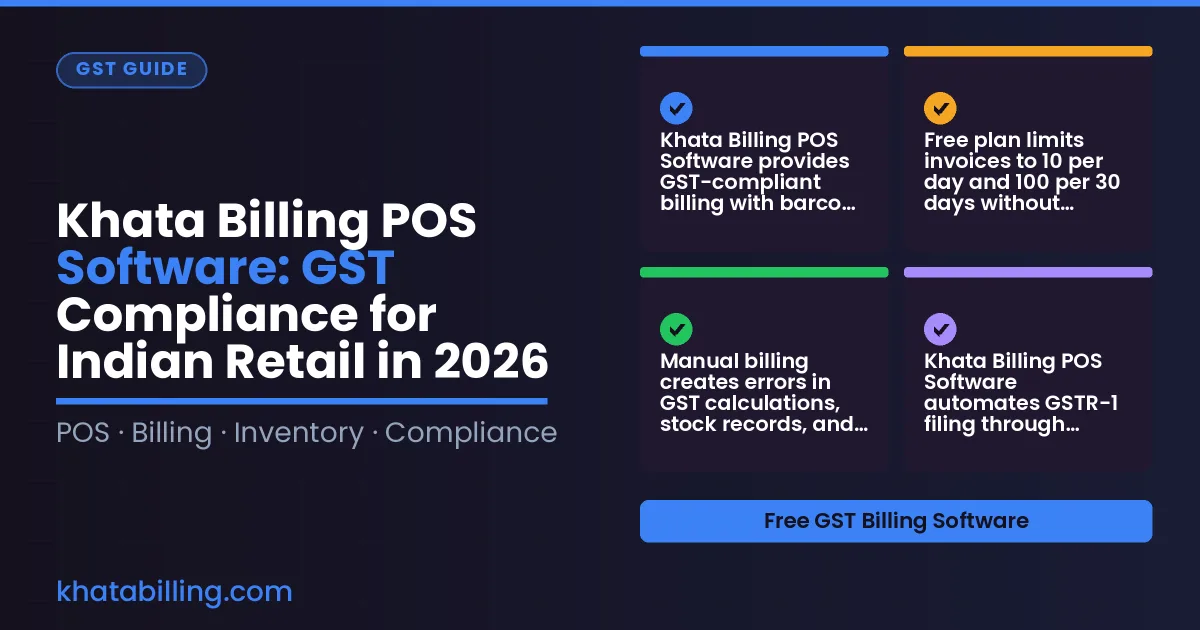
- Khata Billing POS Software provides GST-compliant billing with barcode scanning for Indian retailers starting at ₹1,499/year
- Free plan limits invoices to 10 per day and 100 per 30 days without watermarks or advanced reports
- Manual billing creates errors in GST calculations, stock records, and party ledgers that digital POS prevents
- Khata Billing POS Software automates GSTR-1 filing through integrated POS features and real-time data sync
- Digital billing reduces checkout time by eliminating manual invoice entry and improves customer trust with professional receipts
- Premium features include unlimited invoicing, GSTR-1 reports, and multi-screen POS for growing retail businesses
- Migrating from manual to Khata Billing POS Software requires validating GSTIN, importing stock data, and training staff on digital workflows
Khata Billing POS Software and the Changing Face of Indian Retail in 2026
Khata Billing POS Software addresses the critical need for GST-compliant point of sale systems in Indian retail, where manual billing risks GST penalties and slow checkout lines hurt customer retention. By 2026, small shopkeepers face rising compliance complexity from e-invoicing mandates, GST portal updates, and inventory synchronization demands, making integrated POS solutions essential for survival. Khata Billing — free GST billing software" provides the operational backbone for modern small trade, handling GST invoice generation, barcode scanning, and real-time stock updates without additional hardware costs. Retailers managing 10 daily invoices under the free plan or scaling to unlimited invoicing through Premium at ₹1,499/year gain seamless GST compliance through automated HSN code application and CGST-SGST splitting. The software eliminates duplicate entry errors by syncing POS transactions with inventory and party ledgers, ensuring accurate input tax credit claims. With features like thermal printer support and UPI-integrated billing counters, Khata Billing POS Software transforms traditional counters into compliant, data-driven sales hubs that meet 2026 regulatory expectations.
GST Compliance Basics Every Indian Retailer Must Know
Every Indian retailer who issues a tax invoice must first understand the GST framework that governs it. A GSTIN, or Goods and Services Tax Identification Number, is a 15-digit PAN-linked code assigned to every registered dealer; it appears on every invoice and is required for claiming input tax credit. When a shopkeeper sells goods, the HSN code (Harmonised System of Nomenclature) or SAC code (Services Accounting Code) must be mentioned on the invoice to classify the item correctly under GST law. For most small retailers, a two-digit HSN code suffices, while larger turnovers require four-digit codes. The GST rate itself is split into CGST and SGST for intra-state sales, where both the central and state governments levy equal percentages, or IGST for inter-state transactions, where the full rate goes to the central government. E-invoicing becomes mandatory once the aggregate turnover crosses the notified threshold—currently ₹40 lakh for goods and ₹20 lakh for most services—though many retailers voluntarily generate e-invoices to streamline GST returns. Return periods are fixed: GSTR-1 reports outward supplies monthly or quarterly, GSTR-3B is a summary return due by the 20th of the following month, and annual GSTR-9 consolidates the year's data. Understanding these obligations prevents penalties and ensures smooth input tax credit reconciliation. Khata Billing blog regularly publishes practical guides that help shopkeepers match their billing practices to these legal requirements. Khata Billing POS Software supports GST-compliant invoicing by auto-populating GSTIN, suggesting the correct HSN/SAC based on the item, and generating CGST/SGST or IGST splits automatically, so the retailer can focus on serving customers rather than calculating tax manually.
Worked Example: Calculating GST and Generating a GST-Ready Invoice
Here is a practical step-by-step example using Khata Billing POS Software to calculate GST on a ₹5,000 retail sale and generate a GSTR-1 ready invoice.
- Enter the ₹5,000 sale in Khata Billing POS Software. The system automatically detects a 18% GST rate and splits it into CGST (₹450) and SGST (₹450), displaying the total as ₹5,900 as required by GST law.
- Select the item with HSN code 8517 (mobile phones). Khata Billing auto-populates the HSN code and applies the correct CGST and SGST percentages, ensuring accurate tax calculation without manual entry errors.
- Review the invoice preview. Khata Billing formats the tax breakdown clearly, showing the ₹5,000 base amount, ₹450 CGST, and ₹450 SGST in separate line items as per GSTR-1 requirements.
- Save the invoice. The system assigns a sequential invoice number and embeds the HSN code, CGST, SGST, and total amount in the exact structure needed for GSTR-1 filing.
- Export or print the invoice. Khata Billing provides a watermark-free, GST-compliant PDF that meets all e-invoicing standards, including barcode generation for stock tracking and audit readiness.
Khata Billing POS Software handles these steps automatically, reducing errors and saving time for Indian retailers. Learn more about our GST-compliant features at About Khata Billing.
Step-by-Step: Setting Up and Using Khata Billing POS for Daily Sales
Khata Billing POS Software streamlines daily retail operations in Indian shops by automating core billing tasks. Start by adding inventory items: scan a barcode or enter the product name, HSN code, and price. Use the Manage Inventory section to set stock levels; the system auto-generates barcodes for thermal printing. When a customer approaches the counter, select 'Create Order', search by name or GSTIN, and add items from the barcode scanner. Apply discounts via the 'Discount' field before confirming. For payment, choose 'Split Payment' to accept UPI via QR code on the mobile device while taking cash from the till, ensuring the total matches the invoice. Close the day by clicking 'Generate Batch'; the software compiles all sales, updates stock, and prepares GST-ready data for filing. This workflow eliminates manual register errors and saves time at return-filing time. All features are accessible from the dashboard for quick access.
| Manual register | Digital billing |
|---|---|
| Handwritten entries for each item | Scan barcodes for instant item addition |
| Cash and UPI payments processed separately | Split payment between UPI and cash in one step |
| Batch closing requires manual tallying | One-click batch generation with auto-updated inventory |
| GSTR-1 preparation is done outside the app | GSTR-1 ready reports export directly from Khata Billing |
Comparing Manual Retail Operations vs Digital GST-Ready Billing
Manual retail operations rely on paper registers, handwritten paper invoices, and manual stock counts, which consume valuable time and expose businesses to GST compliance risks.
Digital GST-ready billing with Khata Billing POS Software transforms these tasks through automated invoice generation, accurate GST calculations, and real-time inventory visibility.
A comparison table highlights the practical differences:
| Aspect | Manual Operations | Digital POS System |
|---|---|---|
| Invoice Creation | Handwritten or printed paper invoices, prone to errors and delays | Automated invoice generation with GST-compliant formats, saving 3-5 minutes per transaction |
| GST Calculation | Manual math for CGST, SGST, and IGST, increasing error risk | Auto-calculation of CGST, SGST, and IGST based on GST rates and HSN codes |
| Stock Management | Hand-counted stock levels, leading to discrepancies and stockouts | Real-time stock alerts and automatic updates when items are sold or restocked |
| Data Safety | Physical registers and paper files vulnerable to loss, damage, or theft | Cloud-backed data with automatic sync across devices, ensuring business continuity |
| Compliance | Risk of incorrect GST filings due to manual errors | Built-in GST report generation including GSTR-1, with accurate tax amounts and invoice numbering |
For Indian retailers, adopting Khata Billing POS Software eliminates the inefficiencies of manual processes, ensuring accurate GST compliance and operational efficiency while maintaining data security in the cloud.
Advanced POS Features for Growing Indian Retailers
Khata Billing POS Software gives Indian retailers the tools to manage staff efficiently through role-based permissions. Create distinct roles such as cashier, inventory supervisor, and manager, each with access limited to specific functions like item entry, stock adjustment, or full data view, preventing unauthorized changes and streamlining daily operations at the billing counter.
- Staff roles are defined in the admin panel where permissions are assigned to user groups.
- Managers can view real-time stock levels across all locations while front-line staff only see items relevant to their counter.
Multi-location inventory sync ensures that stock counts update instantly when a sale occurs in any outlet, eliminating manual reconciliation and supporting seamless transfers between warehouses and retail floors in cities like Delhi, Mumbai, or Bangalore.
- Every transaction deducts the sold quantity from the central inventory database.
- Warehouse managers receive low-stock alerts directly in the app, reducing stockouts.
Party ledger tracking records each customer’s purchase history, payment status, and pending invoices, enabling accurate credit assessment and timely follow-ups, which is critical for GST compliance and working capital management.
- Each party’s ledger shows GST-ready totals and input tax credit eligibility.
- Integrated payment requests allow parties to settle dues with approval workflows, reducing delays.
Profit-and-loss summaries generated monthly give a clear view of business performance, helping retailers adjust pricing, manage expenses, and plan expansions without relying on external accounting software, while GSTR-1 and Profit & Loss reports remain Premium features for accurate GST filing and tax planning, a necessity for growing enterprises.
Bulk export of item and party data to Excel supports advanced analysis, and digital business cards enhance brand visibility online, allowing retailers to scale beyond the physical counter and reach customers through digital channels with a single click.
Making the Switch: Migration Checklist for Your Store in 2026
Before launching Khata Billing POS Software in 2026, follow this practical migration checklist to ensure GST compliance and audit readiness. Export all existing sales, purchase, and inventory data from your current system using CSV or Excel formats, preserving original invoice numbers and dates for reference. Verify that your exported files include GSTIN, HSN codes, and tax breakdowns for each transaction, as these will be needed for mapping to Khata Billing's GST-ready structure.
Train your billing staff on Khata Billing's interface using the platform's built-in video tutorials and practice sessions. Focus on creating invoices, applying GST rates, and using barcode scanning features. Conduct at least two mock billing cycles where staff generate invoices for sample transactions, record payments via cash or UPI, and generate GSTR-compatible reports to build confidence before going live.
Set up invoice numbering by selecting a sequential format that aligns with GST requirements. Khata Billing allows you to start numbering from any date, so choose a start date that matches your financial year. Ensure each invoice displays the correct GSTIN, legal name, and address of your business, and that the invoice includes mandatory fields like HSN code, taxable value, CGST, SGST or IGST, and total amount inclusive of tax.
Map your old HSN codes to Khata Billing's product database by importing items with their respective HSN and SAC codes. Use the bulk import feature to upload up to 2000 items at once, ensuring each entry includes the correct tax rate and accounting code. Verify that your stock valuation method (like FIFO) is consistent with GST rules for inventory movement.
When going live, start with a single day of parallel operation where both your old manual system and Khata Billing POS Software run side by side. Record all transactions in Khata Billing while keeping physical copies of old invoices for audit purposes. Maintain a dedicated folder with monthly GST-compliant reports including GSTR-1 summaries and Profit & Loss statements, which are Premium features in Khata Billing, to ensure your tax records remain fully audit-ready from day one.
Khata Billing POS Software ensures GST compliance through automated invoicing, barcode scanning, and real-time stock tracking, directly addressing the daily challenges faced at the billing counter and in inventory management for Indian retailers in 2026.
Leverage these GST-ready features to simplify filing and protect your business; Start free with Khata Billing to implement the solution immediately.