- Understanding GST Invoicing Rules for Retail Shops
- Manual Invoice Management Challenges in Daily Shop Operations
- Worked Example: Calculating Daily Invoice Limits and GST Compliance
- Step-by-Step Guide to Creating GST-Ready Invoices in Khata Billing
- Visual Comparison of Shop Workflows Before and After Digital Invoicing
- Integrating POS and Inventory Management with GST Invoicing
- Action Plan for GST Compliance and Record Management
- Frequently Asked Questions
Khata Billing helps retail shops navigate record auto sales and GST invoicing by automating compliance with GST rules, including the free plan's 10 invoices a day and 100 in any 30-day period, while Premium offers unlimited invoicing and advanced GST reports like GSTR-1 and Profit & Loss that are not included in the free version.
For shop owners managing daily sales records and GST filings, Khata Billing provides a practical solution that turns manual invoice challenges into a streamlined, digital process with features like barcode-based creation, POS integration, and real-time stock tracking that directly support GST compliance.
✅ Key Takeaways
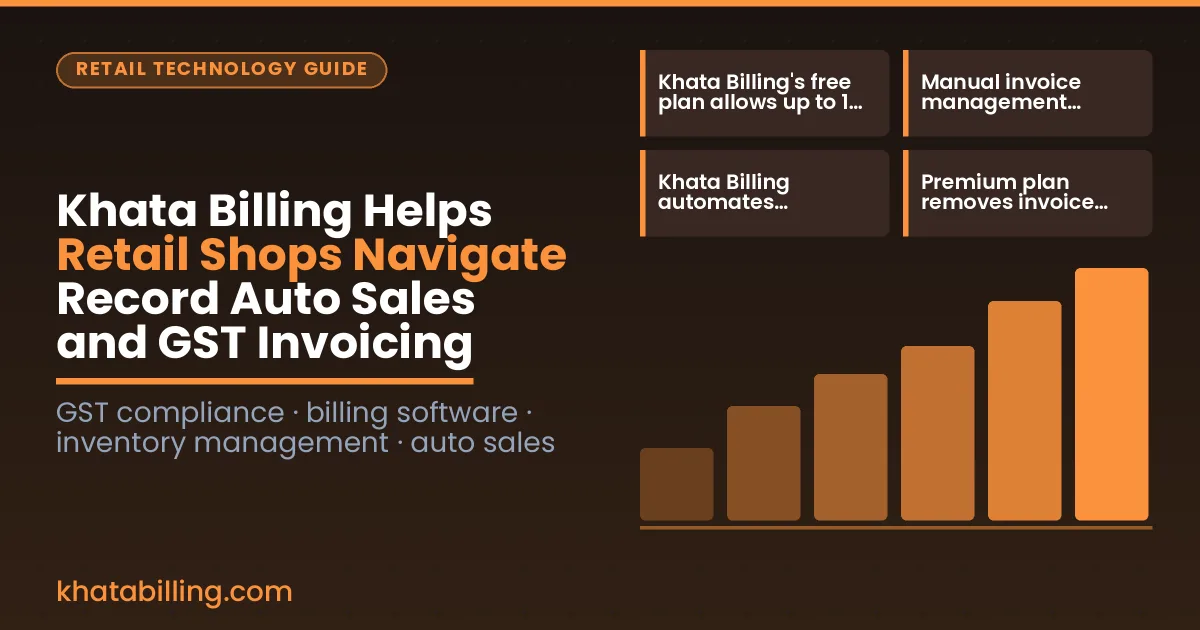
- Khata Billing's free plan allows up to 10 invoices per day and 100 in any 30-day period, requiring careful record management for high-volume retail shops
- Manual invoice management creates errors in GST compliance, inventory tracking, and party ledger accuracy during daily shop operations
- Khata Billing automates GST-compliant invoicing with barcode scanning, auto-numbering, and POS integration to reduce manual entry mistakes
- Premium plan removes invoice limits and adds essential GST reports like GSTR-1 and Profit & Loss that are not available in the free version
- Real-time data sync across devices ensures accurate sales records and stock valuation for seamless GST filing and inventory management
- Integrating POS and inventory systems with Khata Billing streamlines workflow from sale to GST return submission for retail businesses
- Adopting Khata Billing enables consistent GST compliance, accurate record keeping, and operational efficiency for Indian retail shop owners
Understanding GST Invoicing Rules for Retail Shops
Understanding GST invoicing rules is essential for every retail shop in India to stay compliant and avoid penalties, and Khata Billing — free GST billing software provides the digital solution needed for accurate record-keeping. GST law requires that every invoice issued by a retail business must include the seller’s GSTIN, buyer’s GSTIN (when applicable), invoice number, date of supply, description of goods, quantity, unit price, tax rate, tax amount, and total value. The law also mandates a daily limit of 10 invoices and a monthly cap of 100 invoices for businesses on the free tier, meaning accurate digital tracking is critical to avoid exceeding these limits. Mandatory fields such as the HSN code for each product, the place of supply, and the tax breakdown (CGST, SGST, or IGST) must be captured correctly; any omission can lead to GSTN validation failures during filing. Retail shop owners who manually generate paper invoices often struggle with inconsistent numbering, missing HSN codes, and GSTIN mismatches, which trigger audits and penalties. Using a digital system like Khata Billing ensures each invoice meets all GST requirements automatically, validates the GSTIN in real time, and maintains a compliant invoice register. This reduces errors, speeds up reconciliation, and keeps the shop’s financial records audit-ready at all times. The software’s built-in validation checks GSTIN format, auto-fills required fields, and prevents duplicate invoice numbers, giving shop owners confidence that their GST compliance is handled correctly. By digitising the invoicing process, retailers can focus on sales rather than paperwork, knowing their records are accurate, timely, and ready for any GSTN audit.
Manual Invoice Management Challenges in Daily Shop Operations
Shopkeepers traditionally record daily sales in paper registers or basic spreadsheets, spending hours manually entering item names, quantities, and calculating GST, which delays invoice generation and creates errors in stock tracking; this manual approach often forces shopkeepers to rush GST filings, risking penalties for late or incorrect GSTR-1 submissions.
For example, a Delhi-based clothing retailer records 15 sales of "Cotton Shirt" (HSN 6109) at ₹800 each with 18% GST on a typical day; each invoice requires 10 minutes of handwritten calculation, leading to 2.5 hours of daily paperwork, while stock adjustments for 20 shirts take additional time, and the cumulative 100-invoice 30-day limit on Khata Billing's free plan can be reached quickly, forcing the owner to pause new sales until the period resets.
These challenges are visible at the billing counter where clerks juggle paper receipts, and in stock rooms where inventory counts become inconsistent, creating a cycle of errors that complicates GST filing and reduces profitability, as shopkeepers must reconcile discrepancies before submitting GSTR-1 and other GST reports that are Premium features in Khata Billing.
To streamline this process, shopkeepers can adopt digital solutions that automate invoice creation, barcode scanning, and real-time stock updates, as detailed in the Khata Billing blog, enabling faster GST compliance and accurate record-keeping.
Worked Example: Calculating Daily Invoice Limits and GST Compliance
Here's how a shopkeeper using Khata Billing manages the 10-invoice daily limit and 100-invoice monthly cap while staying GST compliant:
- The shopkeeper opens Khata Billing on a desktop at 9 AM, creates 7 invoices for daily sales of ₹2,000 each, and notes the 3 remaining slots in the day counter, ensuring the 10-invoice daily limit is not exceeded.
- At 10 AM, the shopkeeper uses the Inventory & stock management feature to verify stock levels before adding 3 more invoices for bulk sales, carefully tracking the running total against the 100-invoice monthly cap.
- Each invoice generated automatically assigns a unique GST-compliant invoice number, applies the correct CGST and SGST rates, and calculates the total tax amount, eliminating manual errors and ensuring accurate GST filings.
- When the 10th invoice of the day is created, the system displays a warning and prevents further entries, protecting the shopkeeper from accidental overuse of the daily limit.
- At month-end, the dashboard shows a summary indicating 85 invoices used out of the 100-invoice monthly limit, allowing the shopkeeper to plan ahead and avoid exceeding the cap.
- Because Khata Billing's automated tracking aligns with GST law requirements, the shopkeeper spends less time on paperwork and more time managing sales, confident that all invoices meet GST compliance.
Step-by-Step Guide to Creating GST-Ready Invoices in Khata Billing
Creating GST-ready invoices in Khata Billing begins with item selection, where you choose products or services from your catalog, ensuring each has the correct GST rate and HSN code. The system automatically fills GST fields including CGST, SGST, and IGST based on your GSTIN, eliminating manual entry. You can add multiple items in one invoice, with auto-calculation of taxable value, tax amount, and total.
Next, you generate the invoice by selecting a customer and confirming the invoice date. Khata Billing then creates a unique invoice number following GST regulations, and you can instantly add a barcode for scanning at checkout. The About Khata Billing platform also supports digital signing, which authenticates the invoice and prevents tampering, a critical requirement for GST compliance.
Here is how the process compares in practice:
| Manual register | Digital billing |
|---|---|
| Enter item details manually, risking typos | Select from saved items; GST rate auto-applied |
| Calculate tax by hand, often incorrect | CGST, SGST, IGST calculated instantly |
| Print invoice, add barcode separately | Barcode generated with invoice; print-ready |
| Sign physically, prone to forgery | Digital signature applied automatically |
This automation reduces errors, saves time at the billing counter, and ensures every invoice meets GST requirements. With Khata Billing, shop owners spend less time correcting invoices and more time serving customers, while staying fully compliant with GST law. The free plan covers 10 invoices a day, up to 100 in any 30-day period, while Premium offers unlimited invoicing with watermark-free, digitally signed documents for just ₹999/year with code SAVE500.
Visual Comparison of Shop Workflows Before and After Digital Invoicing
Before adopting digital solutions, retail shop owners relied on manual paper-based workflows for record auto sales and GST invoicing, creating inefficiencies across daily operations. A typical manual process involved printing physical invoices, manually calculating GST components (CGST, SGST, or IGST), and maintaining separate ledgers for sales, stock, and party balances, which often led to errors in invoice numbering and tax calculations.
Manual workflows required shopkeepers to:
- Print and hand-write each invoice individually, consuming 5-10 minutes per transaction
- Verify GST details like HSN codes and tax rates by cross-referencing GST law books
- Reconcile daily sales summaries against physical stock registers
- Spend 2-3 hours daily compiling GSTR-1 data before e-filing deadlines
- Store physical invoices and ledgers in filing cabinets, risking loss or damage
After implementing Khata Billing's automated features, shop workflows transformed significantly. The platform's digital invoicing system generates GST-compliant invoices in seconds with auto-calculated CGST/SGST/IGST based on selected HSN codes, eliminating manual tax computation errors. Barcode scanning at the billing counter speeds up item entry, while the integrated POS feature supports up to 20 billing screens for high-volume retail environments. Khata Billing's Premium plan enables real-time GST report generation including GSTR-1, GSTR-2, and Profit & Loss statements directly from the dashboard, removing the need for time-consuming manual data consolidation. Shop owners now spend 80% less time on invoicing tasks and ensure accurate GST filings without additional professional fees, as the software handles auto-numbering, tax slabs, and e-invoice compliance per GST law requirements.
| Process | Manual Paper-Based | Khata Billing Automated |
|---|---|---|
| Invoice Creation Speed | 5-10 minutes per invoice (hand-written) | 15-30 seconds per invoice (digital with barcode scanning) |
| GST Calculation Accuracy | Prone to manual errors in CGST/SGST/IGST slabs | Auto-calculated based on selected GST type and HSN code |
| GSTR-1 Report Generation | 2-3 hours daily to compile data from physical records | Real-time generation with one-click export from dashboard |
| Stock Reconciliation | Separate stock register maintained; 30% mismatch rate common | Integrated inventory module updates stock levels instantly with each invoice |
Integrating POS and Inventory Management with GST Invoicing
When a retail shop uses Khata Billing's POS integration, every sale instantly updates stock levels, ensuring real-time inventory accuracy without manual reconciliation. This automatic sync means the stock valuation reflects actual quantities on hand, which is critical for accurate cost of goods sold calculations in GST filings. For example, if a shop sells 5 units of a product priced at ₹200 each, the system records the sale and reduces stock by 5 units immediately, preventing discrepancies during GST return submission. The POS billing screen shows the transaction details, including GST rates, and Khata Billing generates the corresponding invoice with correct HSN codes and tax breakdowns, eliminating manual entry errors. Return filing becomes simpler because the system maintains a continuous record of stock movements and sales, so when stock is returned from a customer, the inventory is updated and the associated invoice adjustments are automatically reflected in the GSTR-1 summary. With automated stock tracking, retail owners can focus on shop operations instead of chasing numbers, knowing that every transaction is aligned with GST requirements and inventory valuation remains precise. The free plan supports basic POS functions with up to 2 billing screens, while the Premium plan enables up to 20 screens and advanced reporting for complex inventory scenarios.
Action Plan for GST Compliance and Record Management
Start your GST compliance journey by creating a simple checklist for daily use of Khata Billing in your shop. Assign one staff member to manage the POS device and practice barcode scanning for every item sold, ensuring the correct HSN code is selected during invoice creation. Train all cashiers on the 10-invoice-a-day limit of the free plan, so they pause and start new days when the count resets. Set up your barcode printer on A4 sheets and test thermal printer connectivity before opening, using the standard barcode template that Khata Billing provides for retail items. Keep your inventory stock room organized by adjusting stock levels directly in the app after each sale, which maintains accurate stock valuation and simplifies GSTR-1 filing. At the end of each day, run the sales summary report in Khata Billing to verify totals match your physical cash book, then review party balances to catch any pending payments. Use the custom dashboard widgets to monitor daily invoice counts and upcoming 30-day limits. Schedule a weekly review where you export the party ledger to Excel for deeper analysis, and confirm that all invoices have the correct CGST, SGST, or IGST breakdown as per GST law. Finally, keep your bank and cash account details updated in the app to ensure seamless data sync across devices. This routine keeps your shop GST-ready and audit-proof.
Khata Billing simplifies record auto sales and GST invoicing for retail shops by handling up to 10 daily invoices and 100 monthly invoices with automatic barcode generation, real-time stock adjustments, and GST-compliant formatting, eliminating manual entry errors and ensuring seamless synchronization across devices.
Experience stress-free billing by Start free with Khata Billing and Start free with Khata Billing to manage auto sales and GST compliance effortlessly.
Source: Passenger vehicle retail sales decline 7.16% during festive season, overall auto sales hit record: Report — Moneycontrol.com (23 Nov 2026)