- POS Software and the Modern Indian Retail Counter
- From Manual Registers to Digital Invoicing: A Working Example
- Step-by-Step: Setting Up POS in Khata Billing
- Comparative Table: Working Before vs After Automated Billing
- GST Compliance and GSTR-1 Filing Made Easy
- Inventory Precision: Stock Tracking and Valuation
- Growing Your Business: Scaling from Shop to Enterprise
- Frequently Asked Questions
Khata Billing POS Software enables Indian retailers and wholesalers to replace manual registers with digital invoicing, stock tracking and GST-compliant billing at ₹0 cost for basic use. The software handles up to 10 invoices daily on the free plan and offers unlimited invoicing with Premium at ₹1,499/year. Real-time POS functionality transforms the billing counter experience while ensuring GST compliance.
This article explains how Khata Billing POS Software revolutionizes retail operations through automated invoicing, POS integration and GST-ready reporting, eliminating manual errors and streamlining stock management for small businesses across India.
✅ Key Takeaways
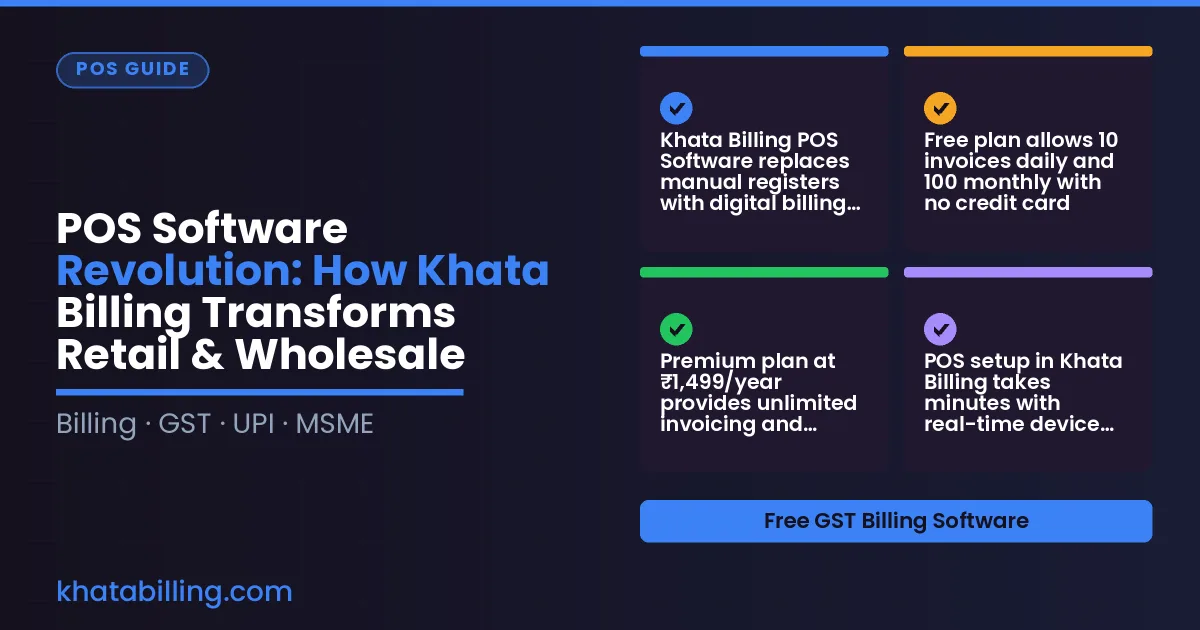
- Khata Billing POS Software replaces manual registers with digital billing at the counter
- Free plan allows 10 invoices daily and 100 monthly with no credit card
- Premium plan at ₹1,499/year provides unlimited invoicing and watermark-free receipts
- POS setup in Khata Billing takes minutes with real-time device sync
- GSTR-1 filing becomes automatic with built-in GST report generation
- Stock tracking shows live inventory levels and valuation per item
- Scaling from shop to enterprise is possible through role-based staff management
POS Software and the Modern Indian Retail Counter
POS Software is the digital engine that replaces paper ledgers and manual invoice books at the modern Indian retail counter, enabling shopkeepers and wholesalers to capture sales, manage inventory, and generate GST-compliant bills in seconds.
Traditional billing methods limit growth because shopkeepers spend valuable time writing invoices by hand, calculating CGST, SGST, and IGST, and reconciling stock, which slows service, increases errors, and prevents real-time tracking of party balances and inventory levels; without instant data sync, cash flow visibility and accurate GST filings remain elusive.
The shift toward automated systems empowers retailers to serve customers faster, reduce billing mistakes, and maintain continuous GST compliance while scaling operations across multiple POS screens, as demonstrated when a Delhi-based kirana store processes a ₹250 purchase of wheat flour (HSN 1904) with 5% GST (₹12.50) in under 30 seconds using barcode scanning, whereas manual entry would take several minutes and risk miscalculations.
This transformation is made possible by solutions like Khata Billing — free GST billing software that delivers automated invoice generation, barcode-based item entry, and integrated POS functionality without upfront cost, allowing small businesses to focus on customer service rather than paperwork.
From Manual Registers to Digital Invoicing: A Working Example
Manual billing often leads to errors when a retailer processes 15 items at a local shop, whereas Khata Billing's POS Software automates accuracy. Consider a small retailer selling: 5 kg of rice @ ₹40/kg (GST 5%), 3 kg of dal @ ₹60/kg (GST 5%), 2 kg of wheat flour @ ₹50/kg (GST 5%), 4 kg of sugar @ ₹80/kg (GST 5%), 1 kg of oil @ ₹120/kg (GST 5%), 6 pcs of biscuits @ ₹15 each (GST 5%), 2 pcs of chips @ ₹20 each (GST 5%), 1 kg of tea @ ₹100/kg (GST 5%), 3 pcs of soap @ ₹10 each (GST 5%), 2 pcs of toothpaste @ ₹25 each (GST 5%), 1 kg of salt @ ₹15/kg (GST 5%), 4 pcs of candles @ ₹30 each (GST 5%), 2 pcs of pens @ ₹12 each (GST 5%), 1 pc of notebook @ ₹30 (GST 5%) and 1 pc of stapler @ ₹25 (GST 5%). The manual method requires separate calculations for each line, risking mis‑entry of GST rates or quantities, which can cause a ₹1,200 invoice total to become ₹1,185 or ₹1,215. With Khata Billing’s POS Software, the retailer enters the items once, selects the 5% GST rate, and the system instantly calculates subtotals, tax amounts, and the final invoice total of ₹1,200. The generated GST‑ready invoice includes the correct GSTIN, HSN codes, and auto‑numbered invoice ID, eliminating manual errors. For a detailed walkthrough, see the step‑by‑step example on the Khata Billing blog.
Step-by-Step: Setting Up POS in Khata Billing
Step 1: Log in to your Khata Billing dashboard and select "Shop Setup" from the left sidebar to enter your shop name, address, and contact details as per GST requirements.
- Enter your shop details including GSTIN, business name, and address in the setup form, then confirm to activate the shop profile.
- Navigate to the Inventory & stock management section to add products; enter each item with its HSN or SAC code, unit of measure, and GST rate (e.g., 18% for packaged goods) as required by GST law.
- Configure GST rates in the settings menu by selecting "Tax Profiles" and inputting the applicable CGST, SGST, or IGST percentages for your product categories to ensure accurate tax calculation at the point of sale.
- Activate the Point of Sale module by clicking "Enable POS" in the dashboard, which will generate a unique POS ID and allow you to connect up to two billing screens as per your plan.
- Test the POS by adding a sample item, applying the correct tax rate, and printing a thermal invoice to verify barcode generation and stock deduction in real time.
Comparative Table: Working Before vs After Automated Billing
Before automated billing, a shopkeeper manually recorded each sale in a register, entered invoice details into a notebook, and calculated GST by hand, which often led to errors in CGST, SGST, or IGST amounts. Stock counts required daily physical counts in the backroom, causing mismatches between recorded and actual inventory. Generating a single invoice could take 5-10 minutes, and reconciling daily sales with GST returns consumed hours each evening.
After adopting a digital POS workflow, the same shopkeeper uses a POS Software system that automatically captures the transaction, assigns sequential invoice numbers, and calculates GST components instantly. The system syncs with inventory in real time, reducing stock discrepancies. An example shows an invoice for ₹2,500 worth of goods with 18% GST, generating a total of ₹2,950 in seconds, while the software updates stock levels and prepares GSTR-1 data for filing. About Khata Billing provides this workflow with unlimited invoicing in the Premium plan, ensuring compliance without manual effort.
| Aspect | Manual Working | Automated POS Workflow |
|---|---|---|
| Register Maintenance | Handwritten entries in physical register, prone to smudging and loss | Digital register with auto-save, accessible on desktop and mobile devices |
| Invoice Generation Speed | 5-10 minutes per invoice due to manual data entry and GST calculation | Under 1 minute per invoice with auto-filled GST and sequential numbering |
| GST Compliance | Manual calculation of CGST, SGST, IGST often results in errors; GSTR-1 filing delayed | Auto-calculation of GST components; prepares GSTR-1 and Profit & Loss reports for seamless filing |
| Stock Tracking Accuracy | Daily physical counts; frequent mismatches between recorded and actual stock | Real-time stock updates with barcode scanning; reduces discrepancies to near zero |
| Reporting Ease | Manual tallying of sales, expenses, and party balances; time-consuming and error-prone | One-click access to advanced reports including sales summary, GST reports, and party ledger with accurate data |
GST Compliance and GSTR-1 Filing Made Easy
Khata Billing's automated POS software eliminates manual GST entry errors by capturing every sale at the point of transaction, instantly generating compliant invoices with correct CGST, SGST, and IGST splits. The system automatically calculates input tax credit eligibility as purchases are recorded, matching supplier invoices against sales data to reconcile eligible credits. GSTR-1 generation becomes a single-click process: daily sales summaries feed directly into the monthly return format required by GST law, with invoice numbers, HSN codes, and taxable amounts pre-validated against the ledger. Small retailers using barcode scanning at checkout see sales data flow in real-time to the cloud, where the software aggregates transactions by GSTIN and creates GSTR-1 drafts that align precisely with the portal's filing requirements. For example, a shop selling ₹500 goods with 18% GST records a ₹590 invoice, automatically segregating ₹81 tax (₹500 × 18%), which the POS updates in the daily register. This structured data flow means the monthly GSTR-1 filing requires only verification and submission, removing hours of spreadsheet work. Khata Billing's free plan supports up to 10 daily invoices and 100 monthly invoices, sufficient for most small shops, while Premium users enjoy unlimited invoicing with watermark-free GSTR-1 reports and advanced reconciliation tools. The platform ensures every sale, whether via UPI, cash, or card, is timestamped and categorized by product type, enabling accurate stock valuation and seamless input tax credit claims during return filing.
Inventory Precision: Stock Tracking and Valuation
Real-time inventory tracking in Khata Billing POS Software stops overstocking and stockouts by updating stock levels instantly at every sale, return, or purchase. Retailers see exact quantities on the dashboard, eliminating the guesswork that leads to excess inventory tying up capital or empty shelves losing customers. For wholesalers managing bulk shipments, the system automatically deducts items when a delivery note is scanned, ensuring accurate records without manual recounts that cause costly errors. Stock valuation uses FIFO (First-In-First-Out) by default, aligning with GST-compliant inventory accounting, so the cost of goods sold reflects actual purchase prices and supports correct input tax credit claims. Barcode scanning for dispatch lets staff scan product barcodes at the stock room, instantly marking items as 'dispatched' in the POS, which updates inventory levels in real time and creates digital proof for GST e-invoicing. This eliminates the hours spent on manual stock counts, reduces discrepancies, and ensures that every sale is backed by verified stock data. With accurate stock movements, businesses can set reorder alerts, avoid emergency purchases at higher prices, and maintain optimal stock levels for seasonal demand. The integration of POS and inventory means every billing transaction automatically adjusts stock, so the balance sheet reflects true asset values and GST filings show correct cost of goods sold, improving profitability and compliance.
Growing Your Business: Scaling from Shop to Enterprise
Growing your retail or wholesale operation requires a POS system that scales with you, and Khata Billing delivers exactly that capability. The platform supports multi-user access so shopkeepers can assign staff to specific billing counters without compromising data integrity. Role-based staff permissions ensure cashiers cannot modify inventory while sales supervisors approve high-value transactions, maintaining control during peak hours at the checkout counter. Activity logging records every invoice print, price change, and stock adjustment, creating an auditable trail essential for GST compliance and internal reviews when filing returns at month-end. Moving from a single-shop setup to multiple outlets becomes seamless because Khata Billing synchronizes inventory, sales data, and party ledgers in real time across all locations, eliminating manual reconciliation that wastes valuable shop-floor time. For example, a Mumbai-based textile wholesaler expanded from one showroom to three branches within six months by using Khata Billing's centralized dashboard, where inventory stock levels updated automatically across all counters, preventing overselling and reducing stockroom discrepancies. The system also handles bulk item imports up to 2000 entries at once, making it practical for traders adding new product lines without restarting operations. With unlimited invoicing as part of Premium and features like thermal printer support for high-volume counters, the software removes bottlenecks that typically slow growth when expanding. This integrated approach means business owners spend less time managing spreadsheets and more time serving customers at the POS terminal, directly boosting revenue while maintaining accurate GST records for every transaction.
Khata Billing delivers POS Software that transforms how retail and wholesale businesses operate by unifying GST invoicing, inventory management, and point of sale operations in a single free platform.
Experience seamless billing, accurate stock tracking, and real-time data without monthly fees Start free with Khata Billing to see how GST compliance and business growth happen together.