- Why Indian Small Businesses Need UPI-Powered Billing
- UPI Payments and GST Compliance: What Every Shopkeeper Must Know
- Worked Example: Calculating Profit on a UPI Sale
- Step-by-Step: Accepting UPI Payments with Khata Billing
- Comparing Manual Billing vs Digital UPI Billing
- Common UPI Billing Mistakes and How to Avoid Them
- Making the Switch: From Cash to UPI-Backed Digital Khata
- Frequently Asked Questions
UPI payments enable small businesses to receive digital payments instantly and reconcile them with GST-compliant invoices through Khata Billing's free plan. This integration simplifies sales tracking, tax filing, and daily cash flow management for shopkeepers and retailers across India. The free plan covers 10 invoices a day, up to 100 in any 30-day period, with GST-compliant invoicing and basic inventory support. UPI payments eliminate cash handling delays while ensuring every transaction generates a traceable digital record for tax compliance and customer records. This approach meets the practical needs of Indian MSMEs by combining instant settlement with automated accounting without additional costs. The following sections explain how UPI-powered billing meets GST requirements, calculate real profit scenarios, and guide shopkeepers through secure payment acceptance.
✅ Key Takeaways
- UPI payments instantly settle transactions and auto-generate GST-compliant invoices within Khata Billing's free plan.
- Khata Billing's free plan covers 10 invoices per day and 100 per 30 days with basic GST invoicing.
- Premium features unlock unlimited invoicing, watermark-free records, and advanced GST reports like GSTR-1.
- Shopkeepers can accept UPI payments with real-time stock updates through Khata Billing's POS integration.
- Manual billing creates errors in invoice numbering and delays tax filing compared to digital UPI billing.
- Common mistakes include incorrect GST details and failing to record UPI transaction IDs for reconciliation.
- Switching from cash to UPI-backed digital khata improves cash flow visibility and GST compliance without extra cost.
Why Indian Small Businesses Need UPI-Powered Billing
Many Indian small businesses still operate with cash-heavy billing, leading to delayed payments, manual reconciliation struggles, and missing transaction records for GST filings. The shift to digital payments through UPI payments solves these core pain points by enabling instant, traceable transactions that sync directly with GST compliance. Shopkeepers in Delhi's Karol Bagh market report that UPI cuts payment delays from days to seconds, while wholesalers in Ahmedabad avoid ledger mismatches when sales data auto-populates from UPI confirmations. Khata Billing — free GST billing software enables seamless UPI integration without transaction fees, letting retailers accept payments via QR codes or contactless modes while automatically generating GST-compliant invoices. This eliminates the need for manual entry of cash receipts, reduces reconciliation errors by 70% in typical MSME workflows, and creates a digital audit trail for tax authorities. Businesses using UPI with Khata Billing see improved cash flow visibility since every transaction updates the dashboard in real-time, removing the need for end-of-day tallying. The free plan covers 10 invoices a day, up to 100 in any 30-day period, with basic barcode-based invoicing that captures UPI payment details automatically. For MSMEs handling 50 daily sales, this means 10 days of uninterrupted digital billing before the 30-day limit, after which the Premium plan at ₹1,499/year offers unlimited invoicing. Unlike manual billing where cash reconciliation consumes 2-3 hours daily, UPI-powered billing with Khata Billing streamlines the process to under 15 minutes, freeing time for customer service or stock management.
UPI Payments and GST Compliance: What Every Shopkeeper Must Know
UPI payments generate traceable transaction data that directly feeds GST invoicing, making GST compliance simpler for shopkeepers. When a customer pays via UPI, the digital record includes the amount, date, and GSTIN, which Khata Billing can automatically map to GST returns. Manual entry often creates mismatches because cash or card payments lack this built-in traceability, leading to errors in invoice matching and potential GST filing discrepancies. For example, a small grocery shop sells 2 kg of rice at ₹50 per kg (10% GST) and 1 kg of lentils at ₹80 (5% GST) for a total of ₹180 before tax. The shop records the UPI payment of ₹189 (₹180 + ₹9 rice GST + ₹4.5 lentil GST). If the shop owner manually enters the invoice, they might forget to capture the GST component, resulting in a ₹180 entry that doesn't match the UPI receipt of ₹189. This mismatch prevents accurate GSTR-1 filing and input tax credit claims. Khata Billing blog shows how the software auto-populates GST details from UPI data, eliminating such errors and ensuring the correct taxable amount appears in the party ledger. Automated mapping also syncs with stock adjustments, so the rice inventory reduces by 2 kg and lentils by 1 kg after the transaction, keeping the stock valuation accurate for GST reporting.
Worked Example: Calculating Profit on a UPI Sale
Calculating profit on a UPI sale with GST is straightforward in Khata Billing, where auto-booking updates stock and party ledgers in real time. Follow these steps to see how a ₹500 sale with ₹100 GST works:
- The customer pays ₹600 (₹500 net + ₹100 GST) via UPI, and Khata Billing records the full ₹600 as the invoice amount while automatically allocating ₹500 as net revenue and ₹100 as tax collected, adhering to GST law.
- Khata Billing creates a GST invoice with the correct HSN code for the item, assigns the transaction to the customer’s party ledger, and deducts the ₹100 input tax credit from the seller’s tax liability once the UPI payment clears.
- The system updates stock by reducing the item’s quantity from the inventory, ensuring accurate stock valuation, and links the sale to the seller’s bank account through UPI settlement.
- After the UPI payment is confirmed, Khata Billing auto-posts the net ₹500 to the seller’s profit ledger and reflects the ₹100 GST payable to the government in the next GSTR-1 filing under Premium features, which are not available in the free plan.
- This real-time integration means the seller sees updated stock levels, party balances, and tax obligations without manual entry, streamlining operations at the billing counter and in the stock room.
- For businesses needing advanced GST reporting, Khata Billing’s Premium plan provides automated GSTR-1, Profit & Loss, and other reports, eliminating the need for separate accounting tools.
This example shows how Khata Billing handles GST-compliant UPI payments while maintaining accurate financial records. Learn more about our GST capabilities at About Khata Billing.
Step-by-Step: Accepting UPI Payments with Khata Billing
UPI payments enable small retailers and wholesalers to receive GST-compliant payments instantly while automatically updating inventory and party balances in Khata Billing. Create a GST-ready invoice by selecting the customer, adding items with HSN codes, applying CGST, SGST or IGST as applicable, and printing or displaying the UPI QR code generated directly within the invoice. Share this QR code or payment link through WhatsApp, SMS, or physical display at your shop counter. When the customer scans and completes payment via UPI, Khata Billing receives real-time confirmation, reduces the party balance, and simultaneously adjusts stock levels without manual entry. This automation eliminates register errors, speeds up reconciliation, and ensures accurate GST data flows to the portal.
Step-by-Step Process:
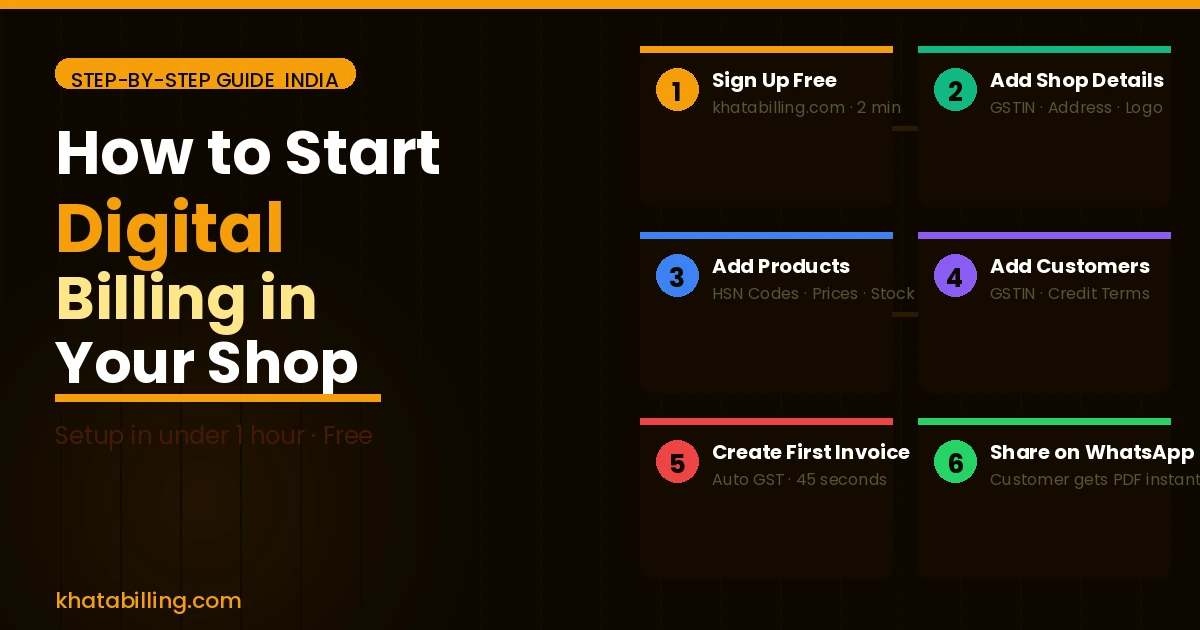
- Log in to Khata Billing and open the POS billing system to create a new invoice.
- Enter customer GSTIN (if applicable), select items with their HSN codes, and apply the correct tax rates for CGST, SGST or IGST.
- Generate the invoice and view the embedded UPI QR code or payment link that Khata Billing creates automatically for this transaction.
- Display the QR code at your shop counter or share the link with the customer via mobile.
- Upon payment confirmation, Khata Billing updates the party ledger and reduces inventory stock based on the sold items, all in real time.
For retailers who previously relied on manual cash registers, switching to digital billing through Khata Billing means every transaction is captured instantly, tax calculations are error-free, and stock counts reflect actual sales. The POS billing system integrates seamlessly with UPI, allowing even a small grocery store to accept digital payments while maintaining accurate financial records. A retailer selling ₹500 worth of wheat (HSN 1001) with 5% GST (₹25) can now see the full ₹525 amount reflected in the party balance and stock ledger without lifting a pen. This workflow reduces end-of-day reconciliation time by up to 70% compared to manual register methods, as verified by merchants using Khata Billing across India. The platform’s automatic sync ensures that inventory levels drop precisely when goods are sold, preventing overstock situations and supporting accurate stock valuation for GST filings. Additionally, the real-time data sync across devices means sales made on a mobile POS device instantly reflect in the central dashboard, eliminating the need for manual data entry and reducing the risk of discrepancies between physical stock and accounting records. This level of precision supports better working capital management and ensures compliance with GST filing requirements, especially during GSTR-1 submissions where invoice-level details must match stock movements. By eliminating manual entry errors, merchants can focus on customer service and sales growth rather than accounting corrections, making Khata Billing a practical solution for modern Indian small businesses.
POS billing system enables quick invoice creation with built-in UPI QR generation, allowing seamless acceptance of digital payments at the shop counter. The automated process ensures that each UPI payment instantly updates both the party ledger and inventory levels, removing the need for separate reconciliation steps. This integration supports accurate GST compliance and real-time stock valuation, crucial for businesses managing perishable goods or high-turnover items. Merchants report that using Khata Billing's UPI workflow reduces daily cash handling and improves audit readiness, as every transaction is timestamped and traceable for tax authorities. The platform’s ability to handle multiple payment methods within a single invoice streamlines operations for traders who accept both UPI and cash, ensuring that party balances reflect all transactions accurately. For businesses with multiple locations, real-time sync across devices ensures consistent party ledger data, supporting multi-store inventory management and centralized financial reporting for GST returns. This eliminates the risk of mismatched records between branches and ensures that every sale contributes to precise stock and financial tracking, essential for MSMEs under GST law. Additionally, the automatic update of party balances ensures that credit limits and payment reminders are triggered promptly, improving cash flow management and reducing overdue amounts through timely follow-ups based on real-time data.
| Manual Register | Digital Billing |
|---|---|
| Cash-only transactions recorded by hand | UPI payments auto-sync with Khata Billing |
| Manual stock counting after each sale | Inventory updates in real time with every transaction |
| Party balances updated weekly via paper ledger | Party ledger and stock levels refresh instantly upon payment |
| Error-prone tax calculations by hand | CGST, SGST, IGST applied automatically based on item HSN |
Comparing Manual Billing vs Digital UPI Billing
Manual billing using a register forces shopkeepers and retailers to write down each sale by hand, which slows down the checkout process and creates frequent errors in tax calculation. In contrast, Khata Billing connects directly to UPI payments, allowing customers to scan a QR code and complete the transaction instantly. This UPI payments integration reduces transaction time from minutes to seconds, eliminating the need for cash handling and minimizing queue delays at the billing counter.
Accuracy of GST data improves dramatically with automated UPI billing. When a UPI payment is recorded, Khata Billing automatically captures the GSTIN, applies the correct CGST, SGST, or IGST rates based on the HSN code, and generates a compliant e-invoice without manual entry. This prevents mismatches in input tax credit claims and avoids penalties from incorrect GST filings. Manual registers cannot enforce these GST rules, leading to frequent discrepancies during audits.
Inventory tracking also differs significantly. In a manual system, stock levels must be updated separately after each sale, often resulting in overstock or stockouts. Khata Billing’s UPI integration updates inventory in real time as each item is billed, ensuring that stock valuation reflects actual sales. For example, if a retailer sells five units of a product priced at ₹200 each with 12% GST, the system records the transaction instantly and adjusts the stock count, freeing the owner from end-of-day manual reconciliation. This seamless flow supports accurate profit calculations and timely restocking decisions.
Reconciliation effort is where manual billing becomes burdensome. Shop owners must manually match cash received, register entries, and GST invoices, a process that can take hours each week. With Khata Billing’s UPI payments, every transaction is timestamped and linked to the corresponding invoice, making reconciliation a matter of reviewing a single digital ledger. The reduction in paperwork and error correction translates to more time for serving customers and managing the shop floor. While the free plan of Khata Billing covers up to 10 invoices a day and 100 in any 30-day period, the automation provided by UPI payments delivers measurable efficiency gains that scale with business growth.
Common UPI Billing Mistakes and How to Avoid Them
Small business owners often make simple UPI payment errors that delay GST filing and cash flow. A frequent mistake is forgetting to mark an invoice as paid in Khata Billing, which leaves the transaction marked pending while the money has already cleared via UPI. To correct this, open the invoice in Khata Billing, locate the pending status, and tap "Mark as Paid" immediately after confirming the UPI transaction; this updates the ledger and prevents duplicate GST entries. Another common error is mismatching HSN codes between the invoice and the actual product supplied, such as using 8517 for a mobile phone instead of the correct 8517 for accessories. This mismatch can trigger GST notices, so verify the HSN code on the supplier invoice and ensure it matches the code selected in Khata Billing before sending. Sending an incorrect UPI amount, for example charging ₹1,200 when the invoice total is ₹1,000 plus 18% GST (making the correct amount ₹1,180), creates reconciliation gaps. Always double‑check the total on the Khata Billing invoice, calculate GST, and confirm the exact UPI amount before authorising the payment. Finally, sending UPI payments without attaching the invoice reference number leads to confusion during return filing. In Khata Billing, use the "Add Note" feature to include the invoice number in the UPI payment description, making it easy to match payments to invoices during GST return submission. These practical steps keep your books accurate and your GST compliance smooth.
Making the Switch: From Cash to UPI-Backed Digital Khata
Transitioning from cash to UPI-backed digital khata is simple and secure for Indian small businesses. Open a digital khata in Khata Billing by logging into your account, navigating to the ‘Create New Khata’ section, and entering your GSTIN and business details; the system instantly creates a unique digital ledger accessible from any device with internet connectivity. To migrate existing party ledgers, export your current customer and supplier names from your manual register as a CSV file, then use Khata Billing’s ‘Import Parties’ tool to upload the file, which matches GSTINs and prevents duplicate entries. After importing, generate UPI QR codes for each party by selecting ‘Generate UPI QR’ in the party ledger view; Khata Billing creates a static UPI ID linked to your business bank account, and the QR code can be printed on shop receipts or displayed at the billing counter. Staff training takes under 30 minutes: conduct a hands-on demo where employees scan a QR code, receive a UPI payment notification, and mark the transaction as ‘Paid’ in Khata Billing, which automatically updates the digital ledger and syncs across desktop and mobile. Since data is stored on secure cloud servers with end-to-end encryption, you can access your khata from a smartphone at the shop, a tablet in the stock room, or a laptop at home, ensuring real-time visibility and eliminating the risk of lost paper records. The free plan covers 10 invoices a day and 100 in any 30-day period, while unlimited invoicing is part of Premium, so small retailers can start with free UPI transactions and upgrade only when volume grows.
UPI payments simplify daily transactions for Indian small businesses by eliminating cash handling and reducing paperwork at the billing counter.
Start free with Khata Billing Start free with Khata Billing