UPI payments are the digital payment method that lets Indian retailers accept money directly into their bank accounts using a mobile number, eliminating the need for cash or card machines at the shop counter and integrating seamlessly with GST-compliant invoicing through Khata Billing.
This guide explains how to set up UPI for your shop counter, use it for selling 5 items, apply digital billing versus manual register methods, manage stock with UPI transactions, simplify UPI payment reconciliation, and understand UPI fees and GST implications while operating under Khata Billing's free plan limits of 10 invoices a day and 100 in any 30-day period and ₹1,499/year Premium plan for unlimited invoicing.
✅ Key Takeaways
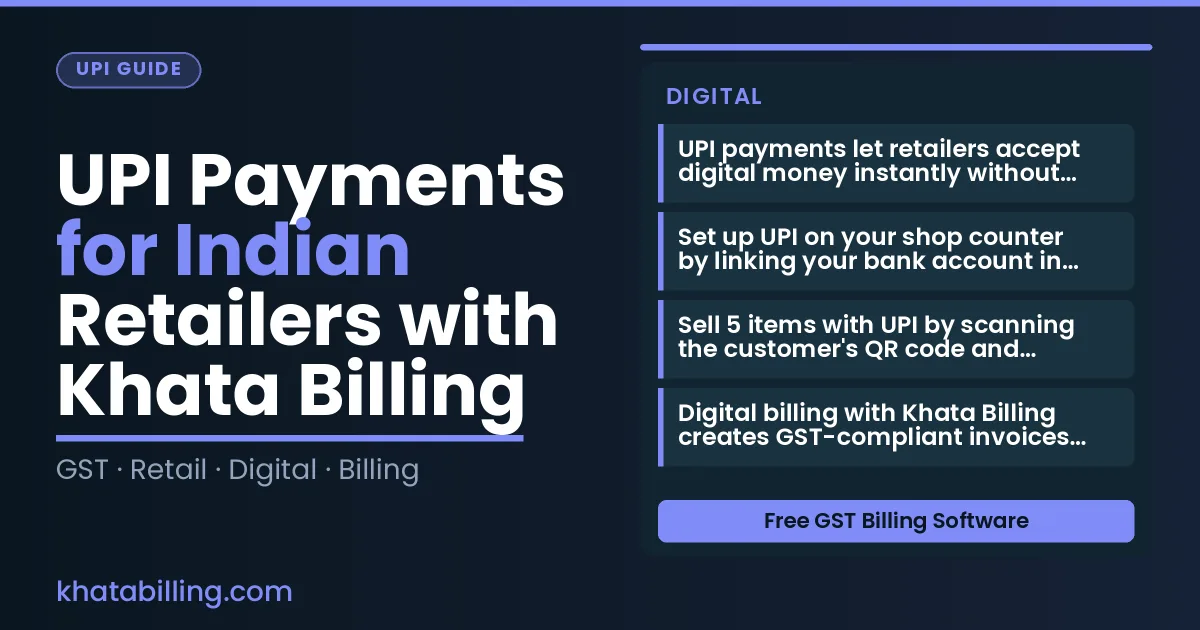
- UPI payments let retailers accept digital money instantly without cash or card machines
- Set up UPI on your shop counter by linking your bank account in the Khata Billing app
- Sell 5 items with UPI by scanning the customer's QR code and confirming the payment
- Digital billing with Khata Billing creates GST-compliant invoices automatically versus manual register entries
- Use UPI transaction details to update stock levels in real-time for accurate inventory management
- Reconcile daily UPI payments with sales reports in Khata Billing to match bank deposits
- UPI fees are deducted by the payment processor while GST is calculated separately in Khata Billing
Why UPI Payments Matter for Indian Retailers
UPI payments are transforming how Indian retailers, shopkeepers and traders collect money, directly supporting GST compliance, accelerating cash flow and eliminating counter errors. When a customer pays via UPI, the transaction is automatically recorded with a unique UPI reference number that can be matched to the GST invoice generated in Khata Billing — a critical step for accurate GST filing and input tax credit claims. This instant digital receipt reduces manual data entry, prevents mismatched amounts and ensures that the GST invoice reflects the actual payment received, which is essential for maintaining clean books and avoiding audits. For small businesses, faster settlement through UPI means the cash from each sale is available in the bank account within minutes instead of waiting for cash deposits, improving working capital and allowing timely inventory replenishment. Khata Billing — free GST billing software integrates UPI seamlessly, so every UPI payment automatically updates the sales ledger, creates a reconciled invoice with the correct CGST, SGST and IGST breakdown, and syncs the data across devices. The result is fewer billing mistakes, smoother GST return preparation and a more reliable financial trail for every transaction. By adopting UPI through Khata Billing, retailers gain a reliable, compliant and efficient payment collection method that supports growth and reduces administrative burden.
See more about Khata Billing — free GST billing software.
Setting Up UPI for Your Shop Counter
To start accepting UPI payments at your shop counter, open Khata Billing and go to the Payment Settings. Link your bank account by selecting UPI, then choose your bank from the list; enter your registered mobile number and verify via OTP. Next, set up your UPI ID (e.g., rajesh123@upi) which appears on your phone. Once linked, enable UPI payments in the billing screen. At the counter, after creating a bill for items like 2 × Milk (₹25 each) and 1 × Bread (₹20), add 5 % GST. The total becomes ₹70 + ₹3.50 GST = ₹73.50. Show the UPI QR on the screen; the customer scans with Google Pay or PhonePe, enters ₹73.50, and pays instantly. The amount reflects in your bank within seconds. This seamless flow works alongside Inventory & stock management as you update stock after each sale. No technical setup is needed; just ensure your phone has internet and the app is updated. The free plan covers 10 invoices a day, up to 100 in any 30‑day period, so you can easily manage daily transactions without extra cost.
Real Example: Selling 5 Items with UPI
Here is how a ₹500 sale with UPI payments works using Khata Billing: Khata Billing blog shows the process in action. First, open the sale in Khata Billing on your mobile device. Next, add five items with a total value of ₹500, which automatically generates an invoice and applies 5% GST (₹25) and 18% GST (₹87.50) as per GST law. Then, the system creates a unique invoice number, prints a barcode, and sends the invoice to your customer via UPI while updating the stock level for each item in your inventory list. After UPI payment is received, Khata Billing records the transaction in real time, deducts the exact GST amount from the cash flow, and marks the items as sold, ensuring accurate stock valuation and party balances for tax filing.
Manual Register vs Digital Billing
UPI payments simplify the billing journey for Indian retailers by eliminating manual entry errors and speeding up cash reconciliation. Writing sales in a physical ledger requires daily transcription of each transaction, which consumes valuable time and risks miscalculations. In contrast, Khata Billing's digital billing automatically creates GST-compliant invoices the moment a UPI payment is received, ensuring instant customer payment confirmation and real-time stock deduction from inventory levels. This seamless flow reduces discrepancies between sales records and available stock, a common pain point in traditional shops.
POS billing system enhances this process by integrating UPI directly into the sales counter, allowing shopkeepers to capture payments while issuing invoices without switching screens. Manual registers demand physical stock updates, often lagging behind actual sales, leading to overstock or stockouts. Digital billing updates inventory instantly, reflecting accurate quantities and values. The table below contrasts these approaches:
| Manual Register | Digital Billing |
|---|---|
| Sales recorded by hand in a physical ledger | Invoices generated automatically upon UPI payment |
| Stock levels updated manually after daily reconciliation | Stock deducted instantly with each digital invoice |
| Customer payment confirmation takes hours or days for cash | Instant payment confirmation via UPI notification |
| GST invoice generation requires separate entry and compliance checks | GST-compliant invoices issued with one click after UPI receipt |
For example, a retailer selling a ₹200 item with 18% GST (₹36 total) records the transaction in a ledger, then manually adjusts stock later. With Khata Billing, the ₹236 invoice appears instantly on the customer's phone, stock drops by one unit immediately, and the shop's ledger stays perfectly aligned with reality. This efficiency supports GST filing accuracy and strengthens customer trust through transparent, digital proof of purchase. Consult your CA for tax filing steps, but Khata Billing ensures your records are ready for GSTR-1 submission with accurate totals and timestamps.
How to Use UPI for Stock Management
Every UPI transaction automatically reduces inventory count, preventing overselling and simplifying stock reconciliation for Indian retailers.
When a customer completes a UPI payment for a product, Khata Billing updates the stock quantity in real time, so your shelf never shows more items than you actually have. This eliminates manual adjustments and reduces errors in daily stock counts.
Here's how it works in practice:
- Customer selects an item at your retail counter and pays via UPI, with the amount shown in INR.
- Khata Billing receives the UPI payment confirmation and instantly deducts the sold quantity from your stock record.
- If the item had a quantity of 5, the system shows 4 items remaining on all devices — desktop and mobile.
- During stock reconciliation, you compare physical counts with the system, and the numbers will always match because each sale is already reflected.
This automatic inventory reduction works alongside GST compliance; the sold quantity is recorded in your sales register, and input tax credit calculations stay accurate. Manual billing cannot provide this level of real-time synchronization, so you avoid stockouts during peak hours and reduce the time spent on end-of-day stock checks. With Khata Billing, inventory management becomes a seamless part of your UPI payment workflow.
UPI Payment Reconciliation Made Simple
UPI payments are the fastest way for Indian retailers to receive cash from customers, and Khata Billing makes matching each UPI transaction ID with daily sales reports simple. When a customer pays via UPI, the unique transaction ID appears in your bank statement. Log in to Khata Billing, go to the sales report for the same day, and locate the corresponding invoice entry. Enter the UPI ID or amount from the bank statement into the search field within Khata Billing’s transaction matching tool. The system instantly highlights the matching invoice, showing the GST amount, item details, and any applied discounts. This verification step confirms that the cash collected matches the recorded sales, eliminating manual tallying and reducing errors.
Here is a practical example for a small shop:
- Customer buys goods worth ₹800 (GST 18%, so total ₹944).
- Customer pays ₹944 via UPI; the bank statement shows UPI transaction ID upi_1234567890abcdef and amount ₹944.
- In Khata Billing, open the daily sales report for that date, find the invoice with total ₹944, and click “Match UPI”.
- Enter the transaction ID; Khata Billing displays “Match confirmed – GST ₹144, net ₹800”.
- Mark the transaction as reconciled. The cash balance now reflects the verified amount, and GST input tax credit can be claimed later.
This workflow works whether you use the free plan or Premium. The free plan covers up to 10 invoices a day and 100 in any 30-day period, so daily matching is fully supported. Premium users enjoy unlimited invoicing, allowing seamless matching for high‑volume stores without worrying about daily caps. By automating UPI payment reconciliation, retailers save time, maintain accurate GST records, and ensure that every rupee collected is accounted for in the ledger.
UPI Fees and GST Implications
UPI transaction fees for Indian retailers are typically negligible, often under ₹1 per transaction, making it a cost-effective payment method for daily sales.
Under GST law, the tax applies to the net sale amount after any UPI fees, which are treated as a separate cost and do not affect the taxable value of the goods or services.
Khata Billing automatically calculates tax-inclusive totals on every invoice, ensuring the correct GST amount is reflected in GSTR-1 filings and protecting your input tax credit eligibility.
For example, if you sell a product for ₹500 with a 18% GST, the invoice shows ₹590 (₹500 + ₹90 GST), and any UPI fee of ₹1 is added to the customer’s payment but does not increase the taxable base, so GST remains ₹90.
This precise auto-calculation eliminates manual errors in tax computation and supports accurate profit tracking for MSMEs.
Khata Billing’s system syncs UPI payments directly with your sales records, so the net amount after fees is reflected in your daily sales summary, making reconciliation simpler at the end of each day.
Since UPI fees are minimal and GST is calculated on the actual sale value, retailers benefit from transparent pricing and compliant filings without additional bookkeeping effort.
UPI payments are the fastest way for Indian retailers to receive GST-compliant payments directly into their bank accounts, eliminating cash handling delays and reducing errors at the billing counter.
Experience seamless transactions and accurate record-keeping with Khata Billing’s GST-ready system; Start free with Khata Billing